




Japan Airlines Mileage Bank has quickly become one of our favorite ways to book award flights. Whether you’re flying Japan Airlines to Japan or booking one of its many partners – including American, JetBlue, and Emirates – it’s often cheaper to use JAL miles than to book through other programs.
New transfer options from Bilt Rewards or Capital One have put Mileage Bank on the radar for many points and miles travelers. But there’s a catch: Booking with JAL miles isn’t exactly easy.
Japan Airlines’ website is outdated and clunky. You’ll need to use different search tools depending on the airline you want to book, and you should expect to enter a two-factor authentication code more than once.
Still, the sweet spots you can book with JAL miles make it worth the effort. It takes patience, but keep reading for a step-by-step guide to booking flights with JAL miles.
Related reading: A Complete Guide to JAL Mileage Bank
Step 1: Sign Up for a Japan Airlines Mileage Bank Account
First, you'll need a Japan Airlines account. It's free to join and it's required to be able to search for award tickets.
To sign up, head to the JAL Mileage Bank page and click “Join Now.”

This process is pretty straightforward. You'll need to create a password, which you'll use to log in online, and also a separate 6-digit PIN code, which is used for verification if you ever need to call an agent on the phone.
Most importantly, it's best to create a JAL Mileage Bank account now – even if you don't have an immediate use. JAL has a general rule that requires your account to be open for 60 days before you can book an award flight.
The good news is that if you transfer points from Bilt or Capital One to Japan Airlines miles, you'll only need to wait seven days before you can make your first redemption.
Afterward, you'll be able to redeem miles at any time. If you're just creating a new account, you may not be able to run an award search for a few days. Keep this in mind and check back after a few days if you don't initially see the option to search as explained in the steps below.
Step 2: Log in to Your JAL Account
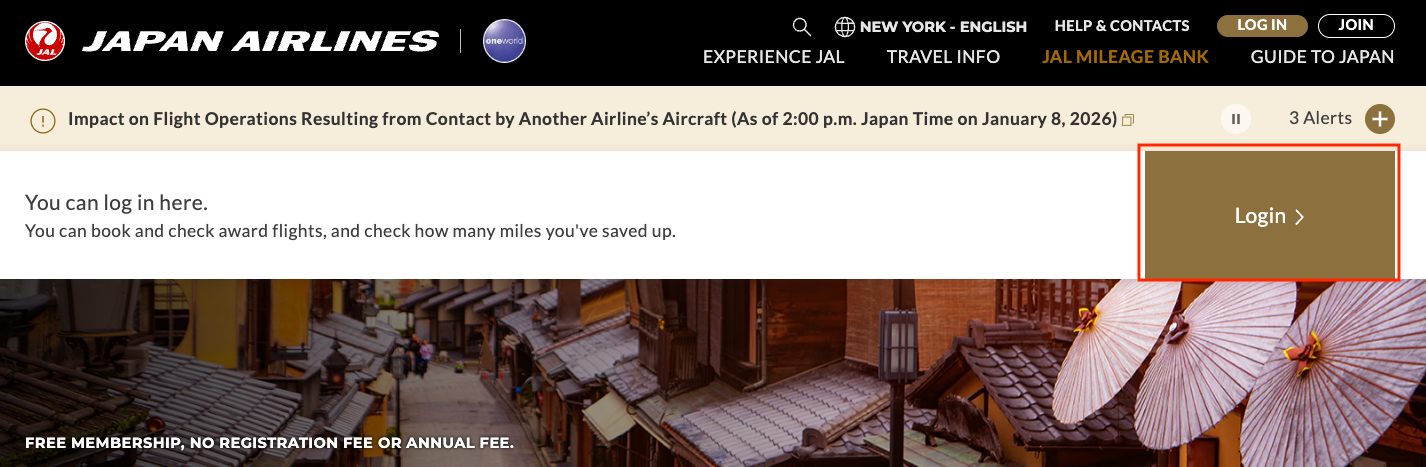
Once you have an account, you'll need to log in to be able to search. JAL's homepage can be a bit confusing to navigate, so I'd recommend bookmarking this link for JAL's Mileage Bank page.
This is the best place to start – just click “Login” here. It's also handy to come back to this page to start from scratch if you get error messages in the following steps. Be prepared for those – JAL's website is wonky at best and you may run into errors during the search process.
Use a desktop or laptop for the best experience – trying to navigate JAL's site on a mobile device will be even more challenging.
After you enter your password, you'll be sent a different “one-time password (OTP)” to your email address. You'll need to enter that to complete the login process. Sometimes, you won't be asked for this code until after you actually click “search” in the following steps.
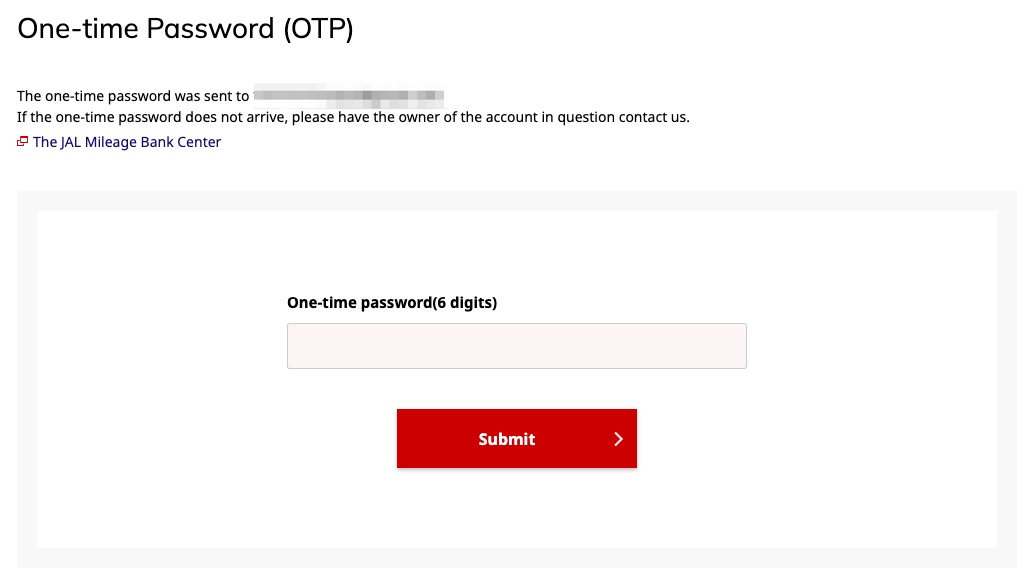
Be prepared for this two-factor authentication to pop up at any point during the search process. It's one of the most frustrating things you'll run into when searching for award flights with JAL miles. You may need to enter a one-time passcode multiple times during the search process.
JAL has multiple search tools depending on if you're booking a flight operated by Japan Airlines, a single partner airline, or a flight that involves multiple airlines.
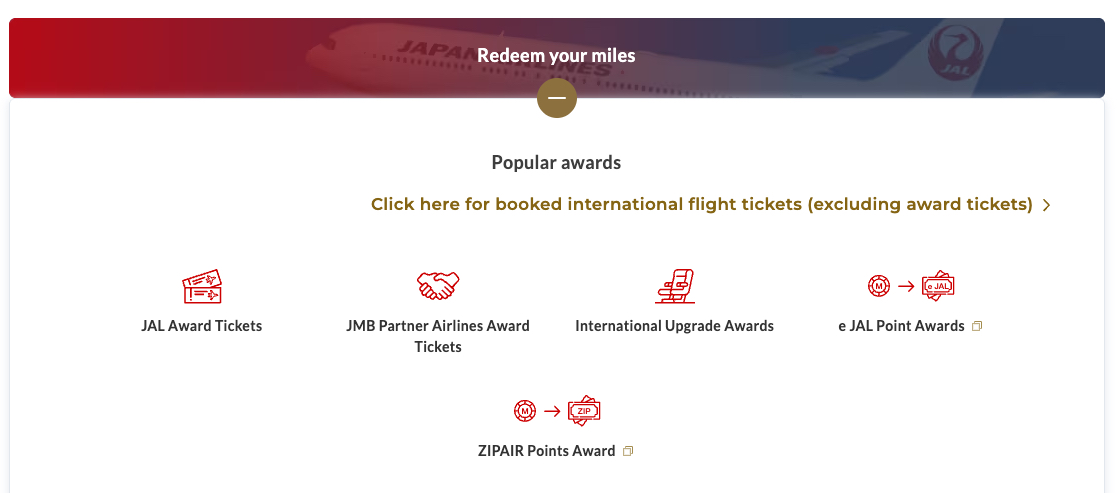
You'll need to first navigate to the correct search tool to find the award flights you're looking for. Follow the steps below for details …
Booking Japan Airlines Flights
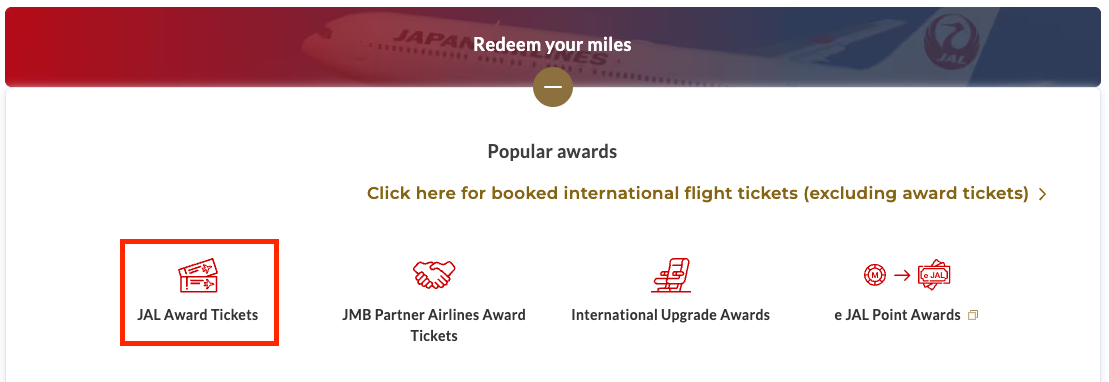
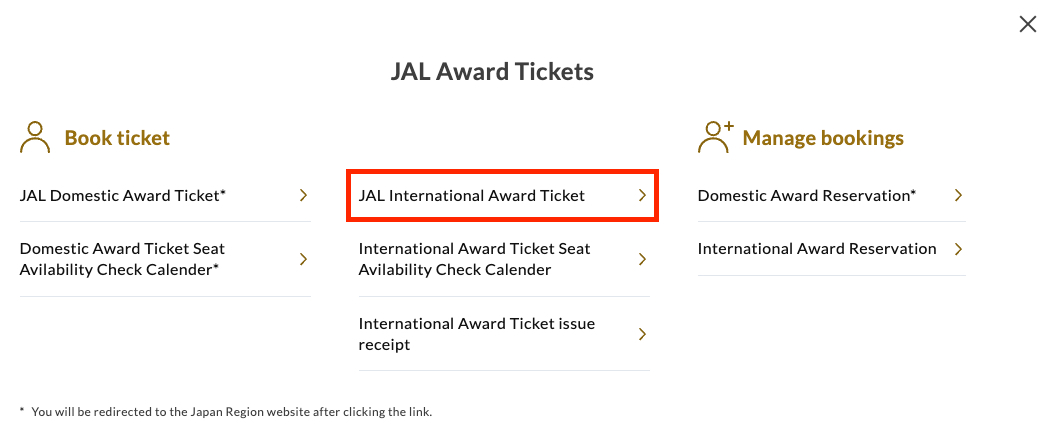
The most straightforward flights to book with JAL miles are flights on Japan Airlines itself. To do this, first click on “JAL Award Tickets.”
You'll then see a pop-up with more options. There's a separate tool for domestic award tickets and international award tickets – and calendar tools for both, which I'll go over more later.
For simplicity, I'll focus on the “JAL International Award Ticket” search. This is what you'll need to click on to book a Japan Airlines flight between North America and Japan.
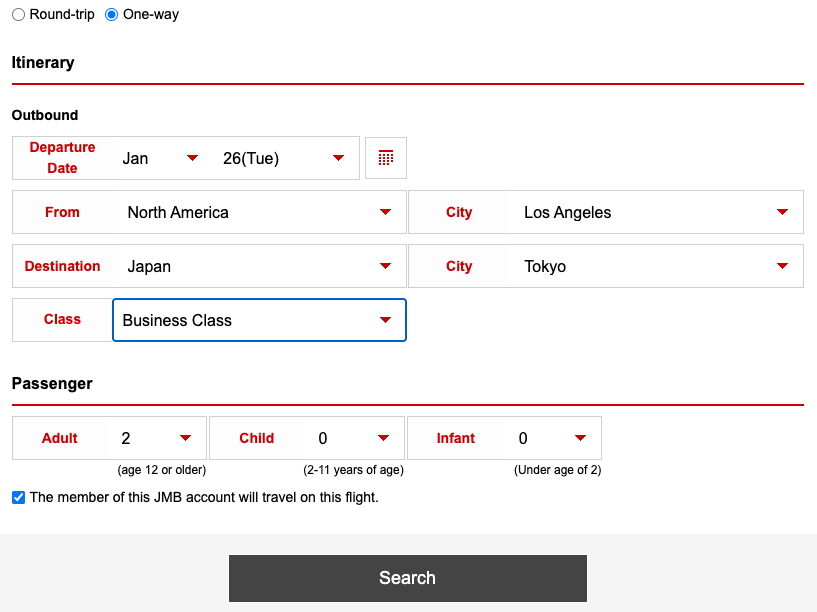
On the following screen, you can choose between Round-trip or One-way. Since it's easiest to search for availability one direction at a time, I'll just go over the one-way search.
Searching for JAL flights on Japan Airlines' website is a little different than other airlines' search tools – you'll need to enter the regions you're traveling from and to, as well as the city.
As always, choose the exact number of passengers you want to book and the class of service. Here's what it should look like if you're searching for two passengers in business class from Los Angeles to Tokyo.
You may be prompted to enter a one-time passcode again. This depends on how long it's been since you logged in or if you were prompted for this earlier in the sign-in process or not. Just be prepared that you might see this screen after you click “Search.”
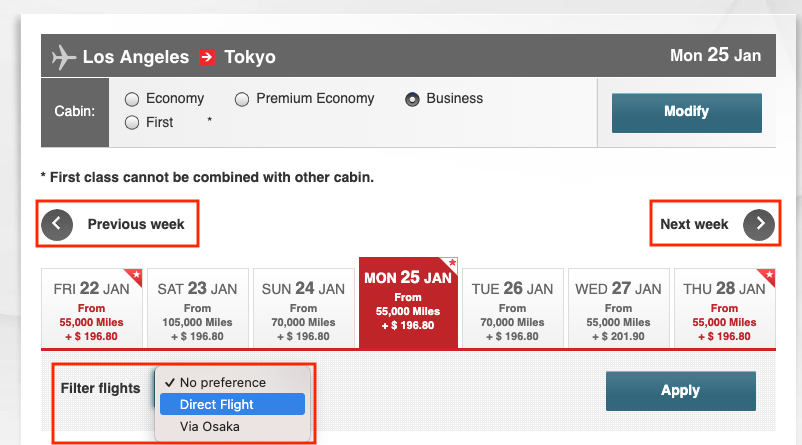
The search results will show you a one-week view of fares. You can quickly choose other dates by clicking on the dates at the top – or see the previous or following week by clicking the arrows.
If both nonstop and connecting flights are available, you can filter to show only “direct” flights. Click “Apply” to filter the results to your preference. You can also modify the cabin at the top.
Below, you'll see the list of flights to choose from. Note that you can't specify which Tokyo airport you search for initially. This means you'll want to pay close attention to the airports when choosing flights.
In this example, you'll see that you can book Japan Airlines business class from Los Angeles (LAX) to Tokyo-Narita (NRT) for 55,000 miles per person, one-way. But it would cost 100,000 miles on this date to fly to Tokyo-Haneda (HND) airport. You can also sort by departure and arrival airports, or by duration, on this screen.
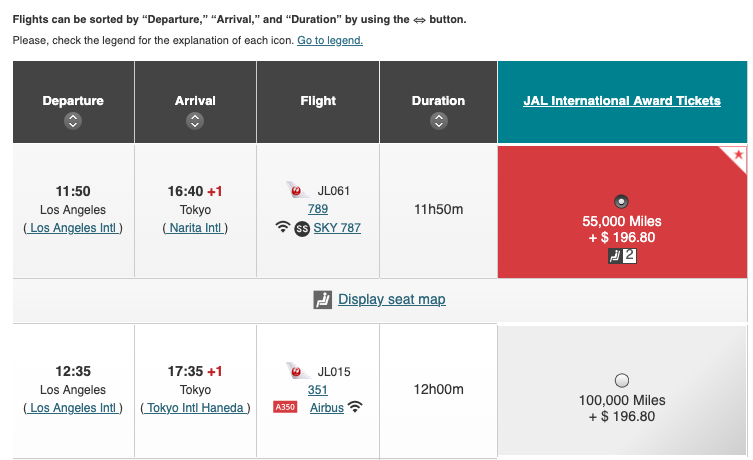
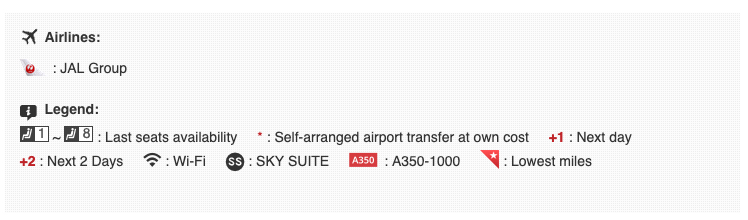
JAL also provides a ton of information on its own flights. You can quickly see how many seats are available and which aircraft you'll be flying, among other useful info. Here's the legend JAL provides.
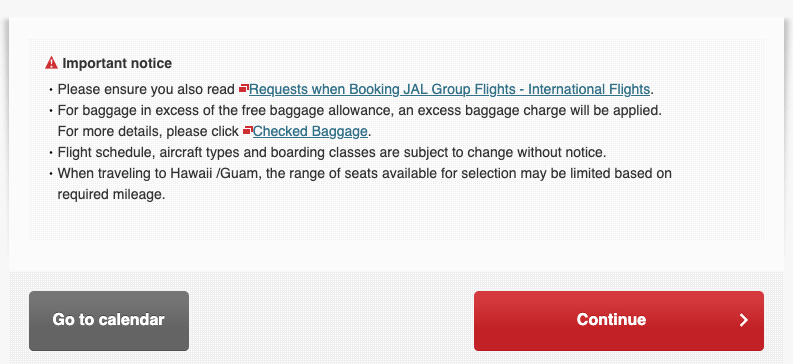
Once you've selected the flights you want to book, click “Continue” at the bottom of the screen to proceed with booking. You'll need enough miles in your JAL account to proceed with the booking.
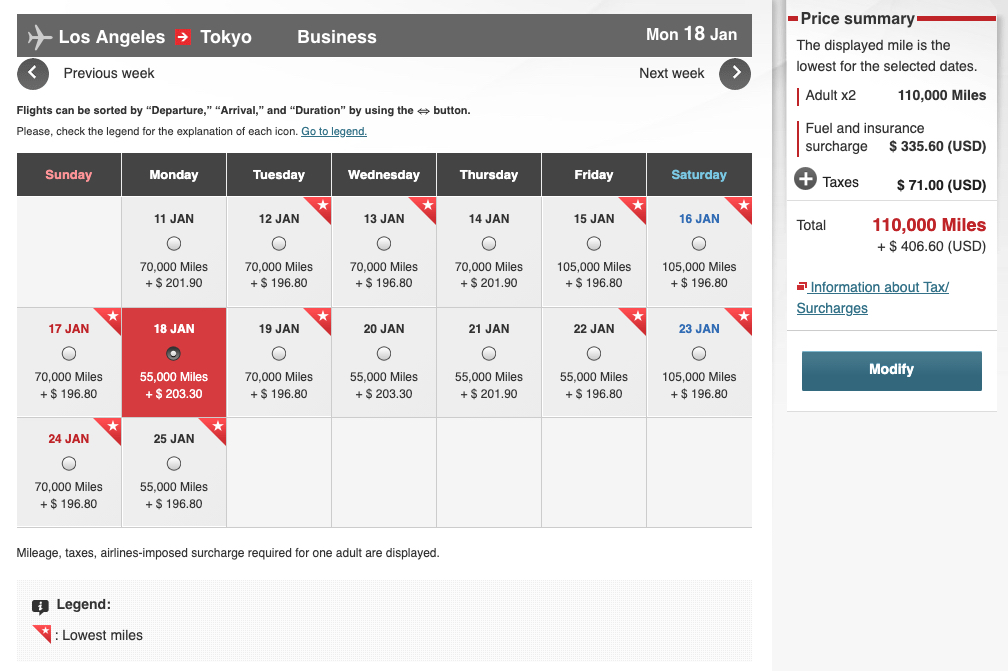
You'll also see the “Go to calendar” option at the bottom. This lets you see two weeks of availability at once, which can be helpful in some cases. You'll still need to look at the specifics on the flight results page mentioned above.
Beware of Waitlist Flights
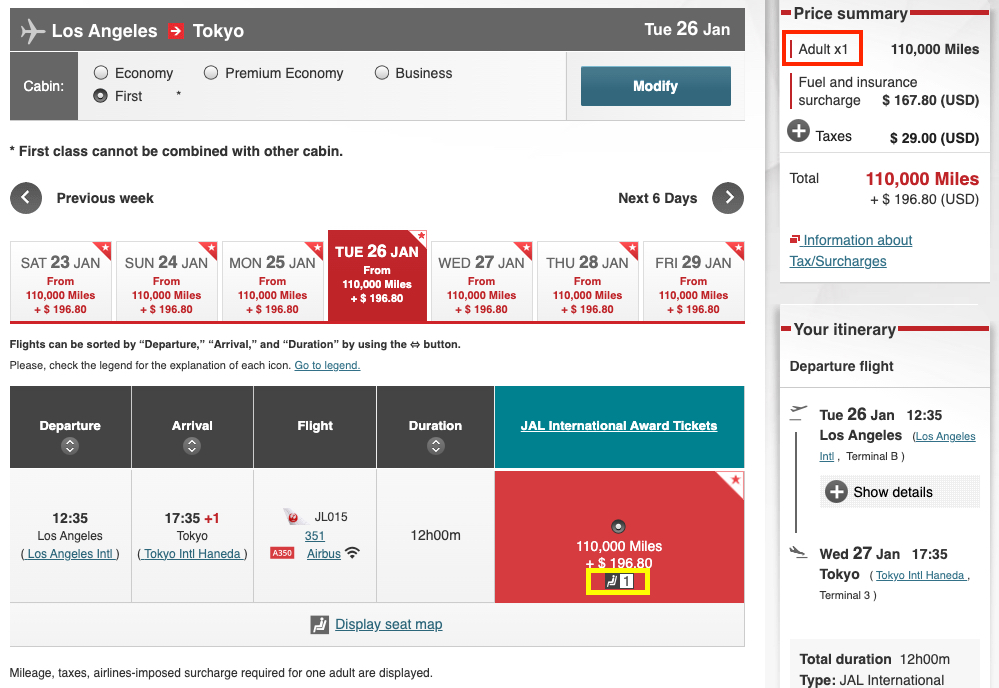
One thing to watch out for when searching for availability on Japan Airlines flights is the option to “waitlist” instead of actually booking a confirmed seat. You'll often see this when you're searching for two (or more) passengers in first class.
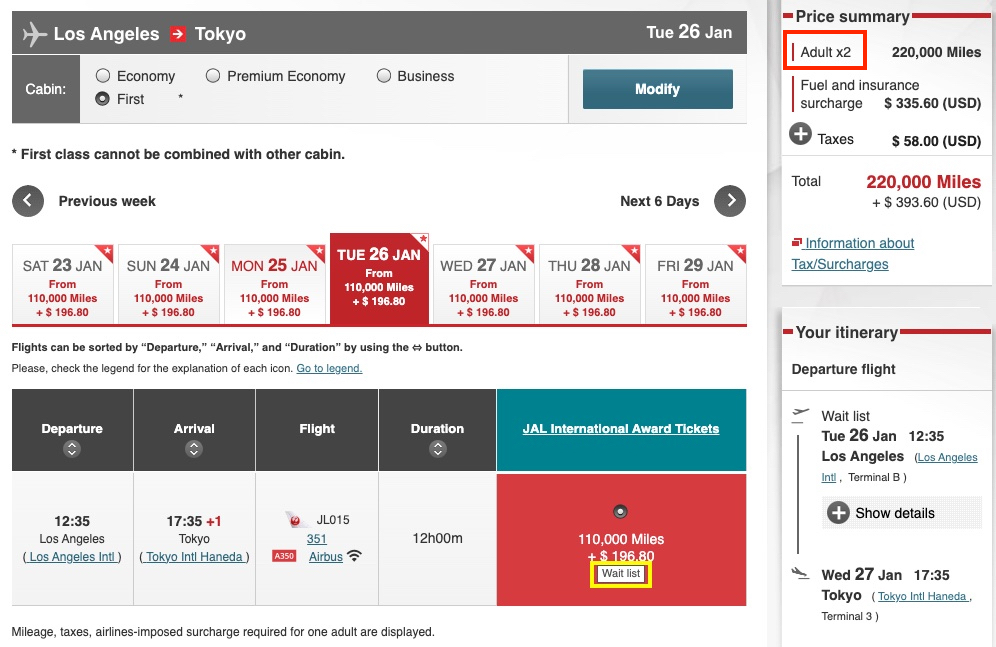
While it may appear that there are several dates available, anything beyond one seat in first class is usually “waitlist.” These are not confirmed seats, and it's generally not recommended to transfer points for this since there's no guarantee you'll clear the waitlist.
If you're traveling solo, you'll have an easier time finding confirmed first class award availability. As you can see, there's only one confirmed seat available in first class on this flight. This is the norm when searching for Japan Airlines First Class awards using JAL miles.
Booking Partner Airline Flights
Mileage Bank offers some of the best ways to book flights on oneworld airlines such as American Airlines and British Airways, or on JAL's unique partners like Emirates or LATAM – especially if you're booking roundtrip (more on this in a bit).
To book a flight on a single partner airline, you'll need to navigate to the “JMB Partner Airlines Award Tickets” search tool.
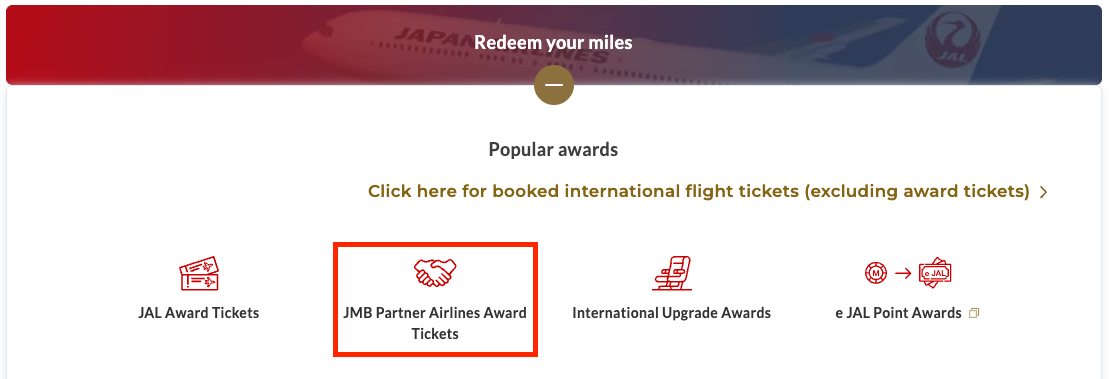
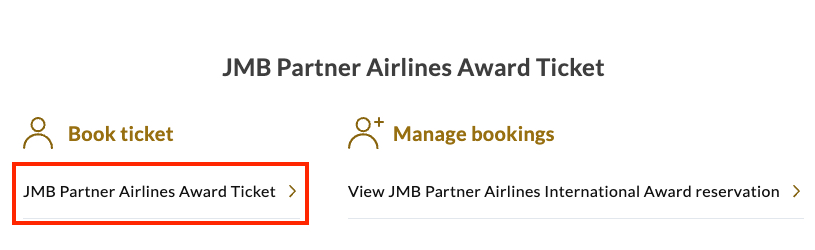
After you click that, you'll see a pop-up. Click “JMB Partner Airlines Award Ticket” again.
Once you land on the search tool, you'll see three separate tabs at the top. For simplicity, I'll focus on the Round-trip / One-way search. If you're looking to book a multi-city trip with a single partner airline, use the “Staying in multiple cities” or “Build your own trip” tabs.
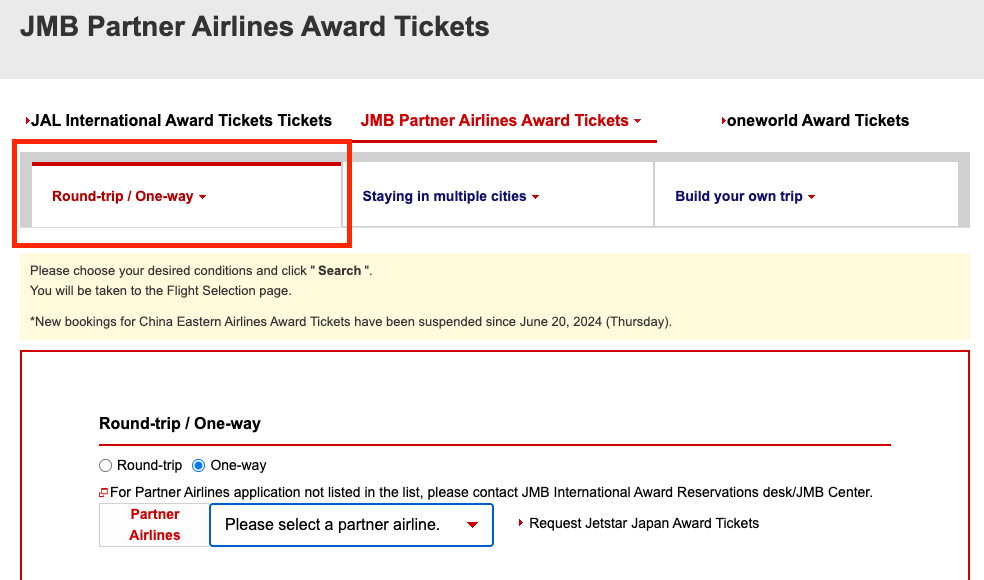
Note that there isn't a flexible-date search option when searching for partner-airline award tickets on JAL's site. Therefore, it's best to first search for availability on another airline's website or use a third-party award search tool.
Then, search for those exact dates on JAL's website to book with JAL miles – often for a much better deal.
When searching on JAL's site, you'll need to choose the specific partner airline from the dropdown menu.
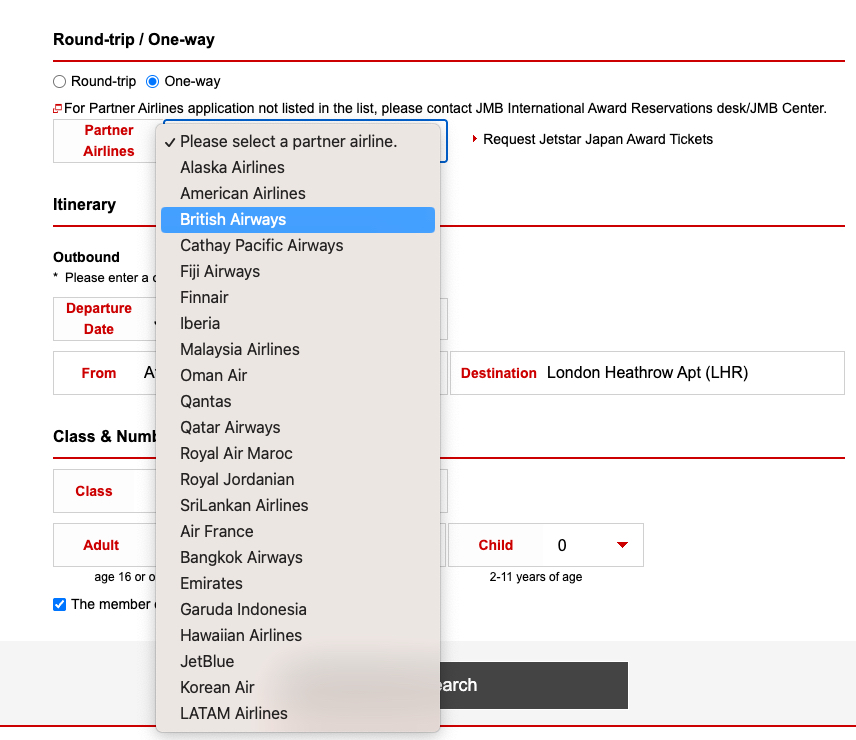
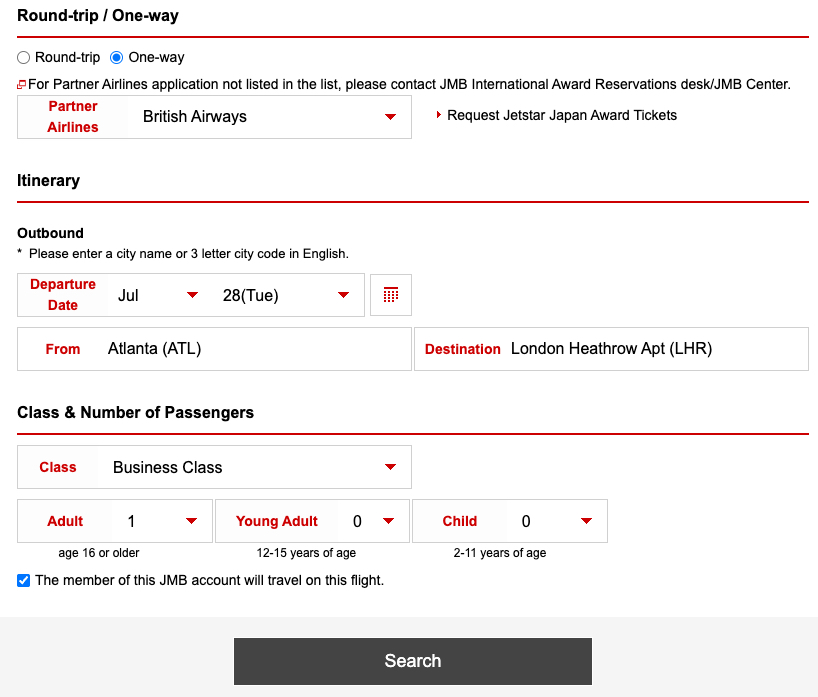
In this example, I'll search for availability to fly British Airways business class from Atlanta (ATL) to London (LHR). I used American Airlines' website to quickly find which dates have availability on this particular route – AA's site is often the go-to for finding availability on oneworld airlines.
Of course, the best website to find award availability will vary depending on the airline you're trying to book.
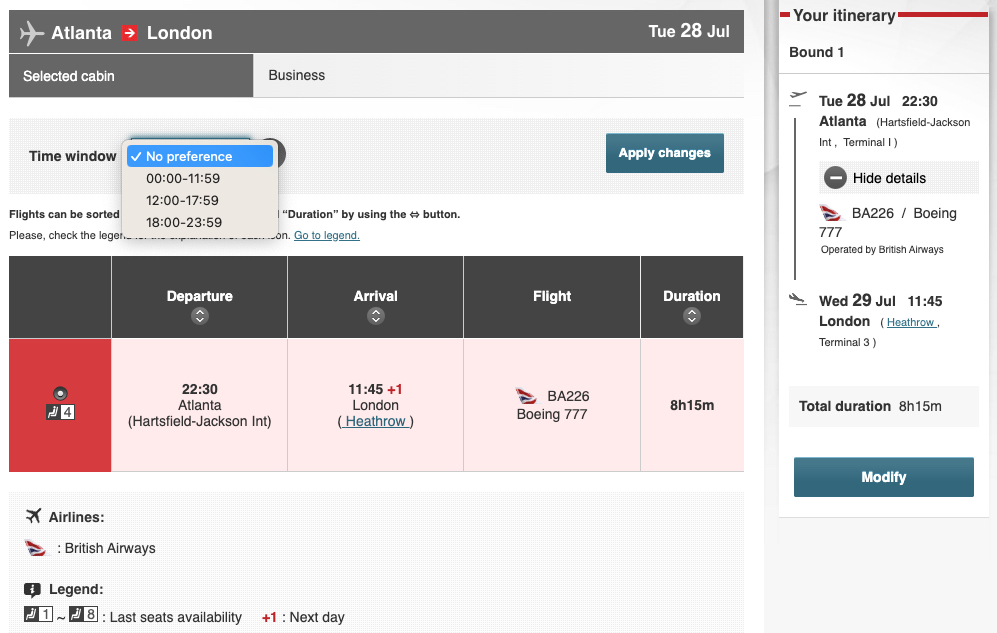
On the following screen, you'll see a list of flights to choose from. You can filter by time of day if there are multiple flights. In this case, there's just one. The neat thing is you can see how many seats are available – in this example, it indicates there are four business class seats available.
After you select a flight, click “Continue” at the bottom of the screen to see the price. This one-way business class flight from Atlanta (ATL) to London (LHR) costs just 60,000 JAL miles plus $219 in taxes and fees one way. That's a huge savings compared to what you'd pay using British Airways Avios.
It's always a good idea to click “Show details” on this screen to see which cabin the price is referring to. In some cases, it may switch to economy even when you originally searched for business class.
This may happen if JAL doesn't have any business class seats available on the date you searched, but does have economy seats. If you notice a lower price than expected, this is likely the reason.
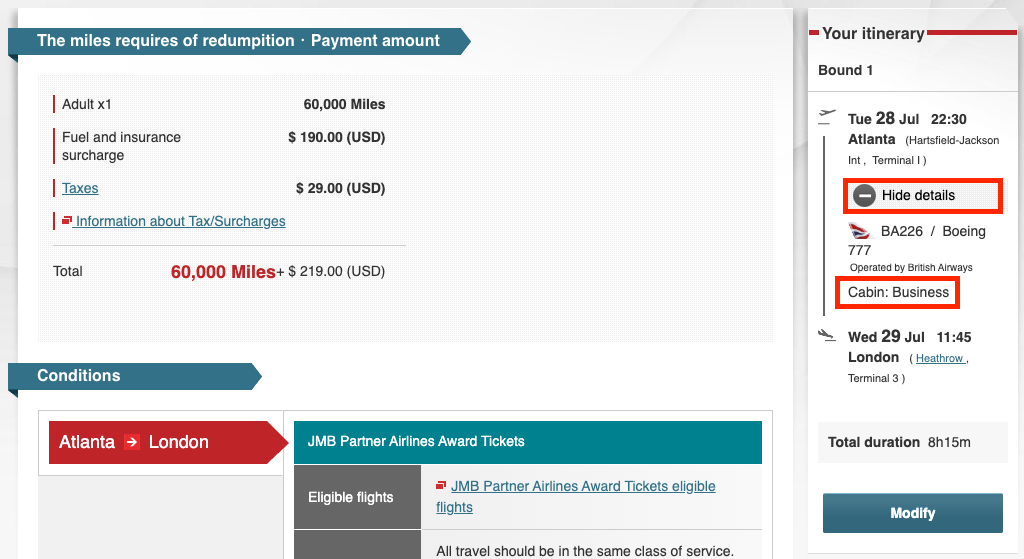
The price you see is the total for all passengers, so if you search for two passengers, you'll see double the amount.
To proceed with booking, click “Continue” at the bottom of the screen. You'll need to have enough miles in your account to proceed.
Round-Trip Partner Awards are Cheaper Than Two One-Ways
One of the best sweet spots on JAL's partner award chart is that booking a roundtrip can offer significant savings compared to booking two separate one-way tickets.
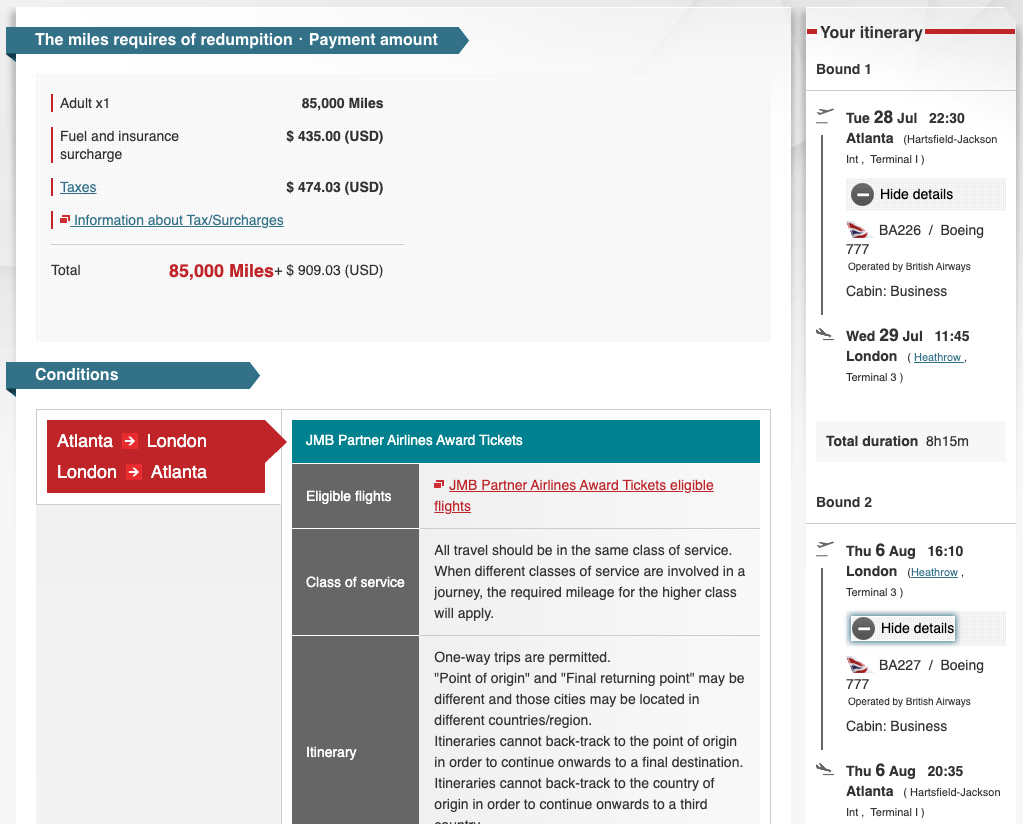
In the example above, if I wanted to book a roundtrip, it wouldn't be 120,000 miles. Instead, because JAL prices these based on the total distance traveled for all flights, it would cost just 85,000 miles roundtrip to fly British Airways business class nonstop from Atlanta to London and back.
Booking Open-Jaw Partner Award Tickets
This works with other partner airlines as well. And you can even book an open-jaw flight (flying into one airport, but back from another) using this trick to save a ton of miles on a roundtrip booking.
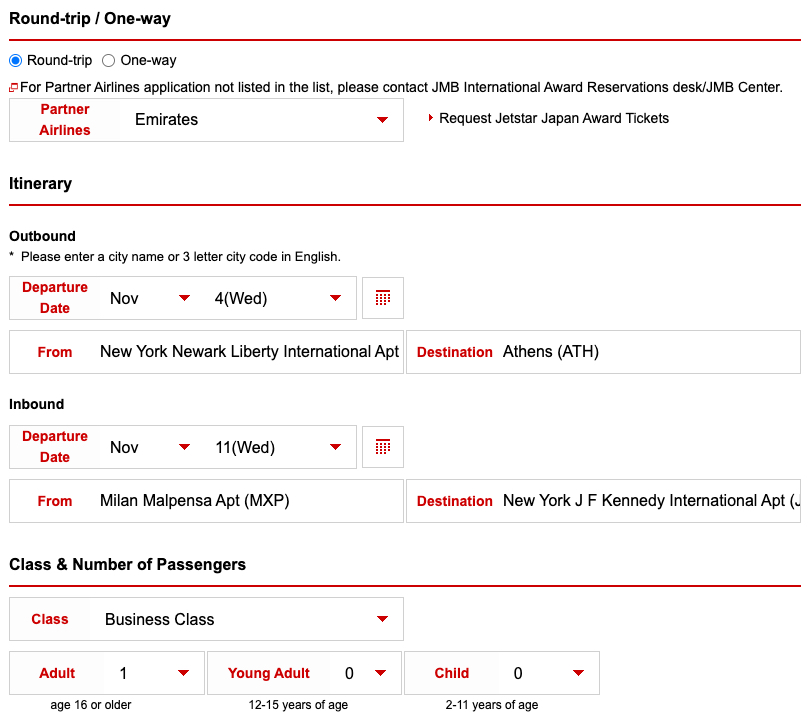
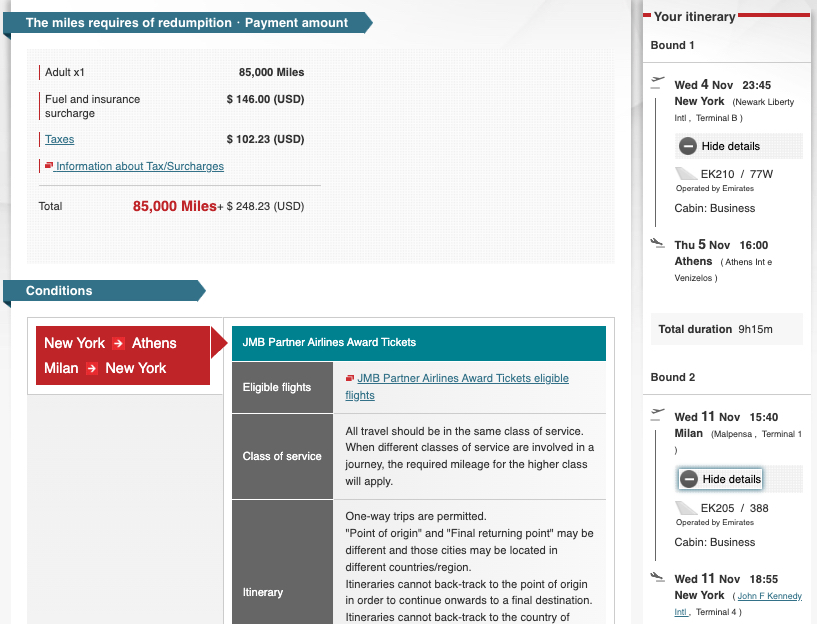
For example, if you wanted to fly Emirates business class from Newark (EWR) to Athens (ATH), and return home on Emirates' flight from Milan (MXP) to New York (JFK), you would enter the outbound and inbound flights as shown below.
Of course, you'd need to find your own way to get from Athens to Milan, but that might be worth it considering you'd only need to pay 85,000 JAL miles plus $250 in taxes and fees total for the roundtrip flight.
Build Your Own Trip with a Single Partner Airline
If you'd like to combine three or more flights with the same partner airline into a single booking, it's easiest to use the “Build your own trip” tab.
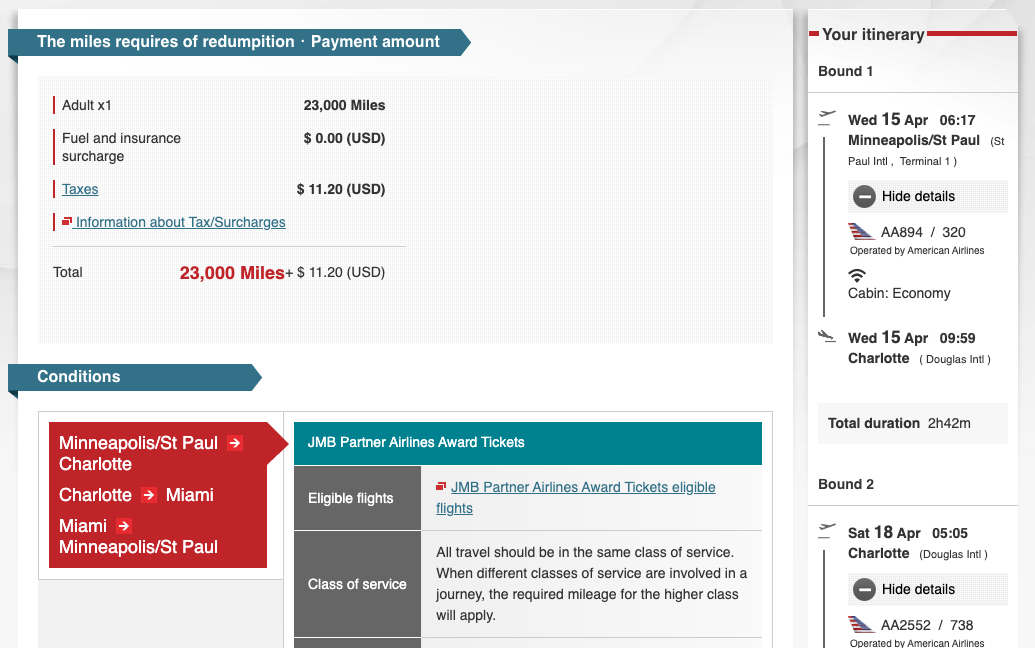
For example, if you wanted to hop around the United States on multiple American Airlines flights, this is the search tool you'd want to use. You can add or remove flights by clicking “Add another sector” or “Delete the final sector” respectively.
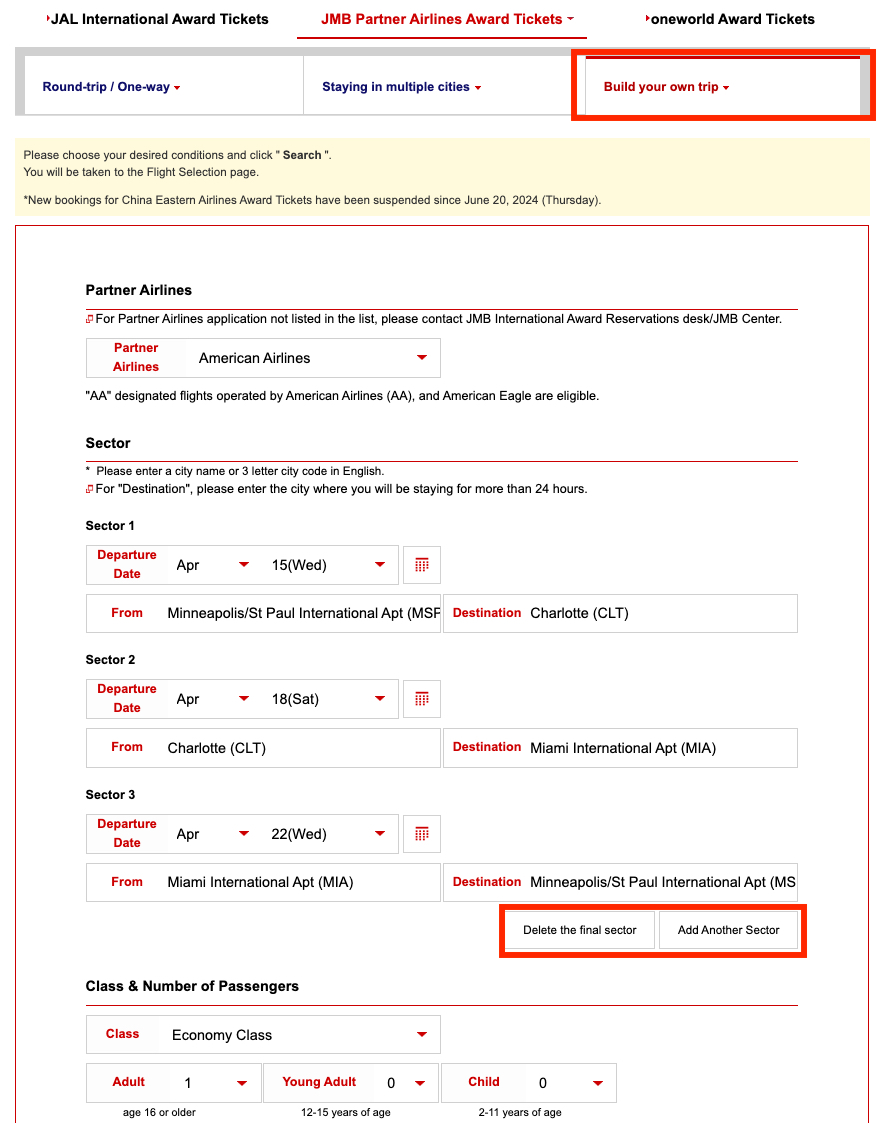
Since JAL prices flights based on total distance, you can save big if you're planning a trip to visit multiple cities and fly the same airline. But it can be tricky to pull off since you'll need to find award availability for each segment.
Booking Multi-Airline Oneworld Flights
If there are multiple airlines involved in the flight you want to book, you'll need to use the “oneworld Award Tickets” search. It's only possible to combine two or more oneworld airlines on the same ticket. JAL's partners outside the oneworld alliance can't be combined with other airlines.
To search for this type of ticket, you'll need to choose the “oneworld Award Tickets” tab at the top once you're on the search page.
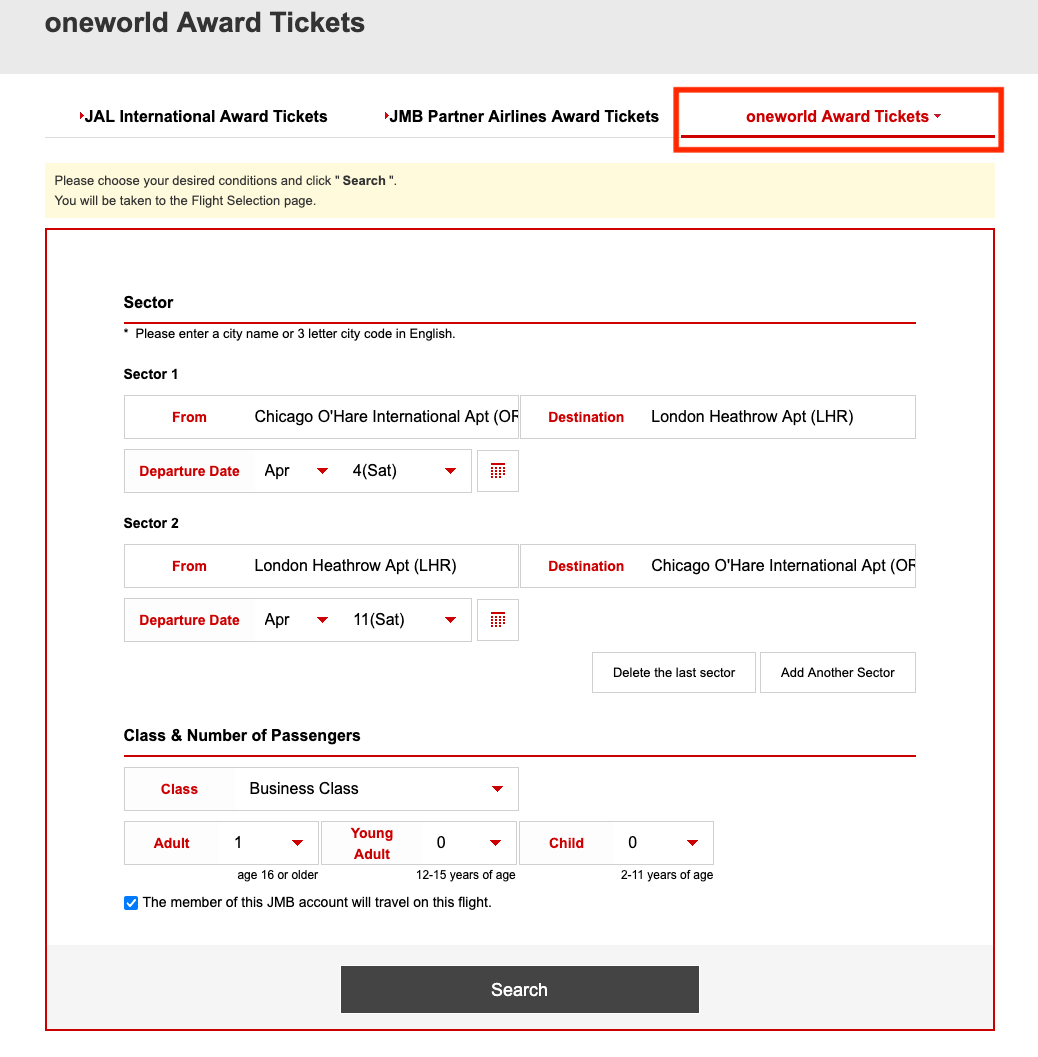
One example of when this can be useful is if you want to fly British Airways business class on the way to London, but back home in American Airlines business class to save on fees – or if the award availability works better with your schedule.
After clicking through and choosing your flights, you'll see that you can book this type of award from Chicago (ORD) to London (LHR) for 80,000 JAL miles roundtrip.
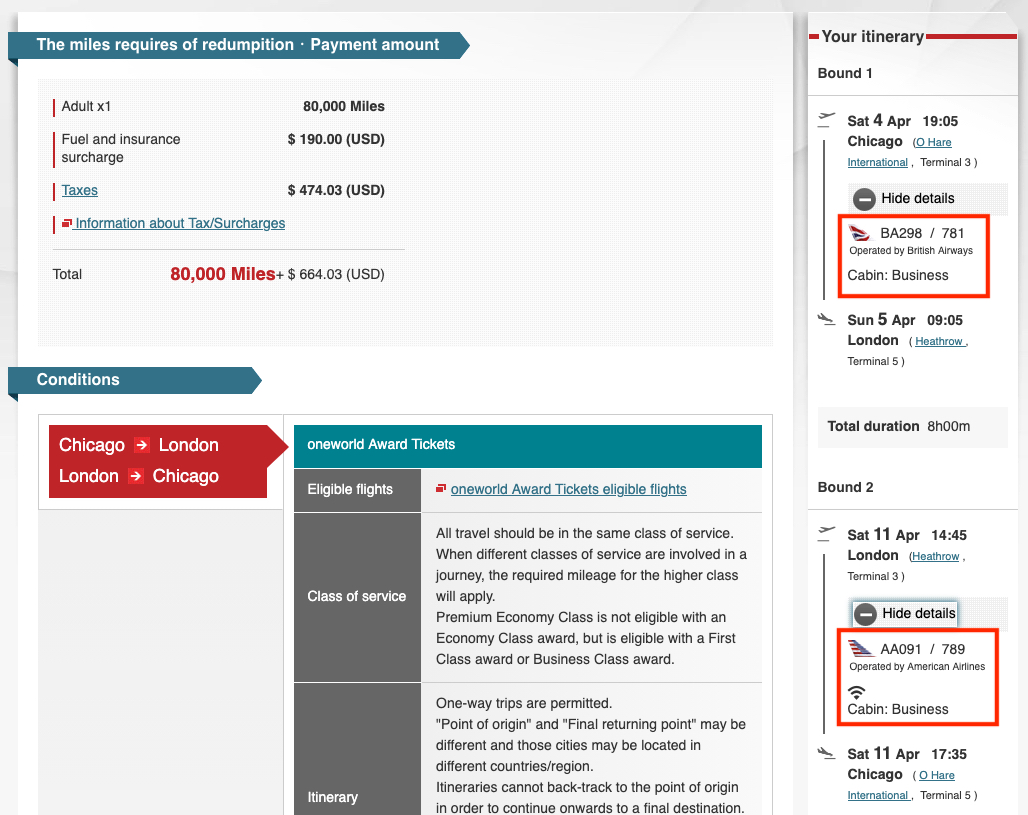
You must use the “oneworld Award Ticket” tab to search for this type of multi-airline award ticket.
Step 4: Confirm Availability, Transfer Points & Book
After you've confirmed the availability on JAL's website or through a live agent, it's time to transfer points and book.
If you have a stash of Bilt Rewards or Capital One Miles, this is one of the best ways to use them. Bilt points transfer to Japan Airlines miles at a 1:1 ratio, while Capital One transfers normally only get 750 JAL miles per 1,000 transferred.
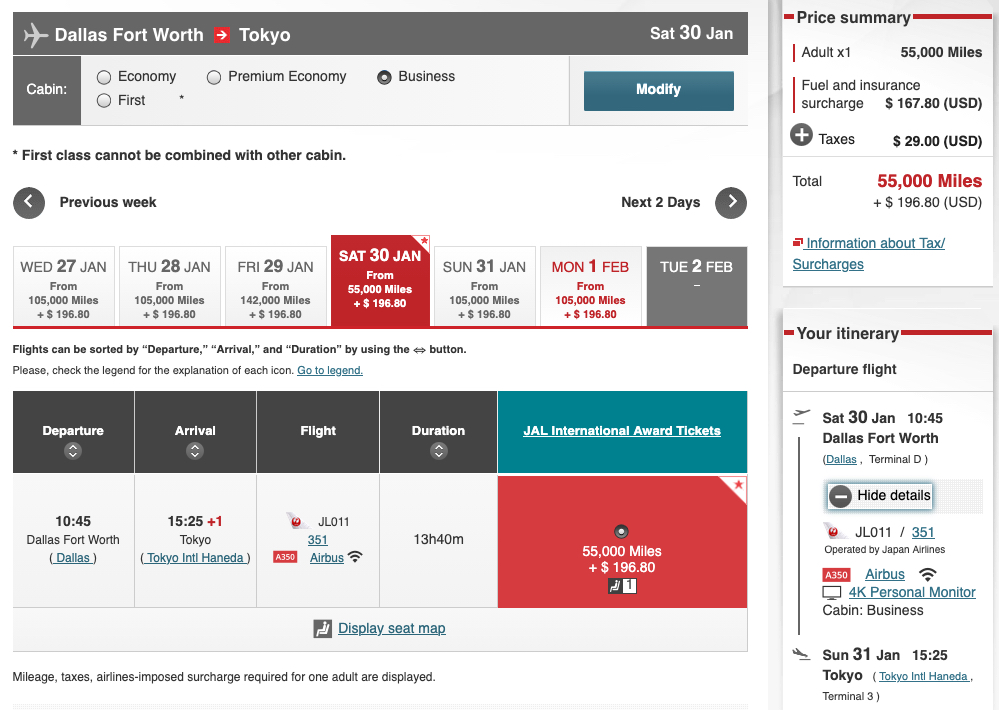
This means 55,000 Bilt points = 55,000 JAL miles – enough to book this business class flight on JAL's beautiful new A350-1000 from Dallas (DFW) to Tokyo-Haneda (HND). You'd normally need to transfer 73,400 Capital One miles to get 55,000 JAL miles, but if you time it with a transfer bonus, you could save some miles.
Transfers from both Bilt and Capital One are usually instant or appear within 10 minutes. Sometimes your first transfer may take a few hours, but this isn't always the case and varies from person to person.
To ensure as smooth a transfer as possible, make sure your names, birth dates, and addresses match exactly between your credit card account and your JAL Mileage Bank account, including middle names.
Call to Book if Necessary
JAL's website is not the best. It's riddled with errors and doesn't always give you the results you'd expect. In some cases, it might be easier to call a Japan Airlines agent.
You can find JAL's contact information on its website. JAL also has an online chat function, but live chat agents are only available during limited hours. I find it easiest to call the U.S. phone number (1-800-525-3663), which is open from 8 a.m. to 7 p.m. EST.
We recently had some issues with website errors when clicking through after selecting JetBlue flights, but that seems to have been corrected. This could be due to the partnership between JAL and JetBlue ending on March 31, 2026. Regardless, I have confirmed with an agent that you can book these JetBlue awards over the phone, subject to availability, if you're having trouble on the JAL website.
If you're trying to book more complex, multi-airline awards, you may need to call to get the itinerary priced out.
How to Use the Award Calendar for Japan Airlines Flights
JAL's website also has a handy award calendar that lets you see a full year of Japan Airlines flight availability at once.
The major downside to this tool is that it only shows availability for one passenger – there's no way to see availability for multiple passengers on this year-long calendar view.
To access this calendar tool, navigate to “JAL Award Tickets” and then click “International Award Ticket Seat Availability Check Calendar.”
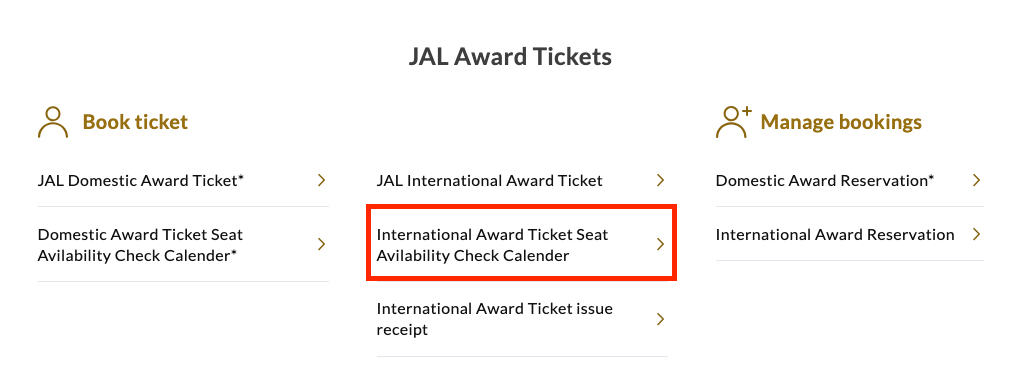
The easiest way to use this tool is to search one way at a time. Unlike partner award tickets, roundtrip Japan Airlines flights are always priced as the sum of two one-ways, so piecing together the cheapest dates one way at a time is the easiest way to search.
You'll need to enter the departure region, then choose a specific departure city and cabin.
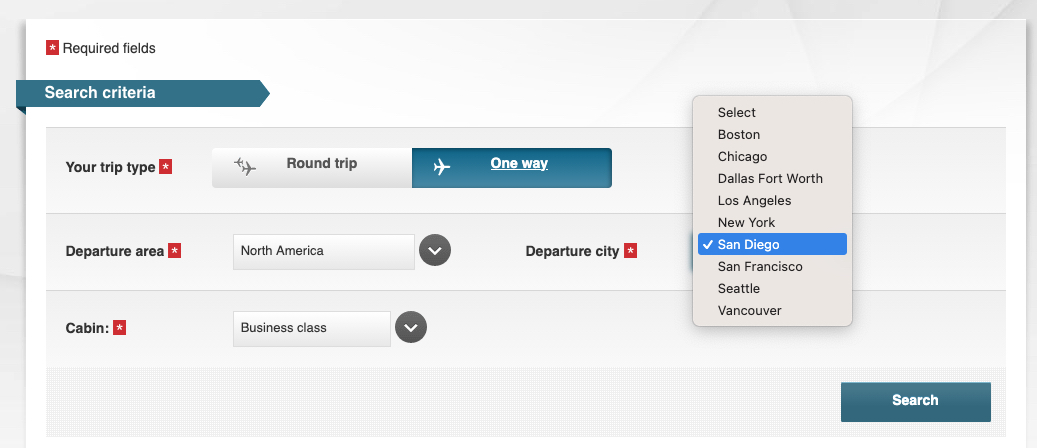
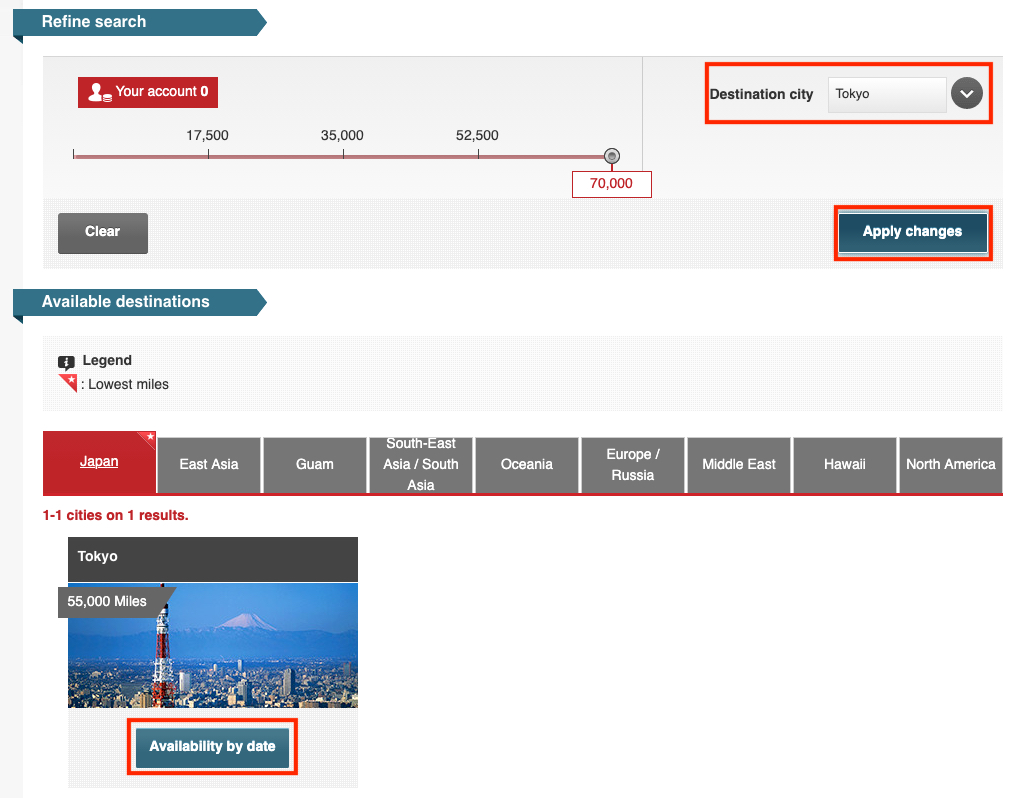
After you click search, you'll be able to choose from various destinations. If you just want to check nonstop availability to Tokyo, choose “Tokyo” from the “Destination city” dropdown menu, then click “Apply changes.”
Then click “Availability by date” to view a full year of award availability.
You'll then see a full calendar of availability with the lowest price listed in each month. Once you select a month, you'll see a bar graph of the pricing and award availability for that month. You can easily toggle between the months to find the best award rates.
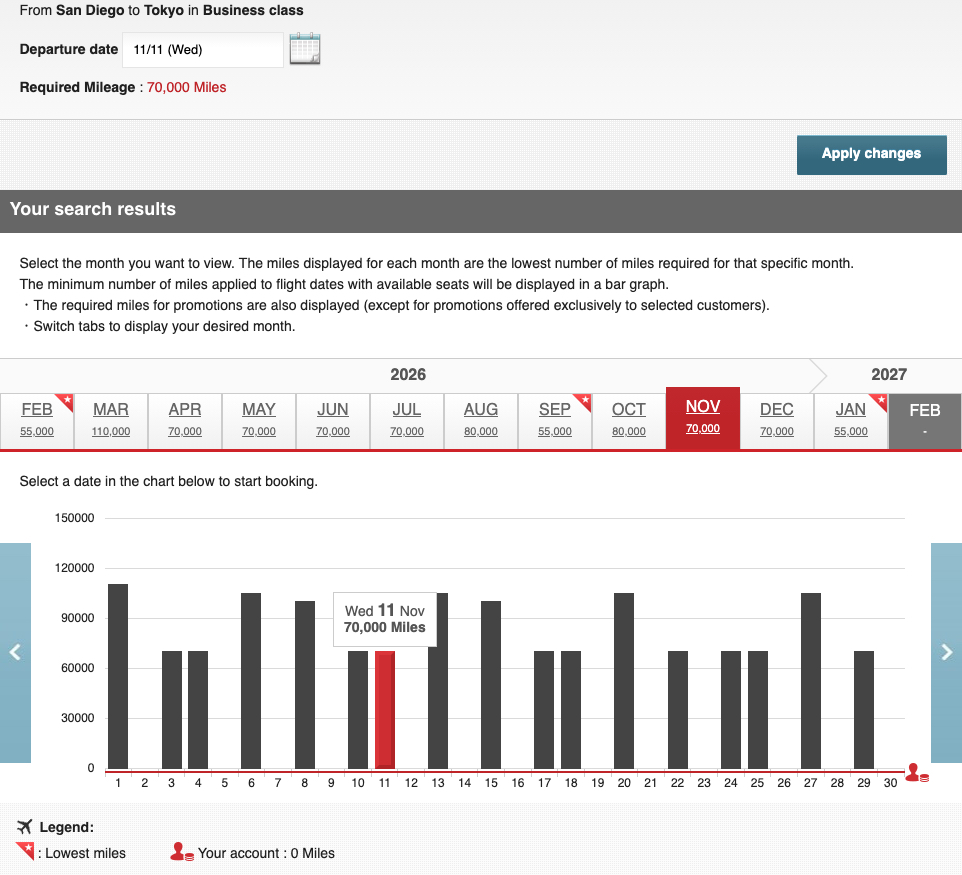
It's important to remember that this chart shows availability for only one passenger. You can pick a date from this screen and then choose to search for any number of passengers you wish, but you may see higher award rates on the results page if you search for more than one passenger.
Still, this can be a good way to narrow down travel dates that may offer cheaper award rates. Then, search for those exact dates to find the total number of passengers you wish to book, using the steps outlined at the beginning of this guide.
Bottom Line
Japan Airlines miles are some of the best airline miles you can earn. Redeeming those miles can sometimes prove to be difficult due to an outdated – and sometimes confusing – website.
You'll need to pack some patience when booking a flight with JAL miles. It can require logging in and entering one-time passcodes multiple times throughout the search process – and you may not even be able to search for a few days after creating a new account.
But once you've mastered how to navigate JAL's website, you'll be able to book some of the best deals in the world of points and miles.



All the tips above are very helpful, but I’ve been unable to find any way to search or book an itinerary fully on JL metal that connects through HND or NRT. Such as SFO-HND-TPE. When searching the only choice given for a JL international award is from XXX – HND/NRT, not anywhere else. I know these are possible because I occasionally see them available via the AA aadvantage awards. Any suggestions?