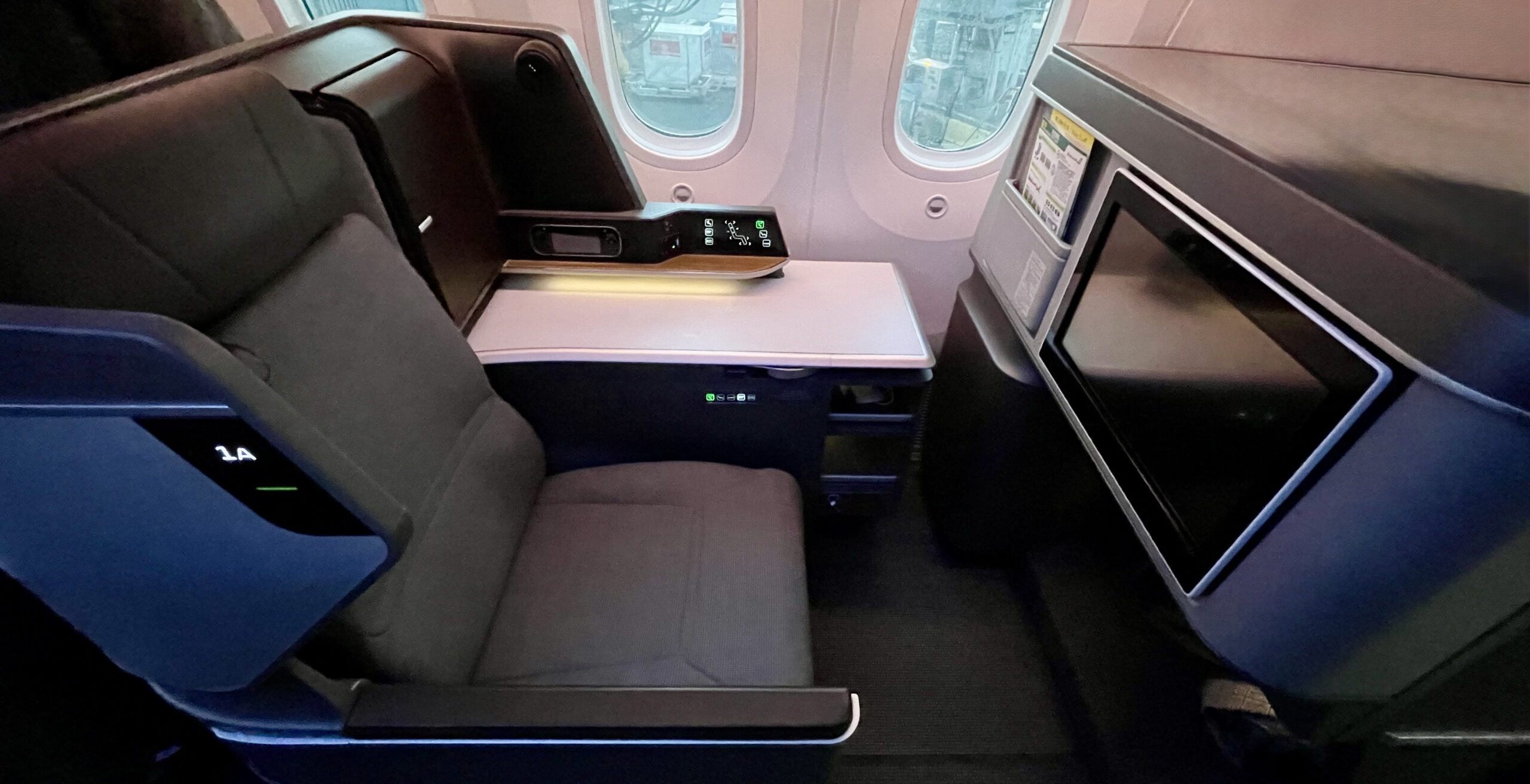



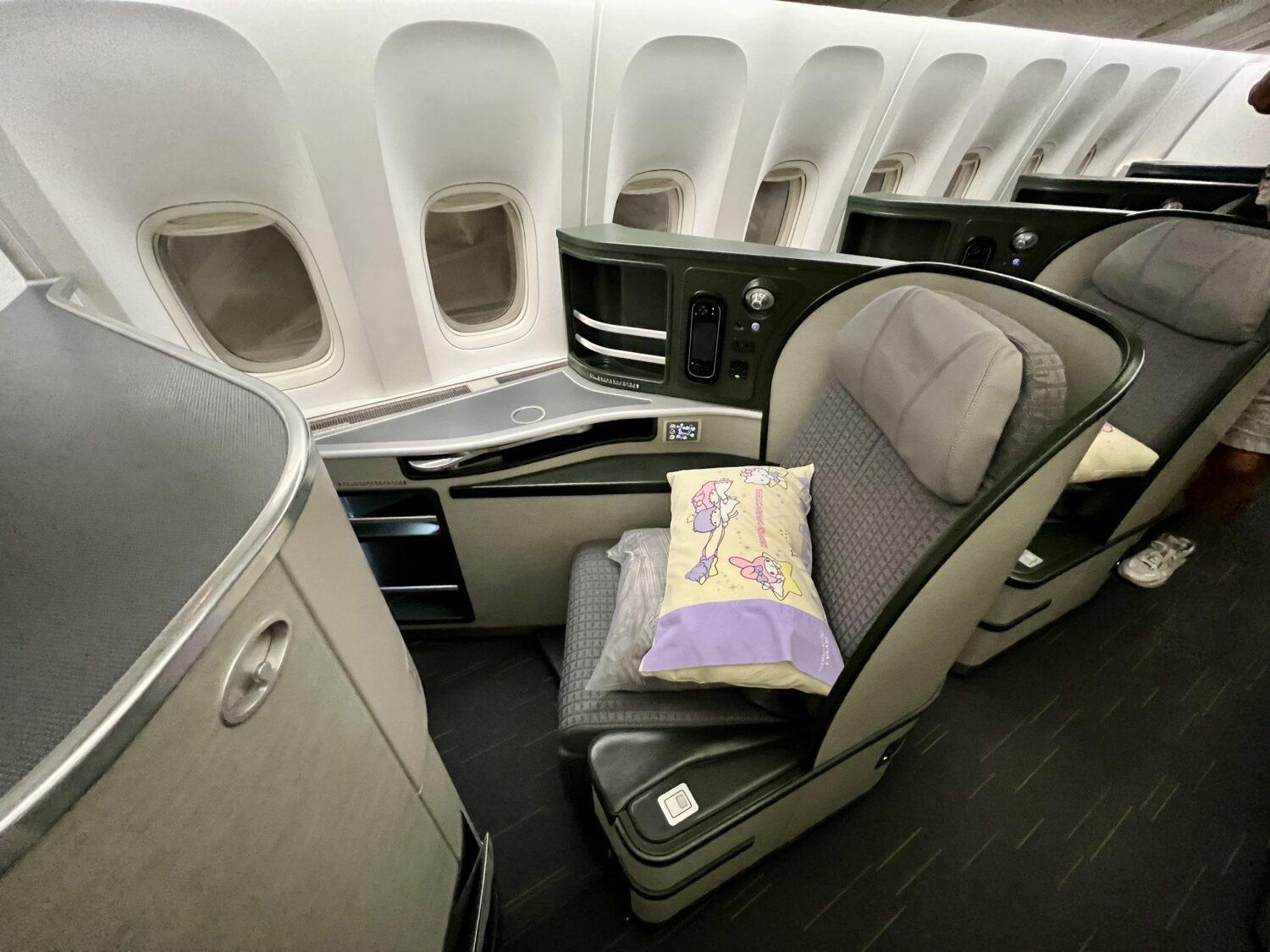
EVA Air is one of our favorite airlines in the world. Its business class is among the best and there’s generally solid availability to book … so long as you redeem its own EVA Air Infinity MileageLands miles.
Yes, the name is a mouthful, and EVA’s website isn’t the easiest to use. But with 1:1 transfers from Citi ThankYou points, and the ability to also transfer Capital One miles (at a lower 1000:750 ratio), EVA Air miles should be on your radar.
Why’s that? EVA has very competitive award rates to get to most major cities in Asia, and award availability (the ability to actually book these seats with miles) is borderline excellent. Business class costs just 75,000 miles each way from the West Coast, or 80,000 miles from the Midwest, Texas, or the East Coast.
Best of all, it’s the same rate whether you fly nonstop to EVA’s hub in Taipei, Taiwan (TPE), or if you connect onward to other cities like Bali (DPS), Bangkok (BKK), Tokyo (NRT), or many other cities throughout Asia.
So what’s the catch? This deal takes some patience and, in some cases, at least a day of setup to book for multiple passengers. The main caveat is that all travelers must have an EVA account, and you’ll need to get points into each individual account to book.
While this process is a little different than booking multiple passengers with other airline miles, it’s definitely still doable, so long as you understand how it works and know the quirks of its website.
Keep reading for a step-by-step guide, from creating accounts to searching for availability, transferring points, and booking lie-flat seats in EVA Air business class to Asia!
Check out our full review of EVA Air business class!
Step 1: Create an EVA Account for All Travelers
One of the most unique aspects of booking flights with EVA Air miles is that all travelers must have an EVA account to book for multiple passengers.
Accounts are free to create, so it’s best to set up an account for everyone in your family (including your kids) as soon as possible so you’re ready when the time comes. If you want to book with a friend, have them set up an account as well. There aren’t any restrictions on who you can book for, but everyone must have their own EVA account.
To start, navigate to the Infinity MileageLands page and click “Join us!” A word of warning: this navigation will land you on a page in Taiwanese Mandarin. To get the form in English, choose your location and language from the top menu bar or use this link to force the form in English.
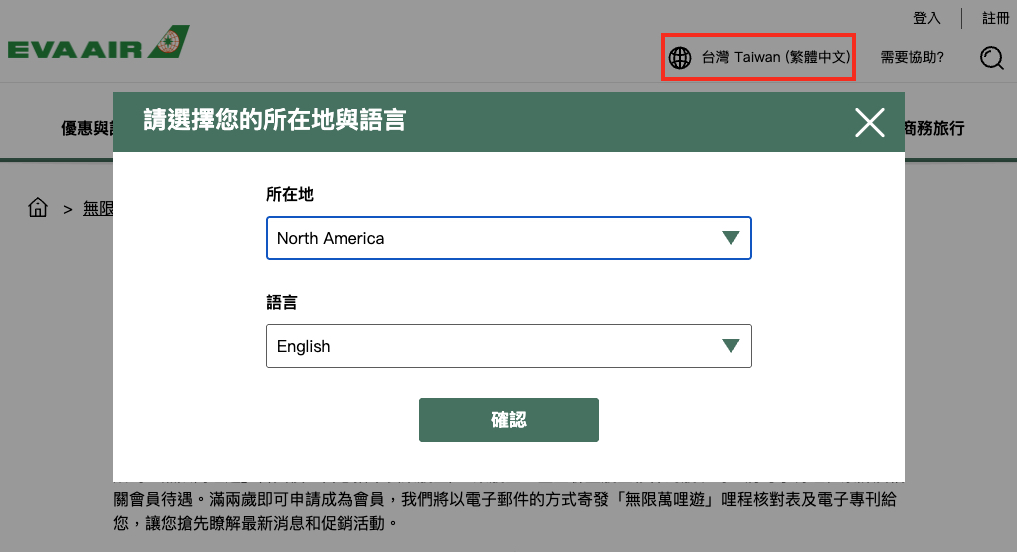
Once you get the registration form in English, it’s a relatively smooth process to create an account. Make sure you write down the account number for each account you create at the final step – you’ll need this information for all passengers when you go to search and book.
You’ll also want to click the checkbox, then click “Register” to set your email address as the account login to make things easier. If you don’t do this at this step, you’ll need to enter your account number to log in.
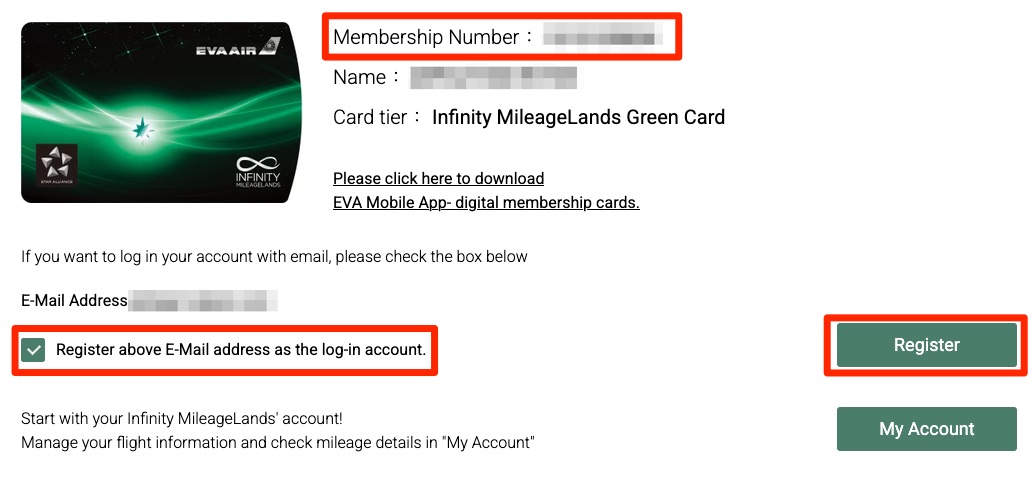
You’ll also need to register your companions as transfer nominees if you want to book for multiple passengers using one pool of transferable credit card points. More on that in “Step 5” below.
Step 2: Log in & Navigate to the EVA Search Page
It can be tricky to find the right spot to start your search with EVA Air miles. First, log in to your account by clicking “Login” in the top right corner of the homepage.
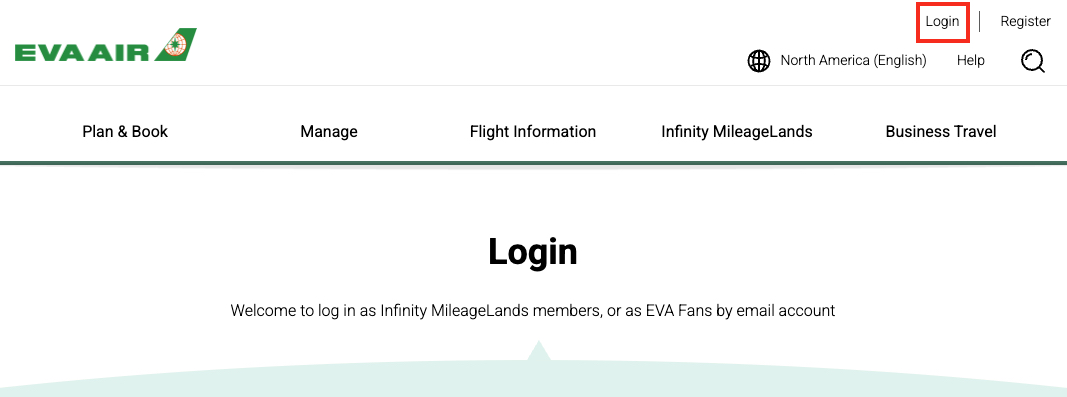
If you didn’t register your email address as your account login when creating your account, you must use your account number to log in. You should be able to find your account number in an email if you forgot to write it down.
After entering your credentials, be prepared to receive a one-time password via email. Enter that code and click “confirm” to complete the log-in process.
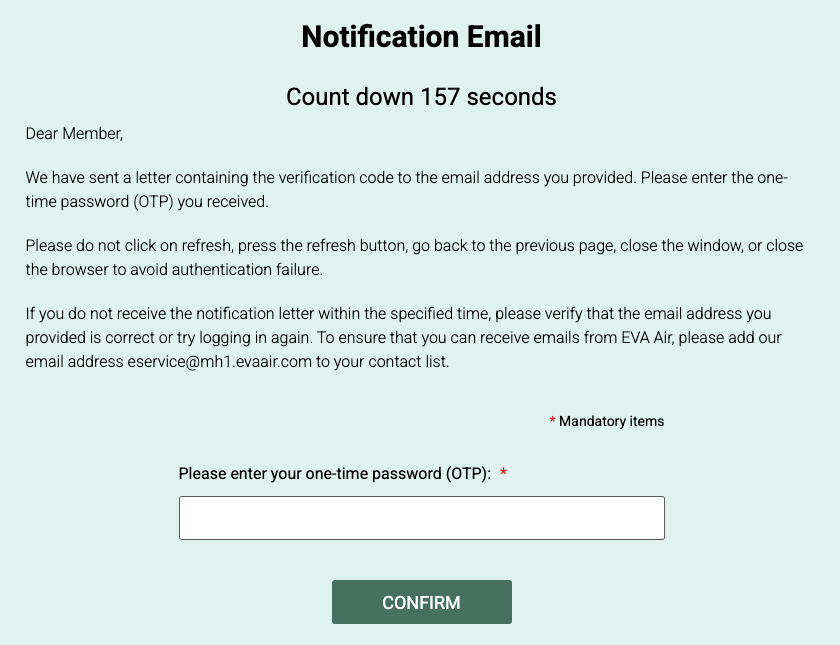
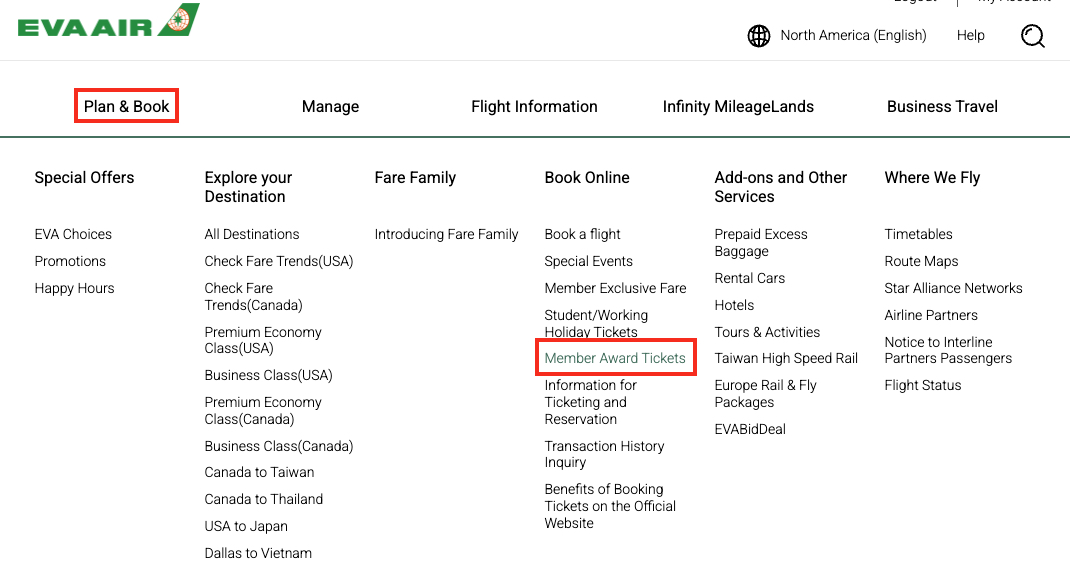
Once you’re logged in, you can navigate to the award ticket search by hovering over Plan & Book, and then clicking on “Member Award Tickets” under the “Book Online” heading.
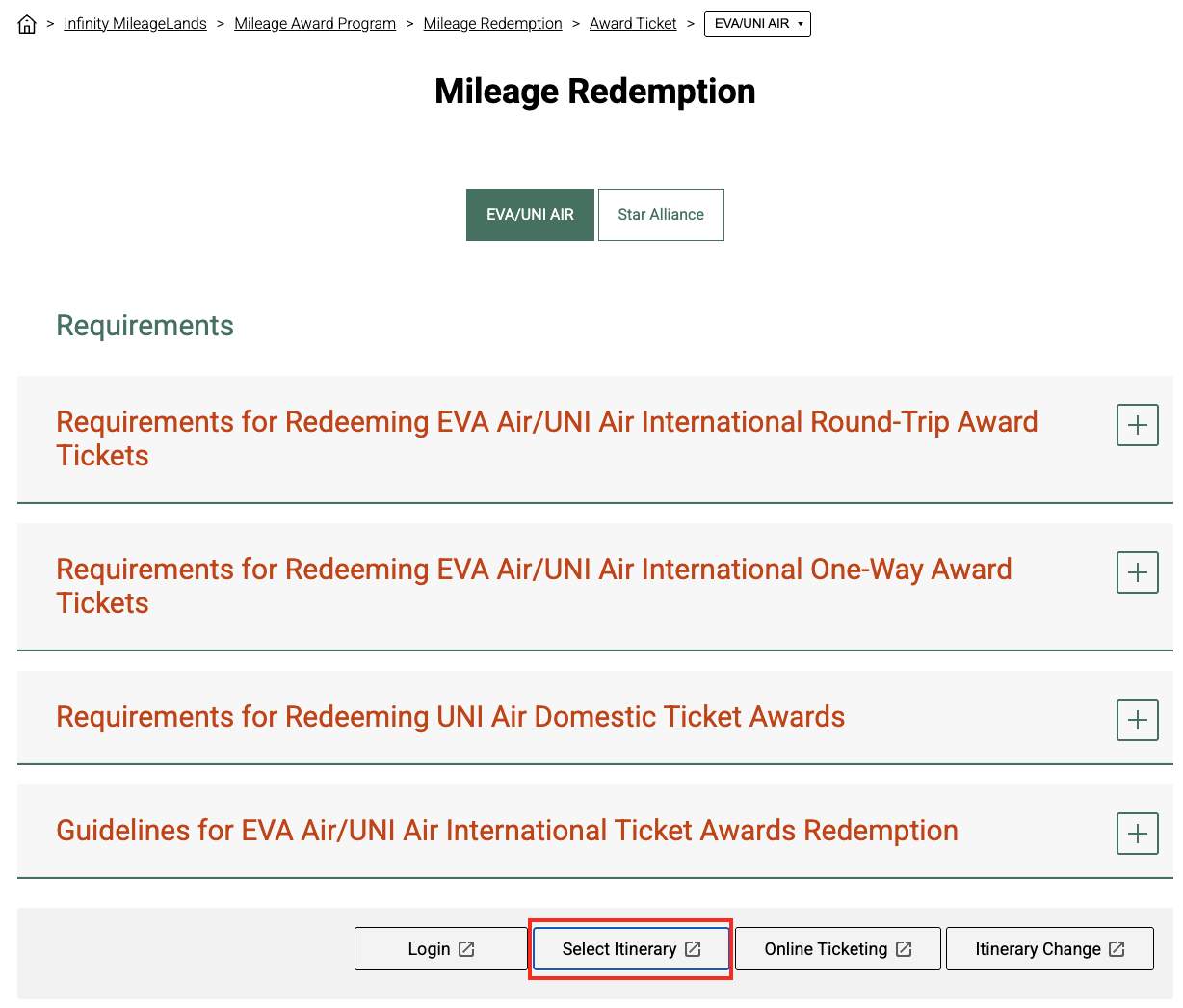
On the Mileage Redemption page, there are two different search engines to choose from: EVA/UNI Air, which is used for EVA-operated flights, and Star Alliance, which is used for booking partner-airline flights with EVA Air miles.
For this walkthrough, I’ll focus on searching for EVA-operated flights. You can view the award charts and ticketing rules here by clicking on the red text to expand the details.
To check award availability, click “Select Itinerary” at the bottom. You can also access this page via this direct link and log in from there.
You’ll know that you’re on the correct search page for EVA-operated flights if you see this screen with “Award Ticket-Select Itinerary” at the top.
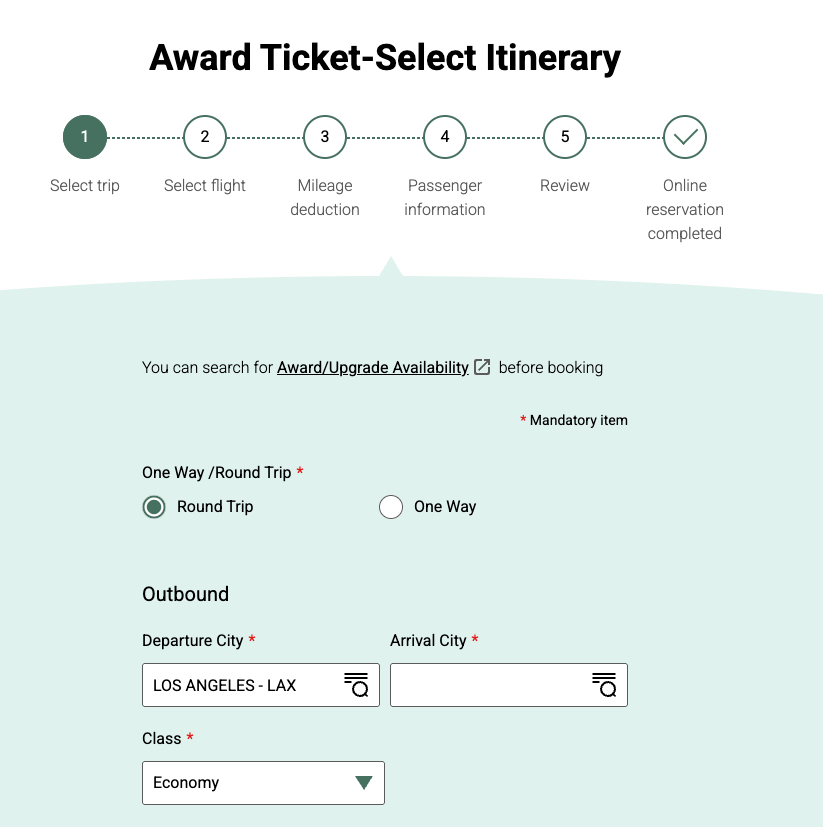
Keep reading for step-by-step instructions on how to search and book.
Step 3: Enter Account Number & Password for Each Passenger
This step is what trips most people up when searching for award availability on EVA’s website. If you’re searching for multiple passengers, you’ll need to enter the membership number(s) and password(s) for each passenger before you search.
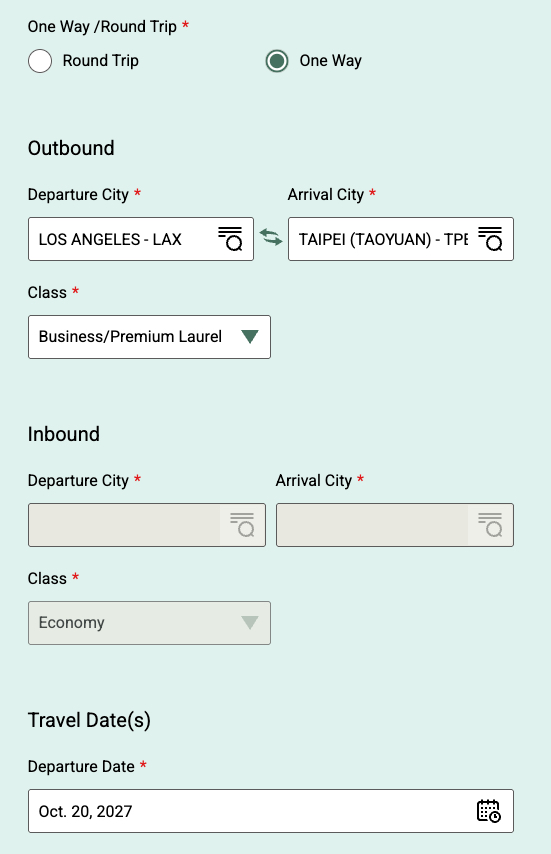
If you’re looking for the fancy seats up front, be sure to select “Business/Premium Laurel Class” from the dropdown menu. It’s much easier to search for availability one way at a time, so I recommend selecting “One Way” as well.
To search for multiple passengers, scroll down to the section labeled “Please enter Membership Number and password of travel companions.”
If you’re searching for two passengers, you’ll need to enter the membership number and password for “Companion Passengers 1.” To search for three passengers, enter this info for “Companion Passengers 2” as well, and so on …
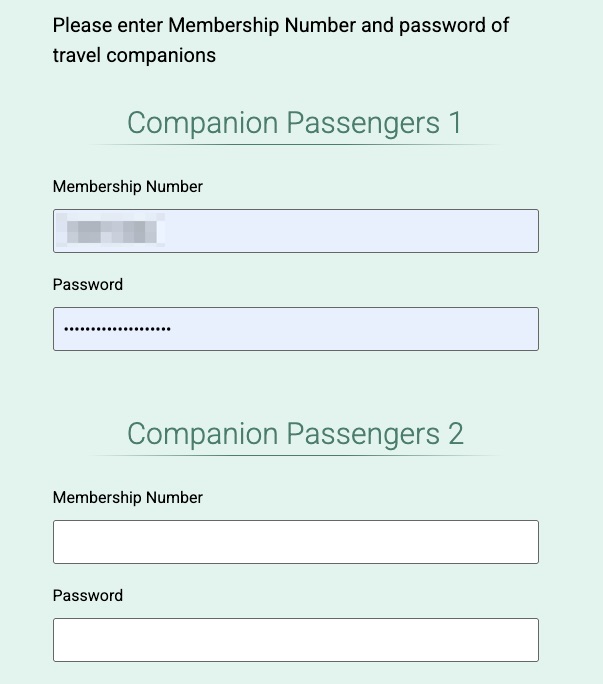
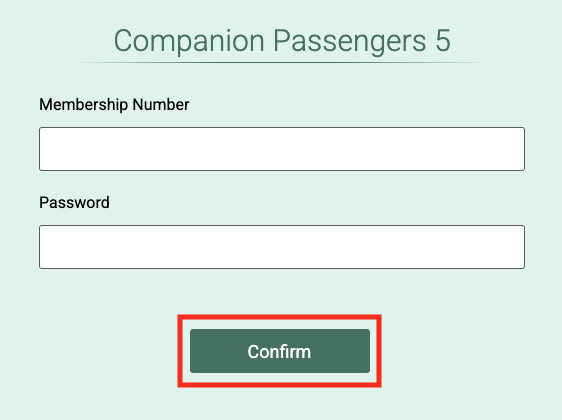
You can search for availability for up to six passengers (five companions), but there’s typically only availability for up to four passengers in EVA Air business class. If you only want to search for one passenger, leave all of these “Companion Passengers” fields blank.
Once you’ve entered the credentials for all passengers, scroll to the bottom and click “Confirm” to search.
Step 4: Look for Confirmed Availability (Not Waitlist)
The search results default to a one-week calendar view at the top of the flight results for the date you searched.
It’s important to look for flights marked “Available” and avoid any dates or flights marked “Waiting.”
In the example below, April 12, 14, and 16 all have confirmed award availability, but the other dates only allow you to be added to the waitlist. We don’t recommend transferring points to be added to a waitlist, as there is no guarantee you will clear the waitlist and get a confirmed seat.
You can also scroll through the following or previous weeks by clicking on the arrows at the top.
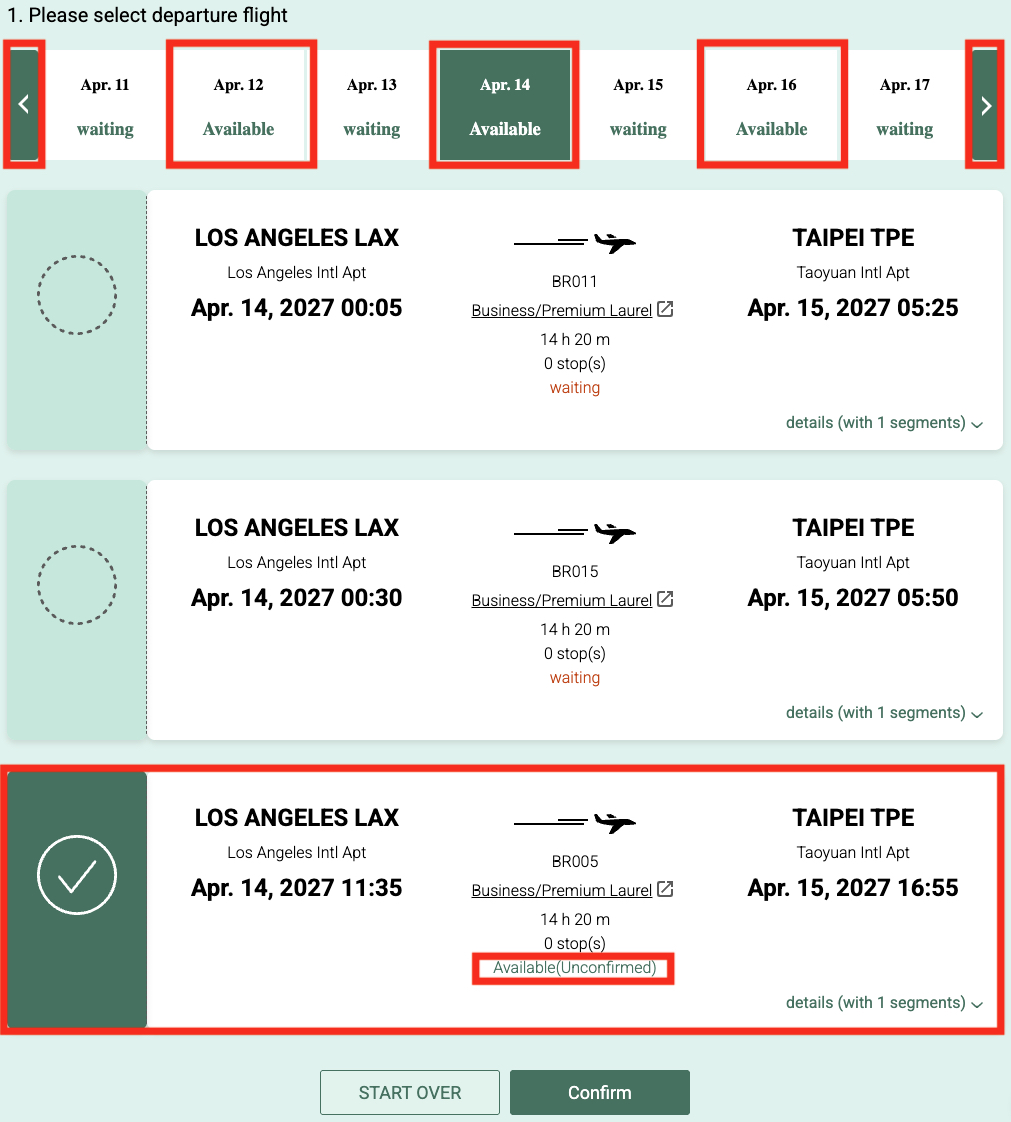
You’ll also notice that there may be only one flight available on any given date. Don’t worry that it says “Available (Unconfirmed)” when selecting flights. This just means that it isn’t yet confirmed until you actually book, but the availability is there.
Again, just don’t select a flight that says “waiting.”
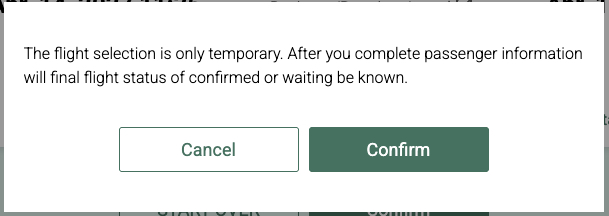
After choosing a flight, click “Confirm” to continue. A pop-up will appear letting you know the flight selection is temporary. Again, don’t worry about this message. The flight will be confirmed once you actually book. Click “Confirm” again to continue.
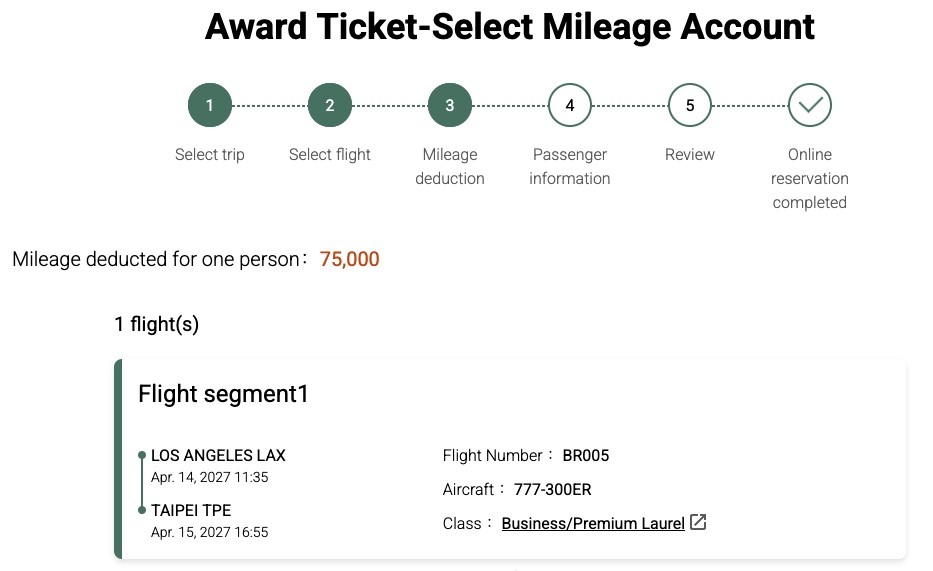
The next screen will show you how much your flight costs per person, in miles. In this case, it’s 75,000 EVA Air miles to fly business class from Los Angeles (LAX) to Taipei (TPE). In other words, that’s 75,000 Citi ThankYou points or 100,000 Capital One miles to get the 75,000 EVA Air miles required to book.
If you want to fly beyond Taipei, you’ll often be able to connect onward on the same dates to most major cities in Asia for the same price. This will take some trial and error to find the best connection times and availability.
For example, here’s a business class flight from Los Angeles (LAX) to Bali (DPS) with one quick stop in TPE for the same 75,000 EVA Air miles.
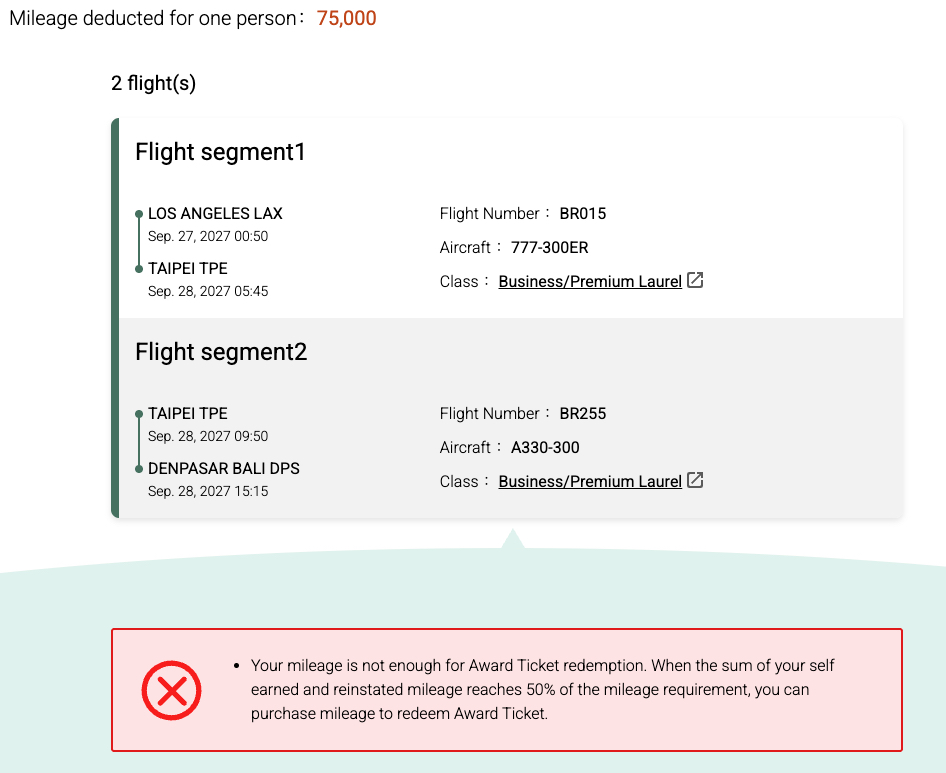
You’ll need enough miles in each traveler’s account to proceed further. If you don’t have enough miles yet, you’ll get an error message.
Unfortunately, you won’t be able to see the exact taxes and fees required without enough points to proceed in the booking process either. As a general rule of thumb, expect taxes and fees to be $250 to $375 each way for business class flights between North America and Asia.
Keep reading for details on how to add transfer nominees, transfer your points, and get the miles in each account to book.
Step 5: Add Companions as Transfer Nominees
The easiest way to use your credit card points to book for multiple passengers is to add transfer nominees to your EVA account. This essentially lets you transfer EVA Air miles to your companions’ accounts so you can book for multiple passengers.
While this used to be a lengthy process that required downloading forms and even a fax machine, that is no longer the case. You can register transfer nominees online in just a few clicks. Just keep in mind that it will take 24 hours to process.
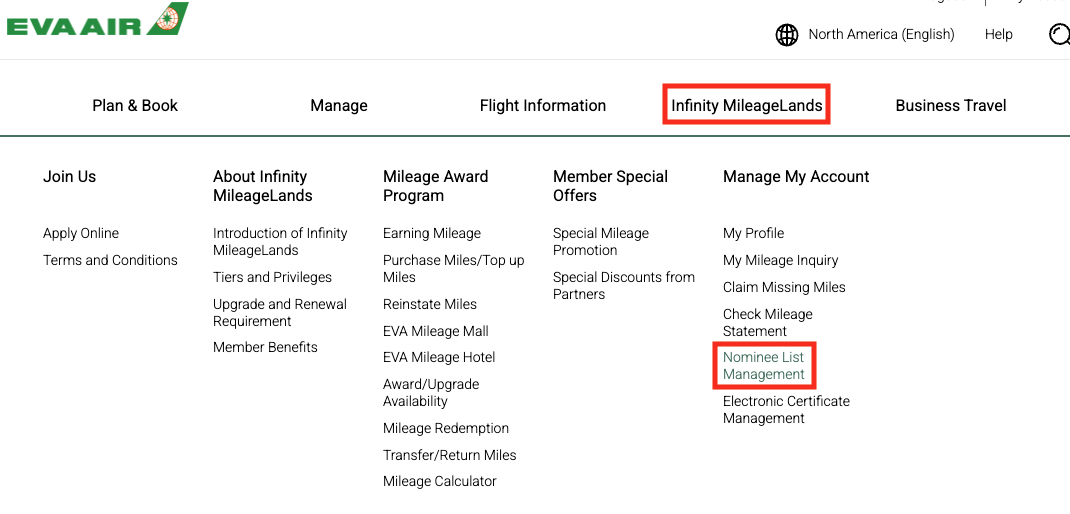
First, navigate to the Nominee List Management page by hovering over “Infinity Mileage Lands” at the top, and then selecting “Nominee List Management” under the “Manage my Account” heading. You can also use this direct link if you are already logged in.
Once you’re on this page, enter your companion’s EVA membership number and click “Nominee Registration.” It’s that simple.
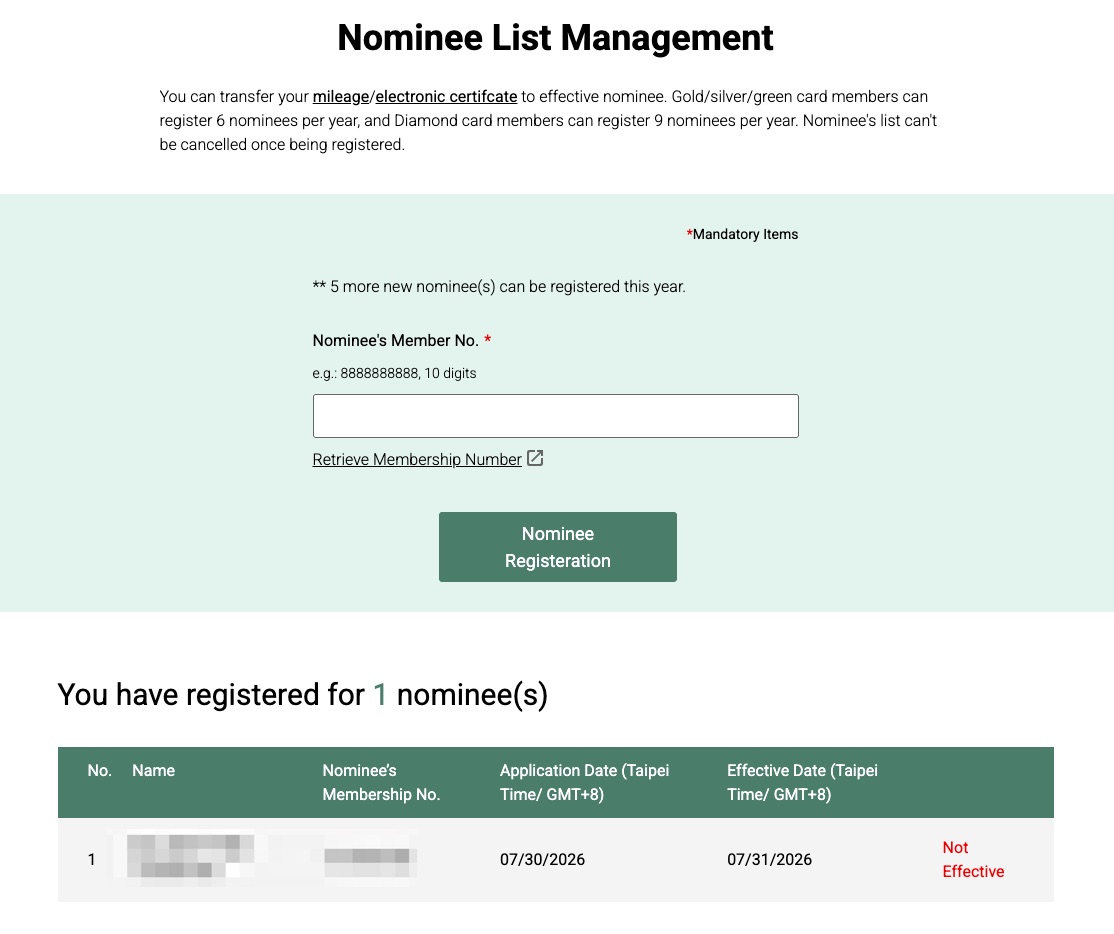
Then, you’ll need to wait 24 hours for your transfer nominee to become “effective”, at which point you’ll be able to transfer EVA Air miles instantly between accounts to book.
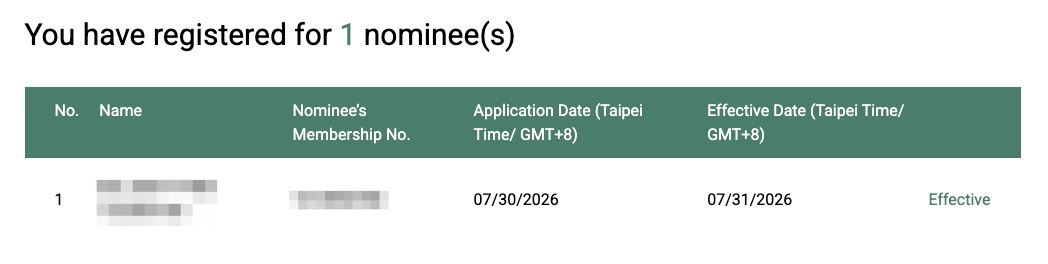
You can register up to six nominees per year (or up to nine if you’re a Diamond member).
Step 6: Transfer Miles to Each Individual EVA Account
Booking flights for more than one person is tricky when using EVA Air miles.
With EVA, every traveler must have the required miles in their own account to book a trip. You don’t need to book separate tickets; you just have the miles in the right place.
Basically, there are two paths you can take:
Path 1: Each Traveler Transfers Their Own Points to EVA
On this path, all travelers on the same reservation have their own Capital One or Citi accounts and can transfer points to EVA. They simply transfer their own points to their own EVA account, then you can book both passengers on one person’s account so you’re both on the same itinerary.
Thrifty Tip: You can easily transfer Capital One miles between accounts with a quick phone call, if necessary, then transfer individually to EVA.
Transfers from Capital One are usually instant – this was the case when I made a transfer earlier this year. Some data points suggest that transfers from Citi could take up to 36 hours, but transfer times have improved overall lately, so you may find those to be instant, too. This is the quickest path to make it happen, but may not be feasible for most people if only one traveler is collecting transferable points.
Path 2: Set Up a Transfer Nominee (Takes 24 Hours!)
This takes an extra step and a day to set up, but if not everyone has transferable credit card points, this is how it has to be done.
- Set up transfer nominees following the instructions in Step 5
- Transfer enough credit card points for all passengers to your EVA account.
- Transfer the required EVA Air miles from your account to the other EVA accounts, then book all passengers together.
These transfers are instant and really easy to complete. Just go to the transfer miles page by clicking “mileage” on the Transfer Nominee page, then click “Transfer Miles” at the bottom.
From there, just select the nominee you want to transfer to, the type of miles you want to transfer (“earned miles” for most people), and the number of miles you want to transfer.
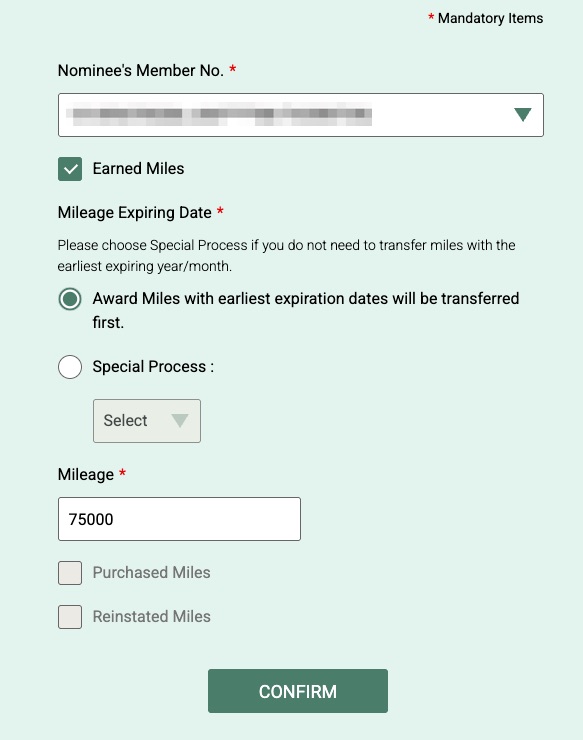
Once each traveler has the required number of miles in their own EVA account, you can search for flights with companions as indicated in Step 3 above, then book all passengers on the same itinerary.
Step 7: Select Online Ticketing at the Final Step
After all that, there’s still one more quirk at the final step of the booking process.
Once you get to the “Award Ticket-Review” page, you’ll be able to see how much the taxes and fees will cost in addition to the mileage. This will be around $260 each way for nonstop flights to Taipei (TPE) in business class, or up to $375 if you’re connecting through other cities in Asia.
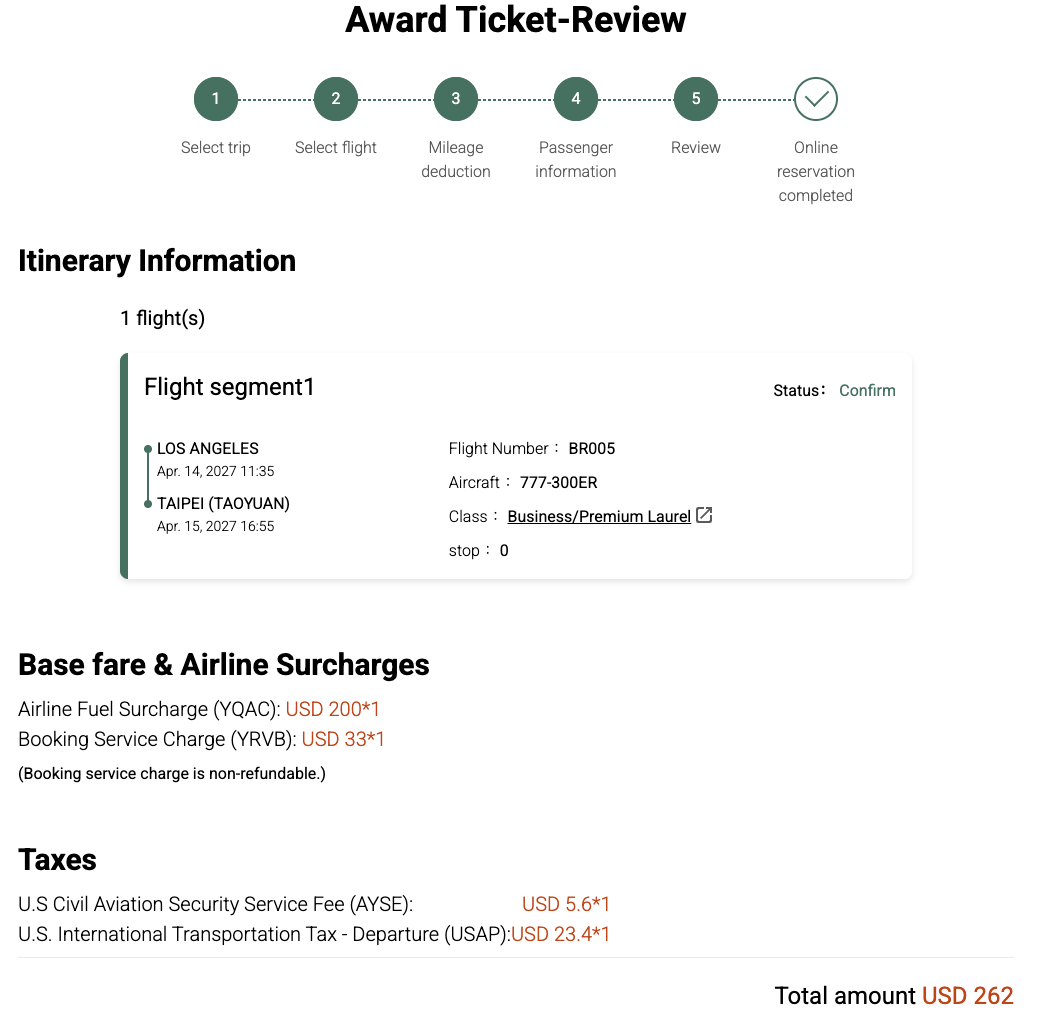
At the bottom of this screen, click “Online Ticketing” to continue and complete the payment online.
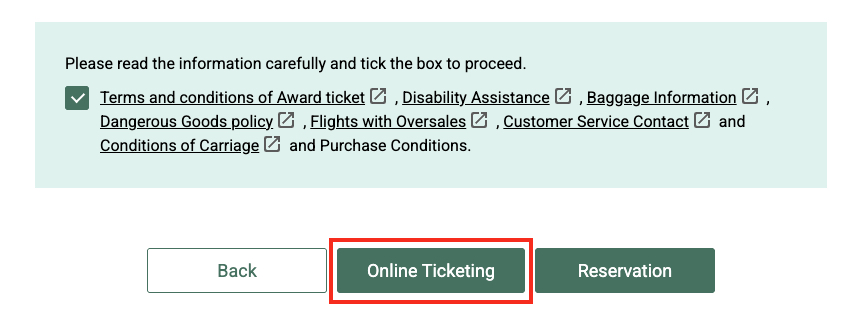
You’ll then be brought to a page where you can pay the taxes and fees online and book your award ticket.
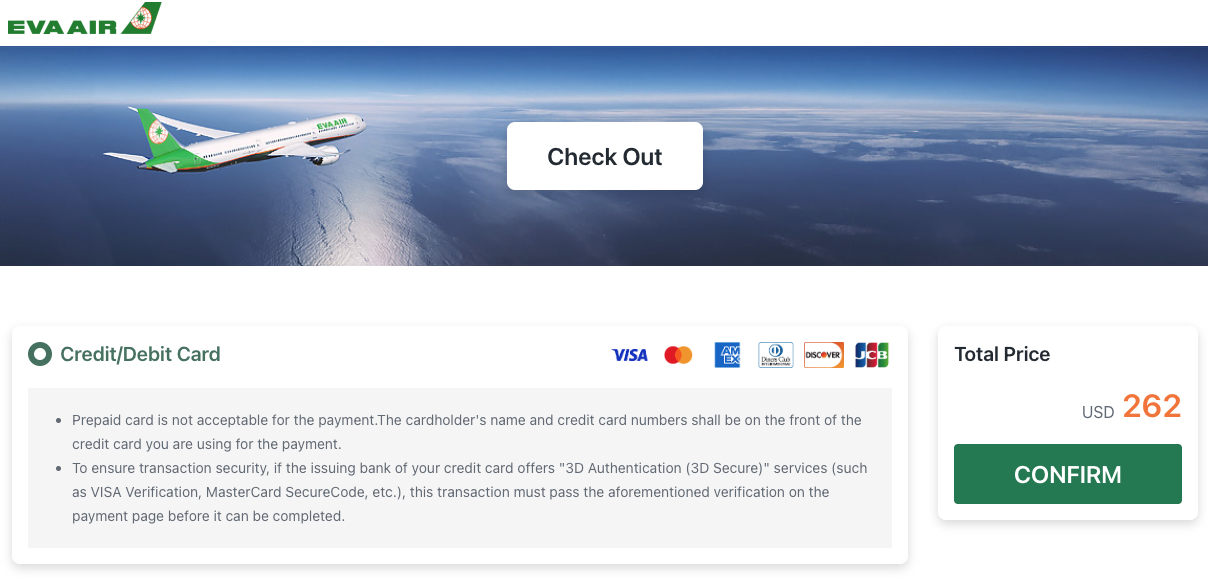
Congrats! You just booked a flight on one of our team’s favorite airlines in the world, EVA Air.
Booking Flights on Partner Airlines with EVA Miles
You can also book flights on Star Alliance partners with EVA Air miles. The process is similar, but you’ll need to use a separate search engine on EVA’s site to book.
To navigate to the Star Alliance search, click the “Star Alliance” tab on the Mileage Redemption page, then click “Select Itinerary” at the bottom.
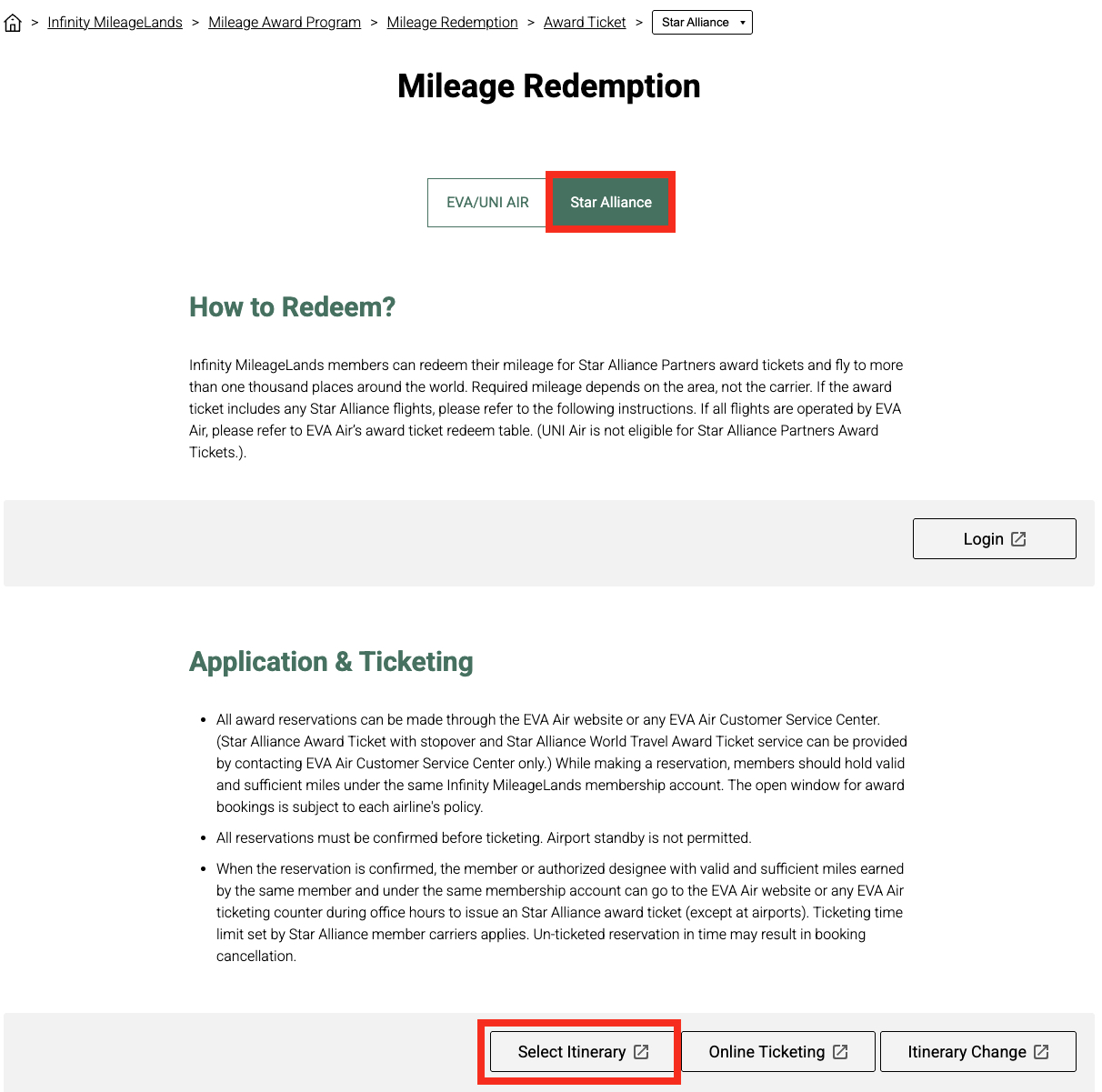
You can also use this direct link once you’re logged in. You’ll know you’re using the Star Alliance search when it says “Star Alliance Award Ticket-Select Itinerary” at the top.
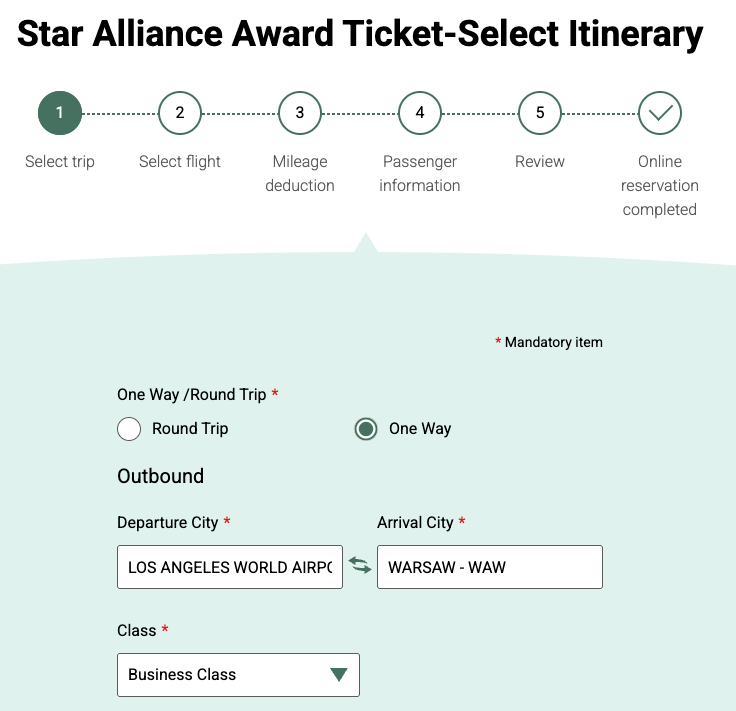
From here, the booking process is the same as above. For partner award tickets, it’s best to first check availability on another airline’s website (such as United or Avianca LifeMiles) or an award search tool, then search those exact dates on EVA’s site if you wish to book with EVA Air miles.
However, keep in mind that EVA passes along fuel surcharges, which makes many Star Alliance award tickets not worth it with EVA Air miles, such as flights on Lufthansa or Swiss that can cost over $1,000 each way in fees.
In general, there’s usually a better (or easier) way to book a Star Alliance partner award ticket with other programs such as Air Canada Aeroplan, United MileagePlus, ANA Mileage Club, or Avianca LifeMiles.
That being said, some Star Alliance airlines like Air Canada, EgyptAir, LOT Polish, and United have low or moderate fees, and there could be cases where you’ll get a better deal when redeeming EVA Air miles to fly these airlines, but mostly only for those looking to transfer Citi points.
Calling to Book May Be Easier
Finally, if EVA’s website is too frustrating for you, it may be easier to pick up the phone and book the old-fashioned way.
EVA also offers free stopovers in Taipei when booking a roundtrip ticket by phone, which can be a fun way to see two destinations for the price of one.
You’ll want to do your homework ahead of time and have a sense of award availability before calling to book. Otherwise, the phone call may be just as difficult as navigating EVA’s website.
EVA’s customer service number in North America is 310-362-6600. You can find international contact information on its website.
Read more: How (& When) to Call an Agent to Book Your Flight
Bottom Line
Redeeming EVA Air miles may not be for the faint of heart, but it’s now the only realistic way to book EVA business class with points.
With Capital One and Citi as transfer partners, EVA miles are available to many Americans. Solid availability and excellent rates make jumping through a few hoops well worth it if you want to fly in a lie-flat seat to Asia.