








Our Thrifty Traveler Premium flight deal alerts have delighted our members for years, but we've heard one constant request from our tens of thousands of members: “Why can't I filter my flight deals by destination?”
Well … now you can! This week, we rolled out destination filters for our Thrifty Traveler Premium and Premium+ members, meaning you are in control of the deals you see! Want more Europe? Only Asia? A bit of everything? It's your call – you get to pick your destinations!
Starting now, you can filter in (or out) any of the following regions so you can pinpoint exactly what deals you want to get.
- Domestic (U.S. and Canada)
- Africa
- Asia
- Australia/NZ/Pacific Islands
- Europe
- Mexico/Caribbean/Central America
- South America
If you like your deals the way they are, you don't have to do anything! Everyone is automatically set to receive all of our deals until they log-in and setup their filters on their own.
How to Set up Destination Filters
You can set up your filters in a matter of seconds.
First, you need to log in to your Thrifty Traveler Premium account. You can do that here if you're a member.
Next, go to the blue “Settings” button, and then “Deal Filters.” If you're already logged in, you can just click this link to go directly to Deal Filters, too.
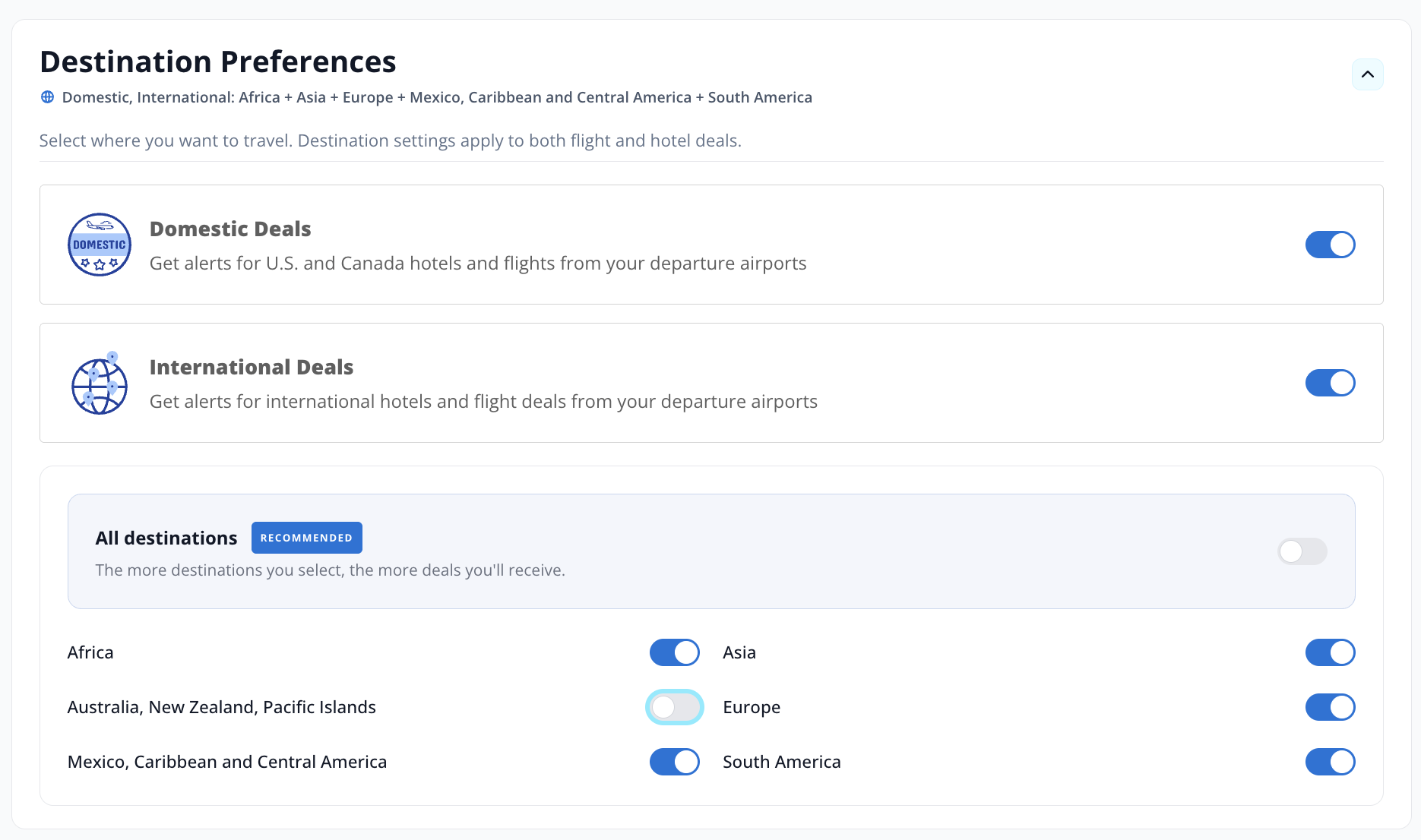
In “Deal Filters,” scroll down to “Destination Preferences,” where you can filter for Domestic (including Hawaii) or International deals, or you can choose to include or exclude any of those geographical options.
Thrifty Tip: The more destinations you keep turned on, the more deals you'll get!
If you still want every deal, you can just check the box above it that says “All destinations.”
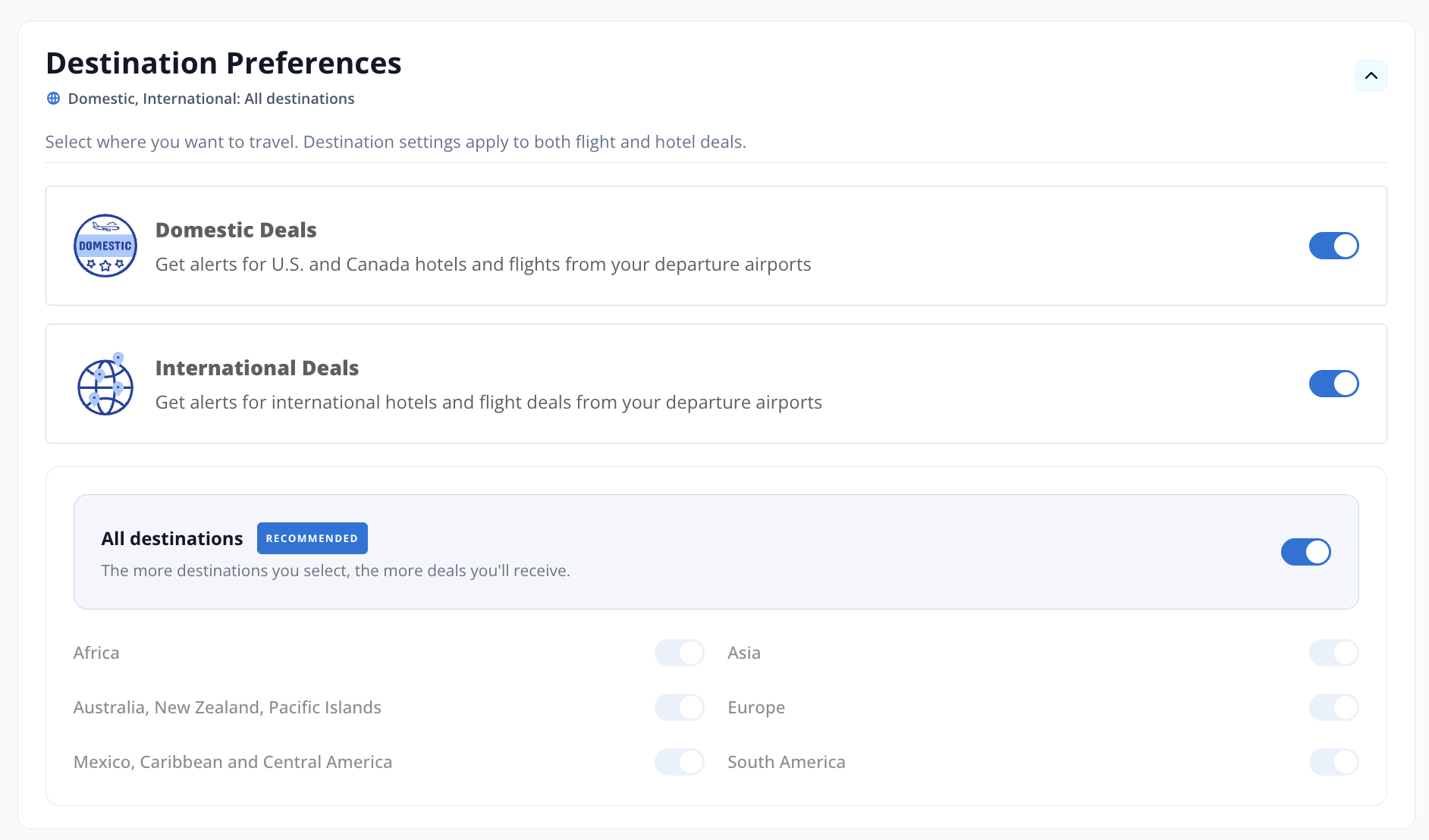
Once you select your preferences, you're all set up to receive the deals you want to see (and only the ones you want to see!)
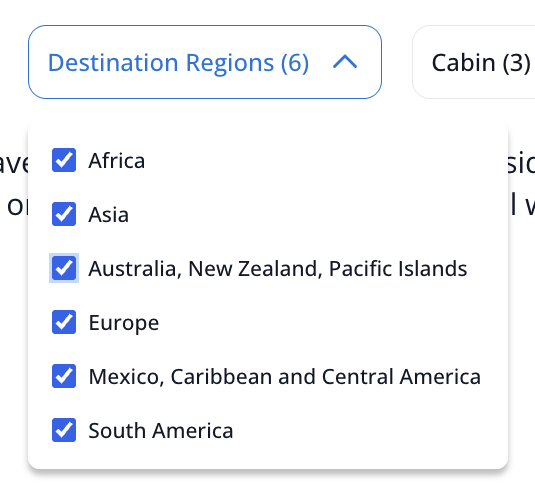
Of course, you can still log in to your Premium account to see all the active deals we've sent, even if your filters keep them out of your inbox. To do that, you simply use the deal filter bar at the top of the main screen and check the boxes of what destinations you want to see.
Premium+ members, this gets even better! Your destination filters now apply to hotel deals, too, giving you a more personalized mix of flights and stays.
Bottom Line
Destination filters for your Thrifty Traveler Premium flight and hotel deal alerts are officially here!
Log in to your account today to set up your filters and choose where you go next.



This is a step in the right direction but when you are able to provide flight deal notices for flights worldwide but originating in other-than-the U.S., that would bring me back as a prior premium member.