


Most airlines don’t allow you to transfer miles to another carrier – not even a close partner airline. But a group of five different international airlines that share Avios as a mileage currency are a glorious exception.
The ability to move Avios between the airline accounts of British Airways, Iberia, Aer Lingus, Qatar Airways, and Finnair is unparalleled. That means you can transfer points from an American Express® Gold Card or a Capital One Venture X Rewards Credit Card to one of these airlines, then kick them over to another carrier. That opens another door to book certain flights for fewer points or lower fees by sending them to the right place, so you can:
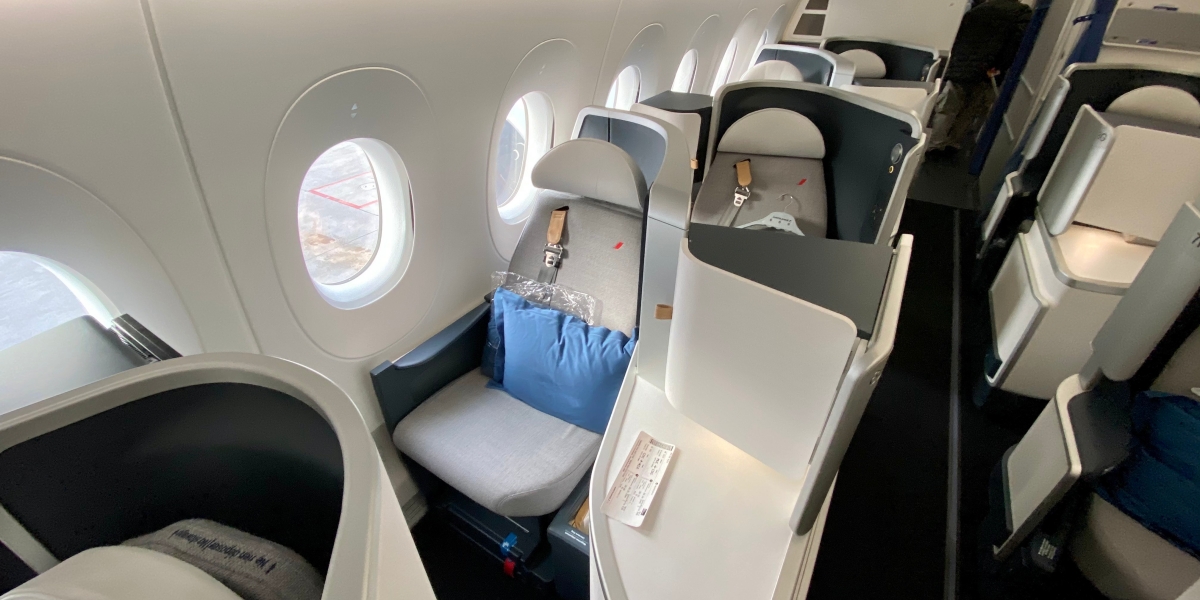
- have the first crack at booking Qatar Qsuites before award space disappears
- save hundreds in fees for a nonstop flight to Ireland
- and potentially save a ton of points if there are any transfer bonuses to any one airline that uses Avios
For years, the process of actually transferring miles between carriers has been cumbersome, with a clunky and annoying website that limited your options … and sometimes it just broke. But the powers that be at Avios gave it a major upgrade last year, with an easy-to-use website to access all your Avios accounts and make quick, seamless transfers in one place.
However, there are three new annoying restrictions that you should know about – one regarding how long your accounts need to be open to transfer, another hurdle to setting up your Qatar account for transfers, and the worst being some pesky restrictions about booking flights for other people with Qatar Avios.
It takes some upfront legwork to log in to all of these accounts, setup two-factor authentication (mandatory for this new setup), and then connect your accounts. But after that, it works like a charm.
Warning #1: Setup Your (& Companion) Accounts 30 Days in Advance
We’ll show you how to setup your Avios accounts, but here’s your warning right away: Set them up now … or like … yesterday if you can.
That’s because some new language on the website from Avios says you need to have your accounts open for 30 days in order transfer points between them.
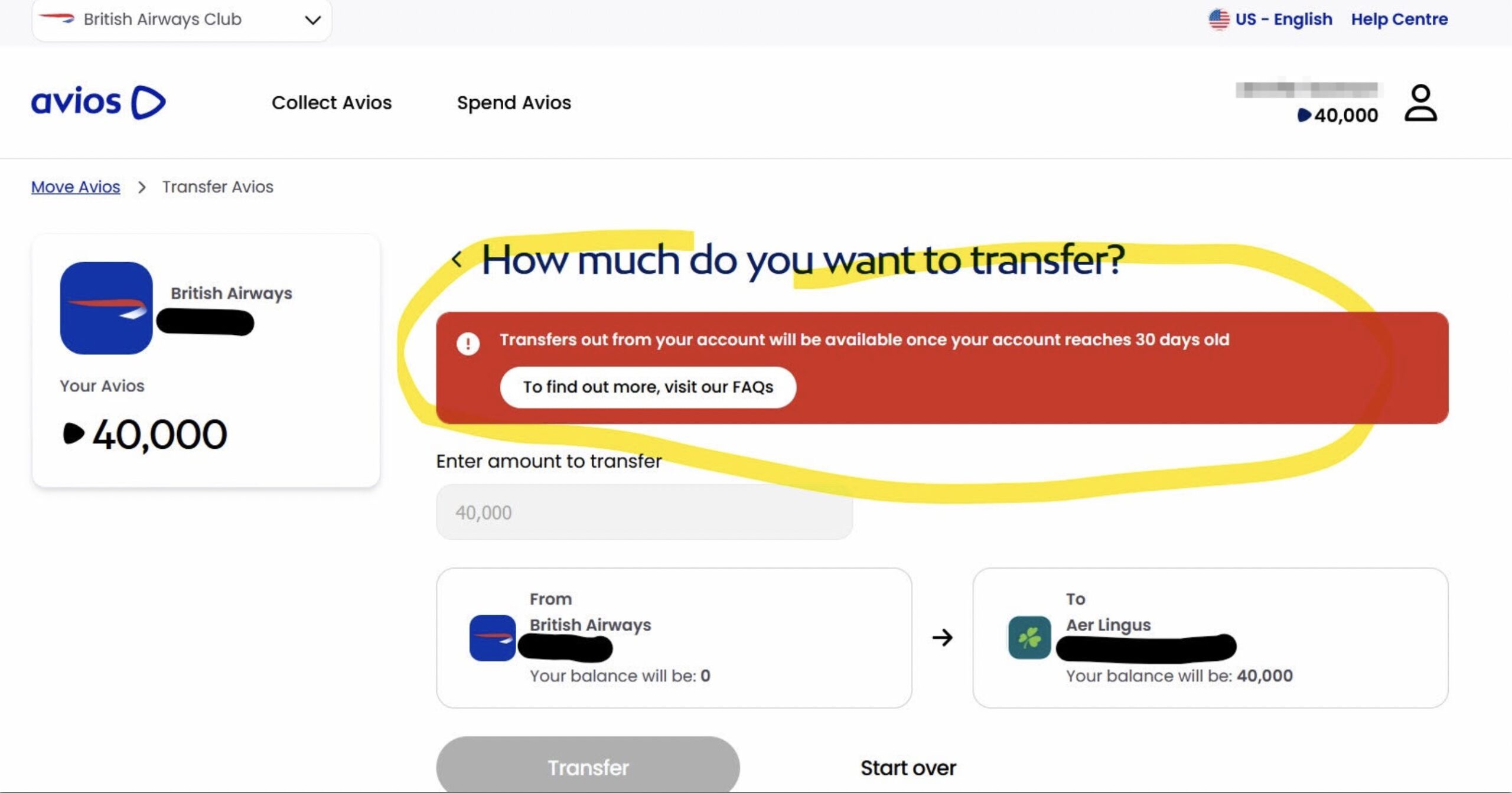
So, go open all five of the major Avios accounts (Aer Lingus, Iberia, British Airways, Qatar, and Finnair) right now so you can start your 30-day clock.
Warning #2: Qatar’s Painful New Restriction on Booking for Others
In addition to the 30-day rule from all the Avios brands, Qatar has a particularly annoying new rule that you should know about.
Travelers looking to book award tickets for someone else will need to add them to a “Family & Friends” group or a separate “My List” of approved travelers first.
Thankfully, Qatar dropped a previous restriction requiring activity in that account in order to be eligible – and not just by transferring points from a big bank, but by earning miles by flying Qatar or swiping one of its co-branded credit cards.
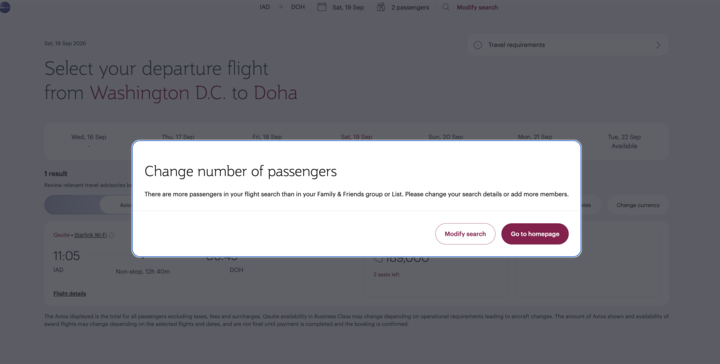
If there’s one big takeaway from all this, it’s to create a Qatar Privilege Club account for your family and friends now! If booking Qsuites is on your to-do list (and it certainly should be), it’s best to get the clock ticking.
Which Avios Accounts Transfer Where
Transferring Avios between accounts is very easy, with two tiny wrinkles.
Bottom Line: You can transfer your Avios in between any accounts (so long as you have logins for all of them and have had your account open for 30 days.) But, in order to transfer in or out of Finnair or Qatar, you need to use British Airways as a middle man.
Here’s an infographic outlining how to get your points into Avios from Avios transfer partners, and how to get points between accounts.
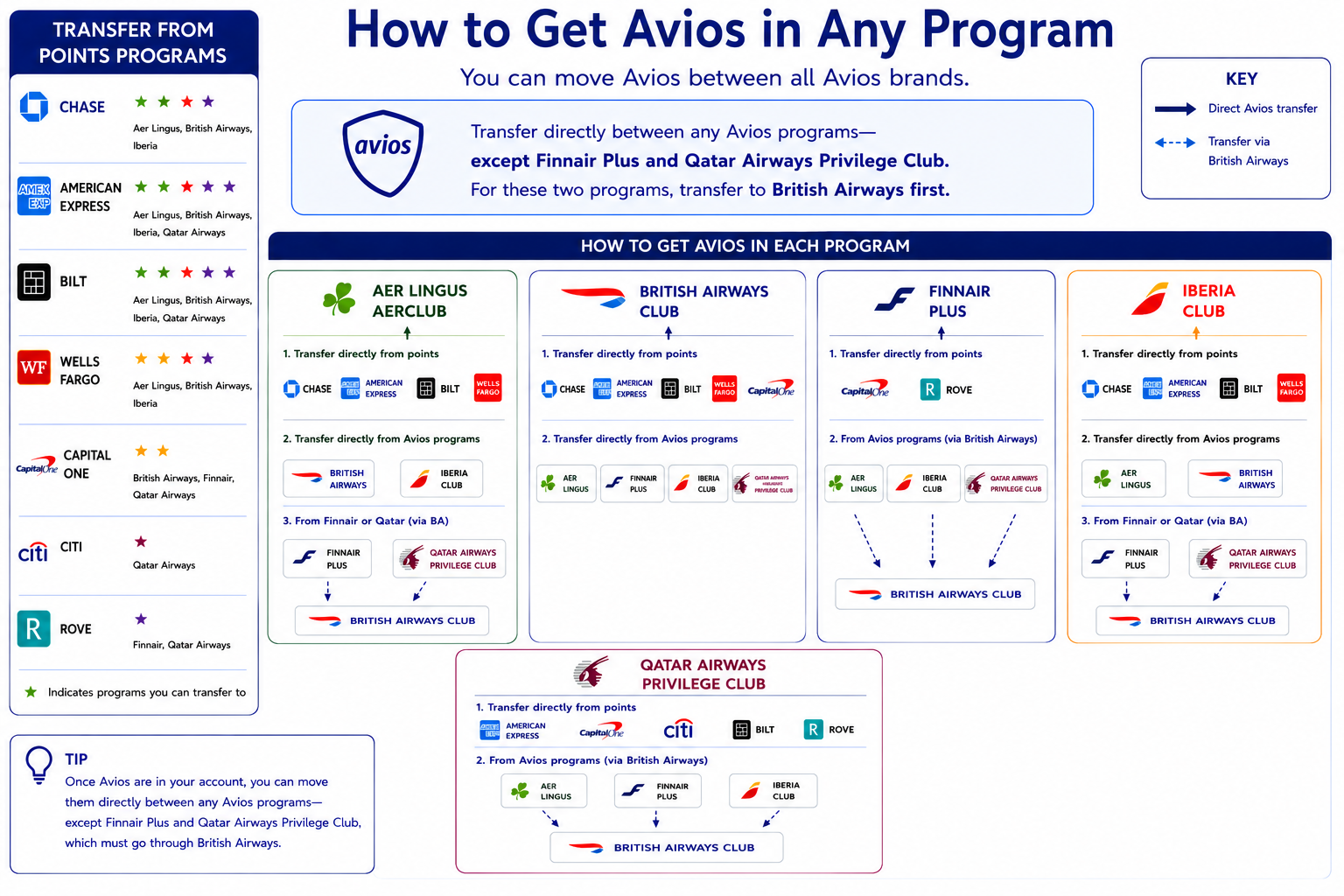
Here’s how to use this graphic:
Start with the points you want, then use the instructions in that box to figure out how to get your points there. Alternatively, if you’re flexible, use the box on the left, identify where you already have points, and figure out a course of action to get those points to an Avios program of your choice!
How to Setup Your Avios Accounts
First things first: Head to the dedicated site to access your Avios accounts. There are two things you need to have before moving forward at all with this process:
- Accounts with the programs you’d like to use or transfer Avios between
- Two-factor authentication setup on all of the accounts
If you don’t have accounts, the site will prompt you to make them when you click on any of the programs to transfer from or to. Remember: You should do this now, even if you don’t have an immediate use in mind.
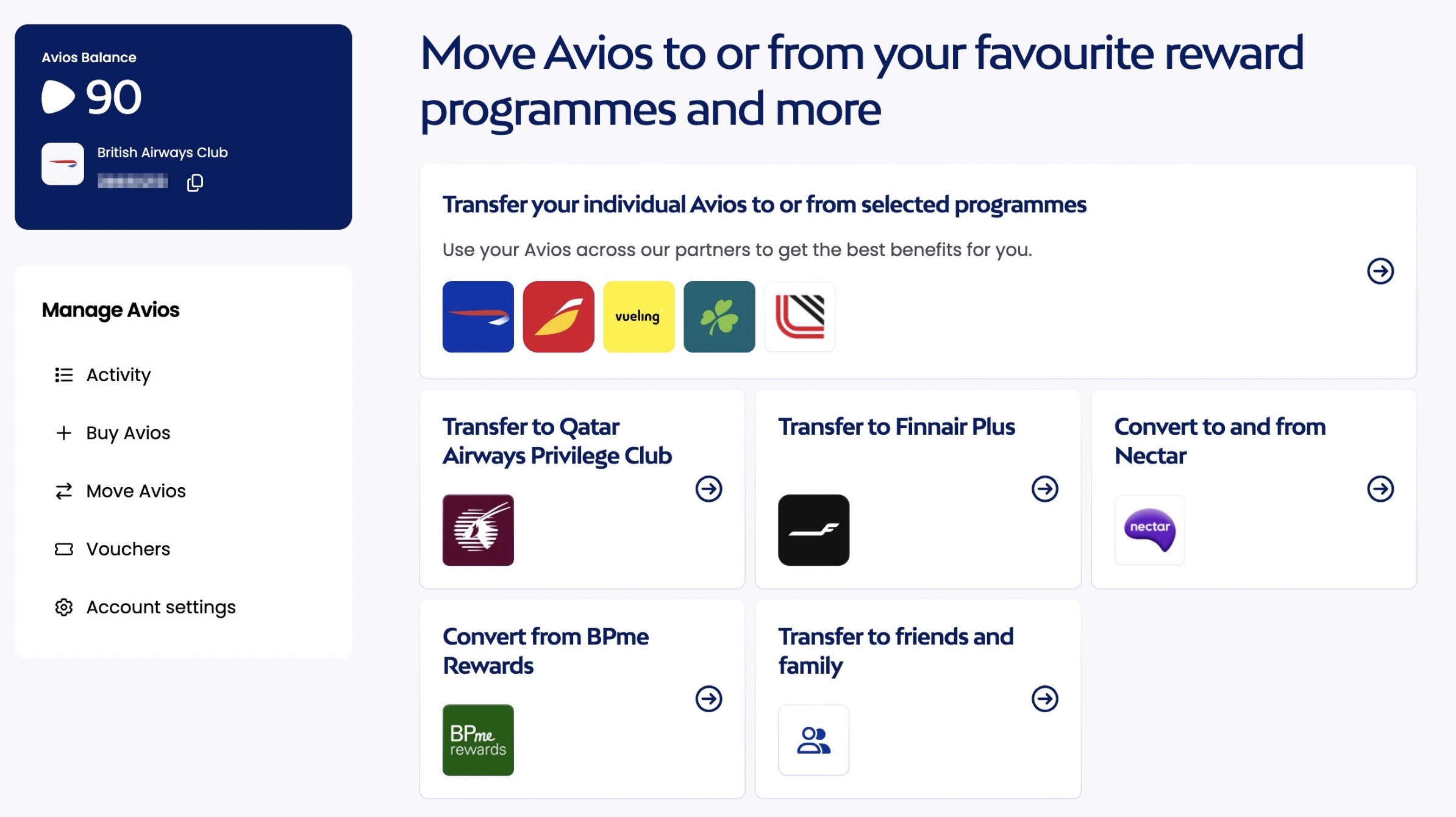
The most annoying and time-consuming part of this is that, for this new site to work, you must have independently setup two-factor authentication logins through each and every one of the programs you want to use. If you don’t have this set up on all accounts (like I didn’t for Finnair), it makes you separately open a new tab and setup 2FA before you can continue.
It’s a smart security tool … that’s heinously annoying for the user. I had to setup five 2FAs just to write this story. But now that it’s all setup, I can move points between accounts seamlessly and easily!
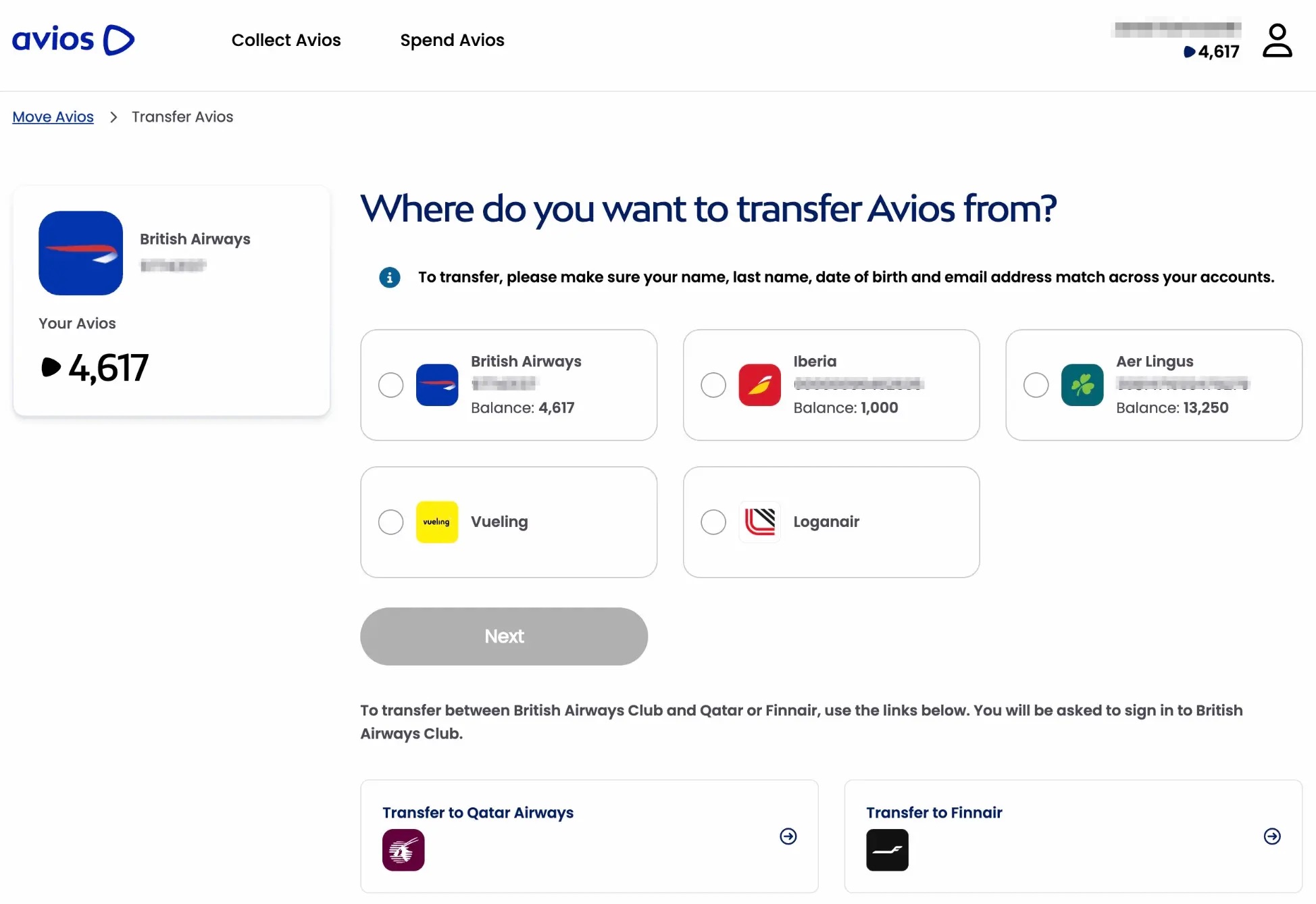
Once your accounts are setup and securely logged in, you’ll see this in your dashboard, including an accounting of all the points you have in each program. It’s the clearest picture we’ve ever had of our Avios count. No more multiple tabs and sending points into the other, hoping they come out in the correct account on the other side!
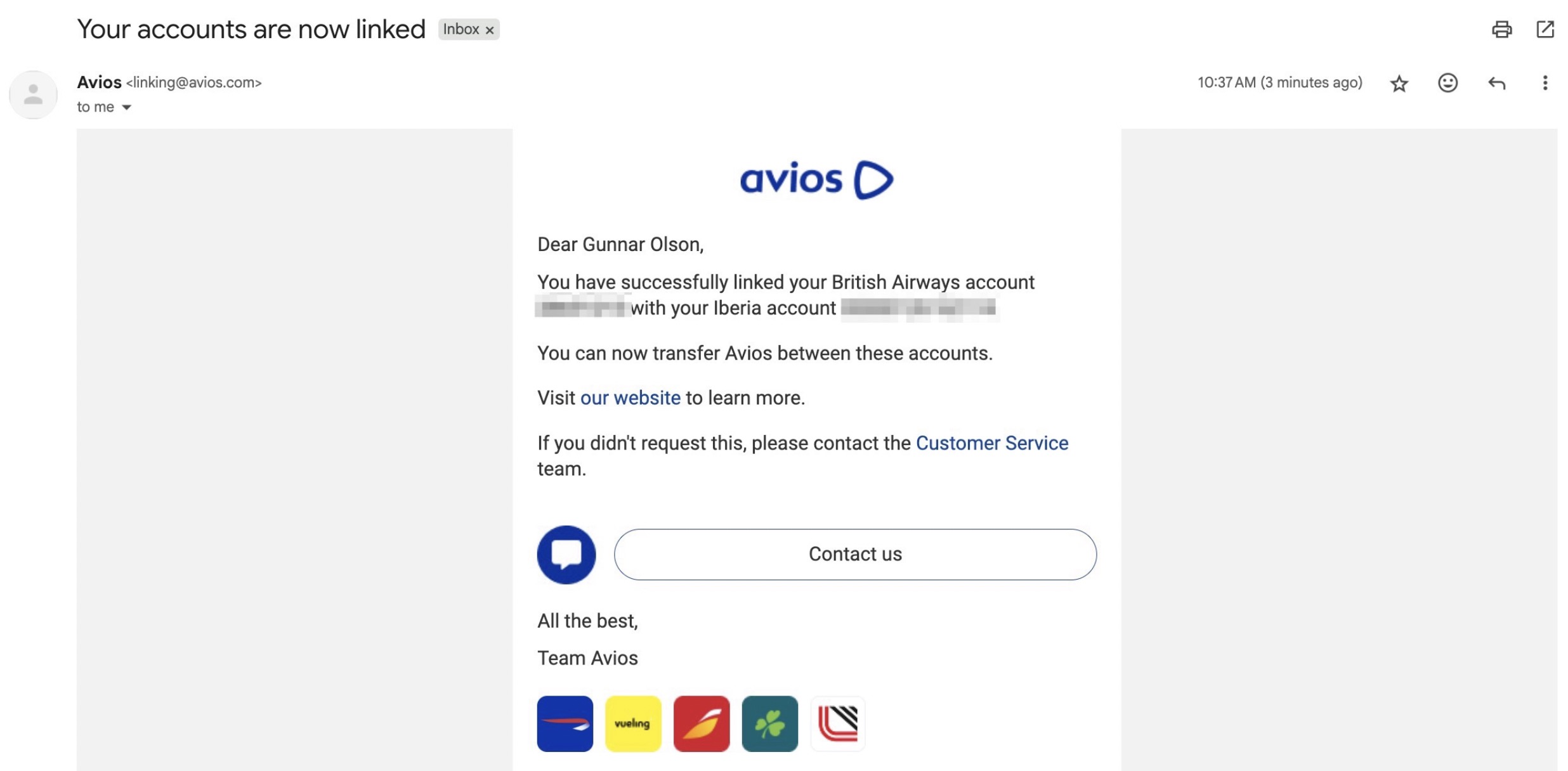
Once you’re signed in and start linking programs together through the page above, you’ll get confirmation emails like this one I got when I connected my British Airways and Iberia Avios accounts together.
Verifying Your Identity with Qatar Avios
When this new website launched last year, it was easy to transfer between all the airlines. Now, however, Qatar has setup an annoying new identity verification step.
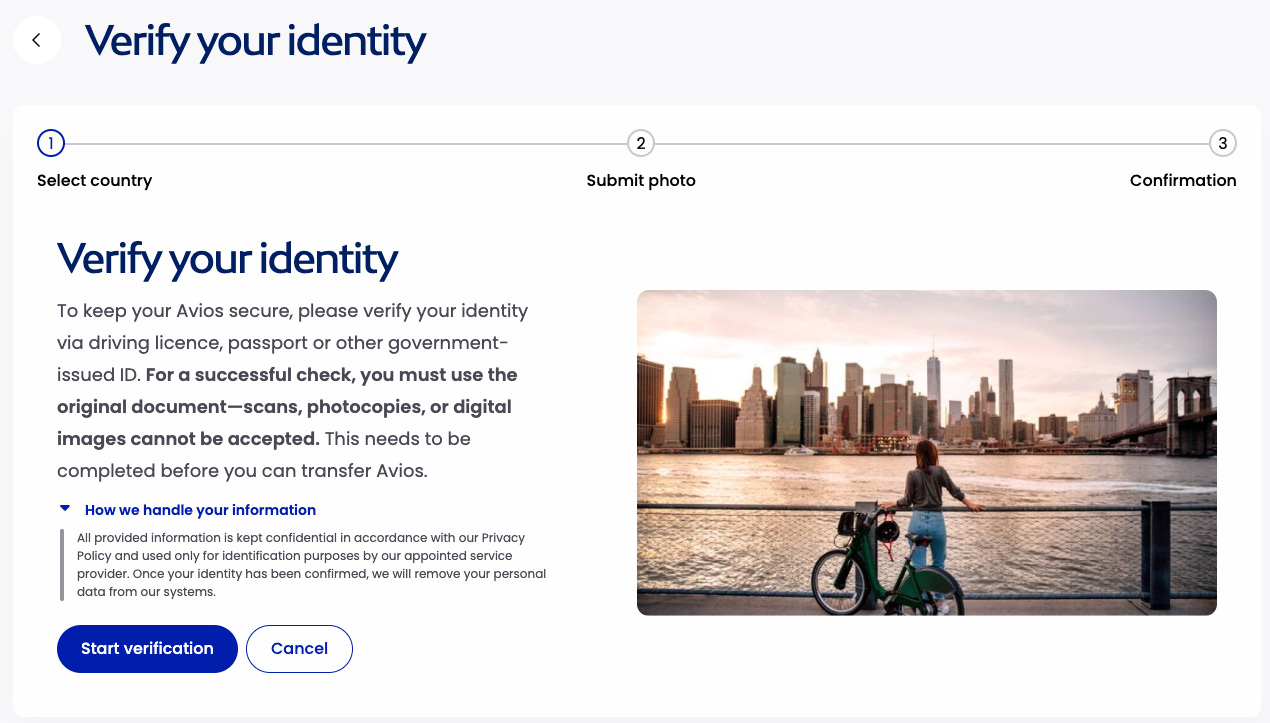
Basically, before you are able to send Avios from BA, Aer Lingus, or any of the other programs over to Qatar Avios, you have to upload a picture of your ID for Qatar to approve the connection between accounts.
This does not happen with any of the other Avios programs, but Qatar forces you to verify yourself using your driver’s license, ID card, or passport.
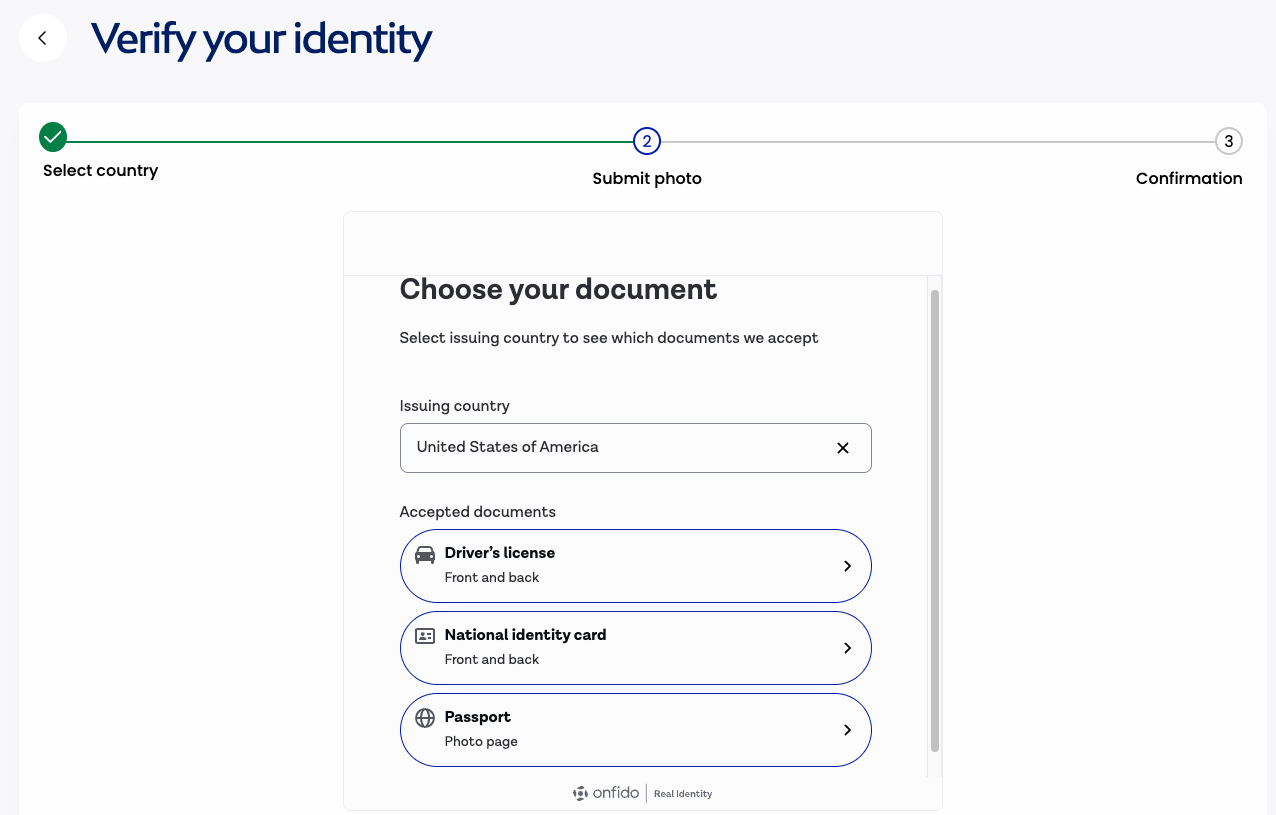
When we tested this out a few months ago, we uploaded a photo that Qatar rejected, but after uploading a new version, it went through as expected. The website outlines what is and is not allowed for photo uploads.
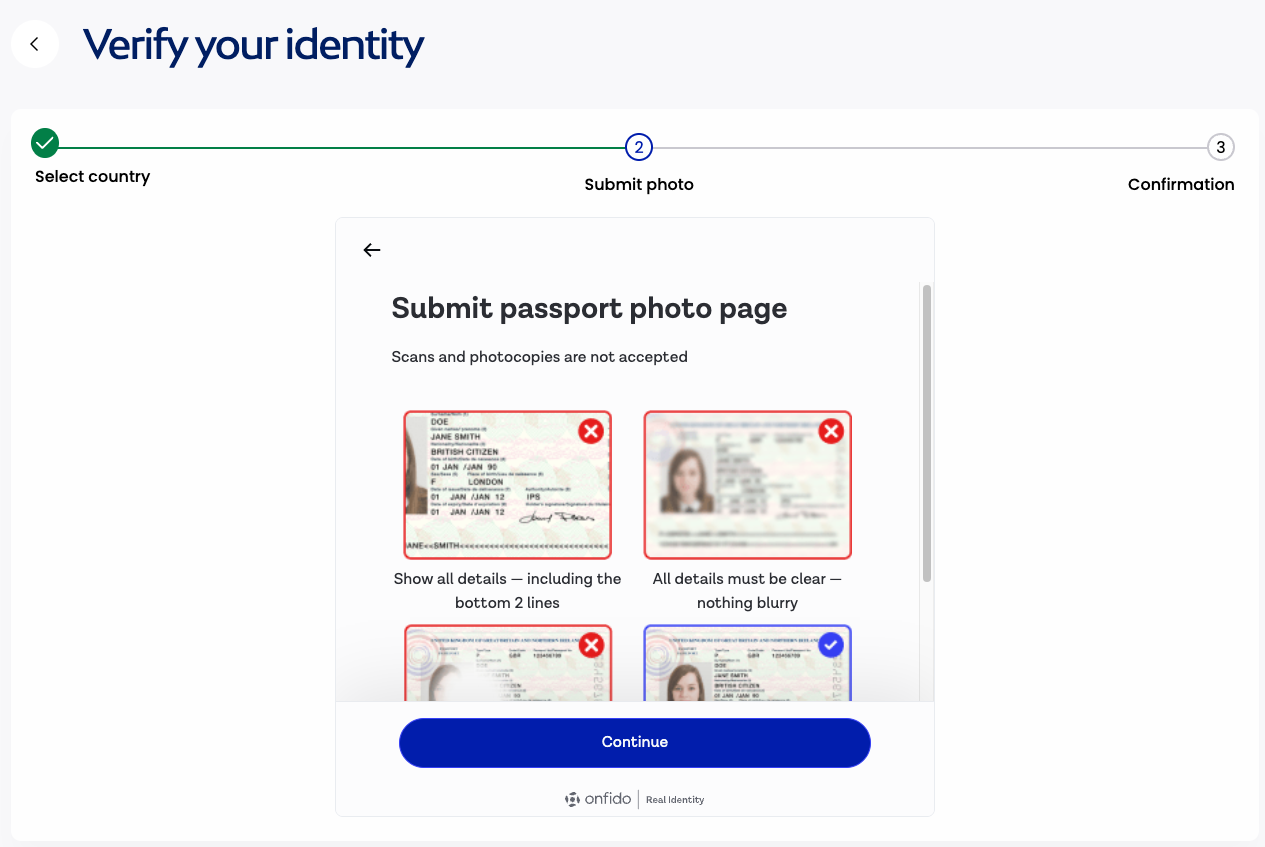
While this process shouldn’t deter you from opening a Qatar account or connecting them to your other Avios accounts, make sure you give yourself some time before you want to book to set this all up!
How to Transfer Points Between Avios Accounts
Your accounts don’t have to be connected beforehand for this to work, either. During this process, Avios.com will prompt you to do each login step.
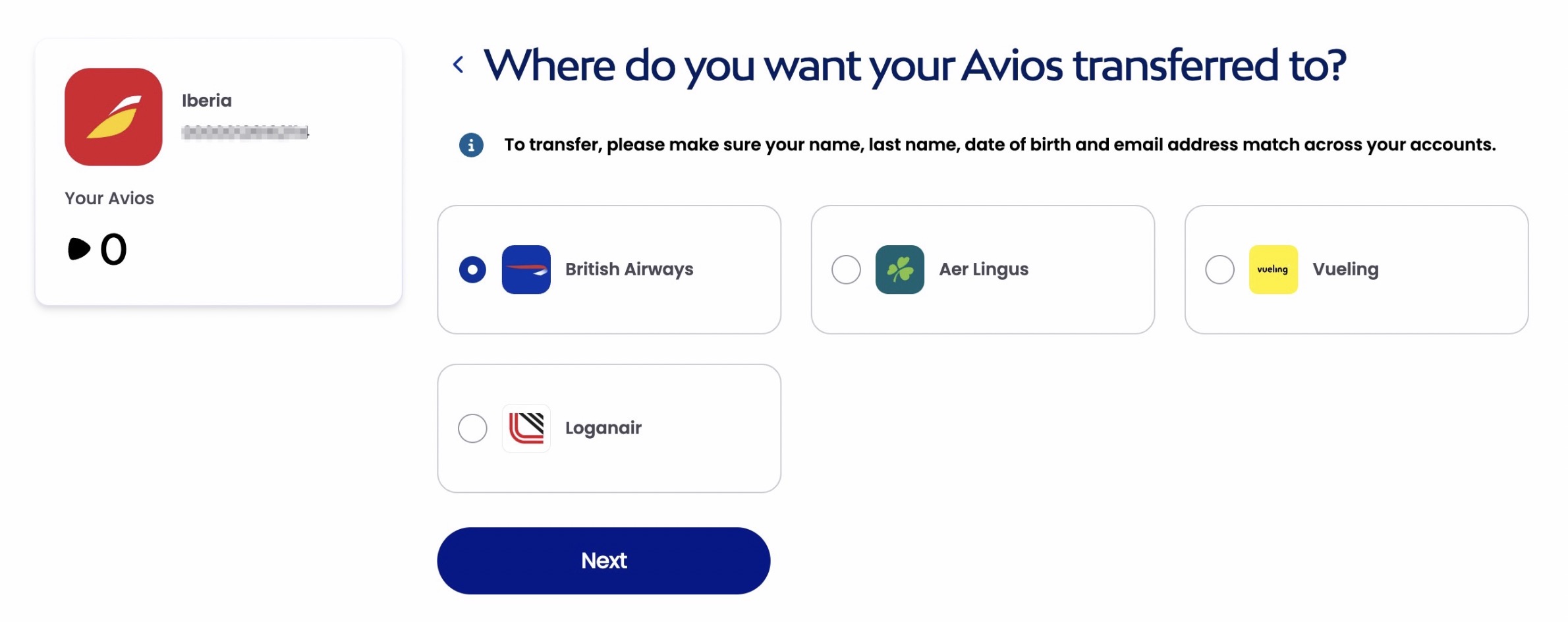
To begin, you click the program you want to transfer from.
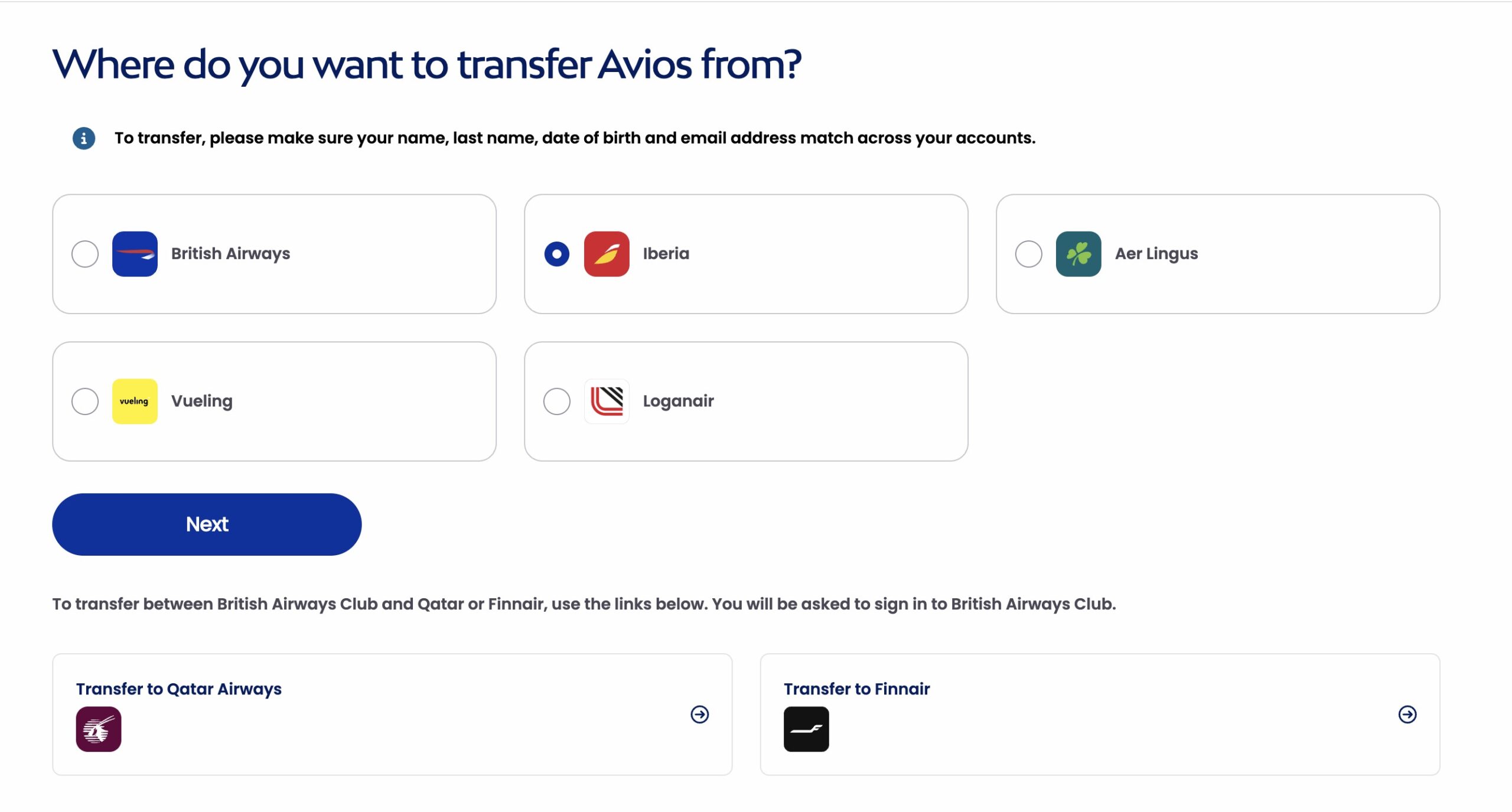
Then, after logging in to that account, you choose the program you want to transfer to.
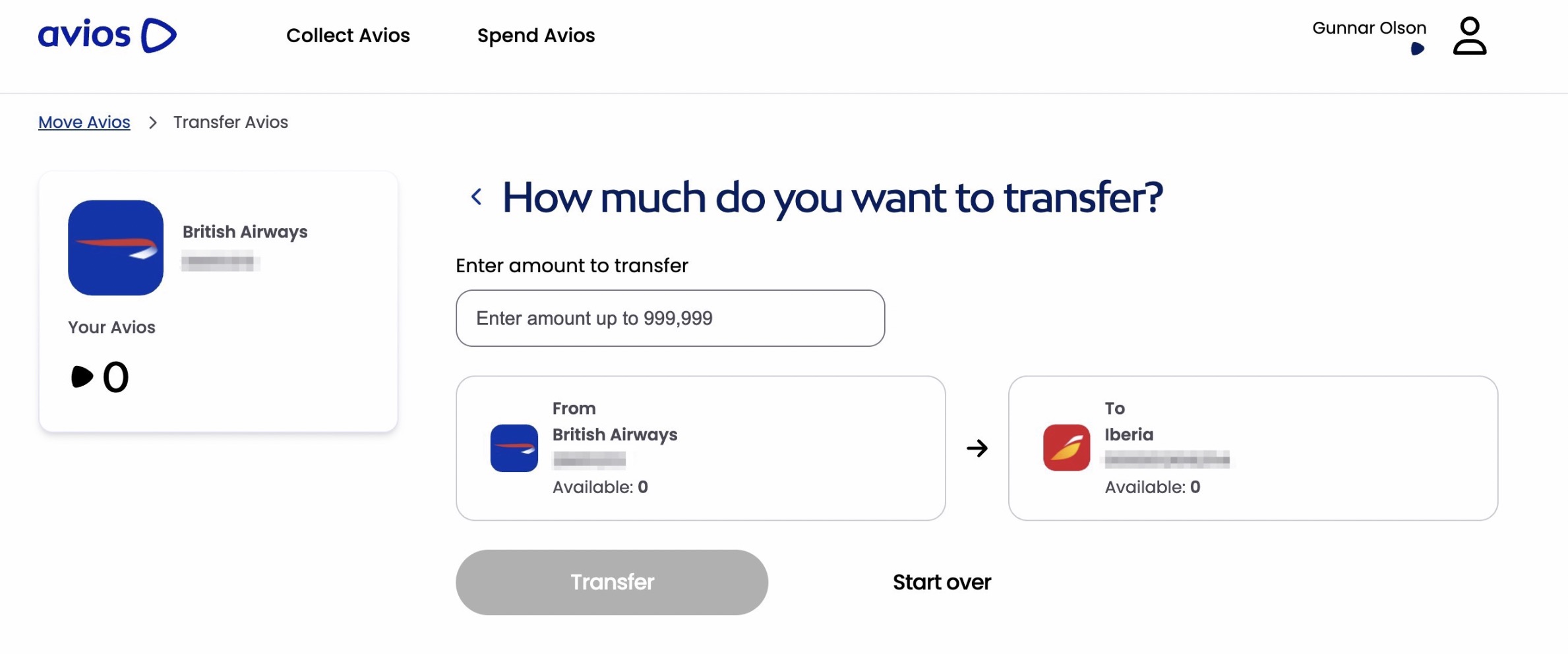
Once you do that, you’ll get access to this page – allowing you to move your points between accounts by entering your desired amount and hitting “transfer.”
If you want to transfer between Qatar or Finnair and the other Avios programs, you’ll have to setup a partner link that takes you to a slightly different page. The functionality is exactly the same, though.
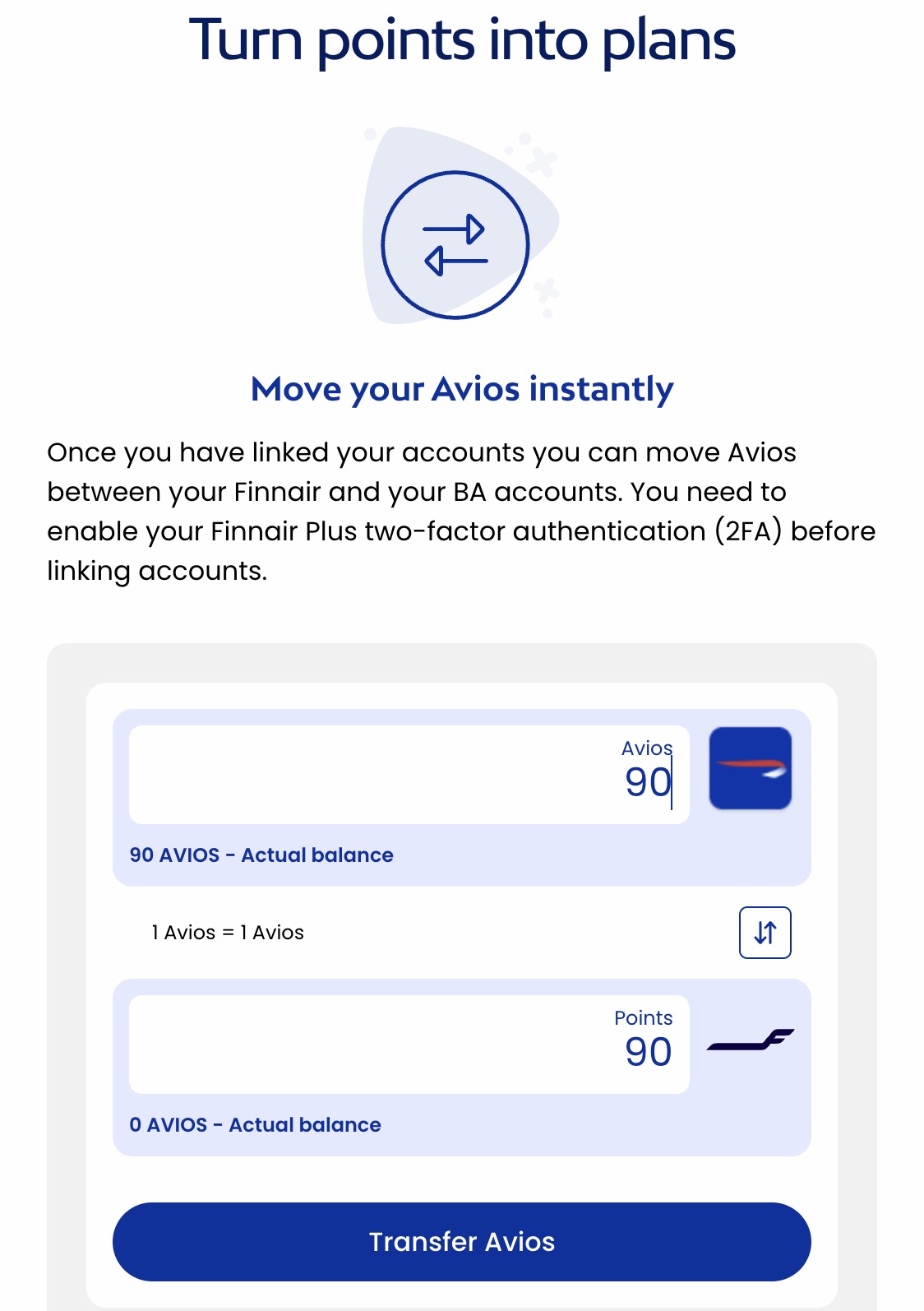
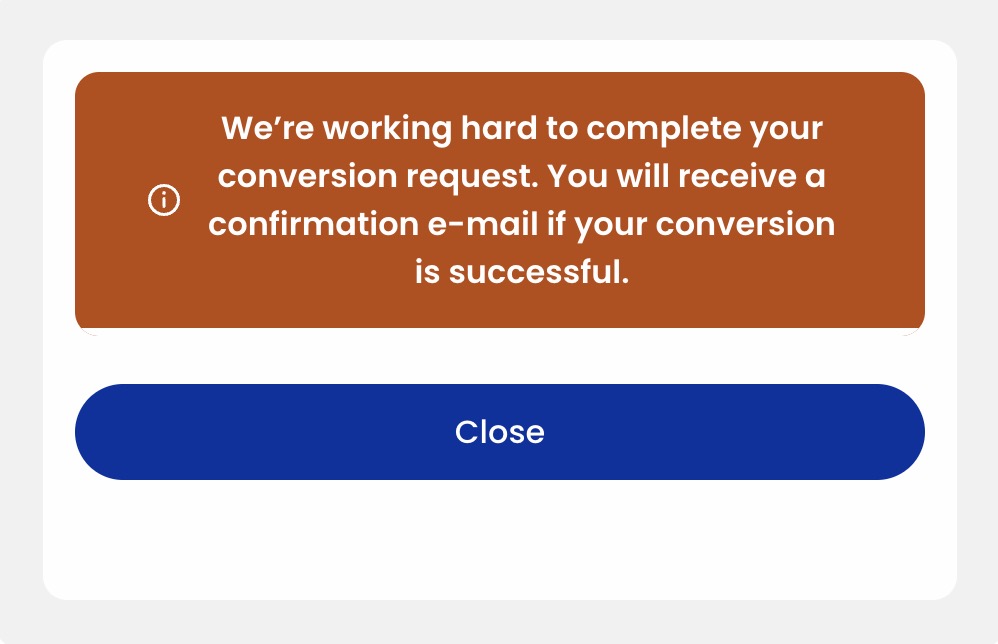
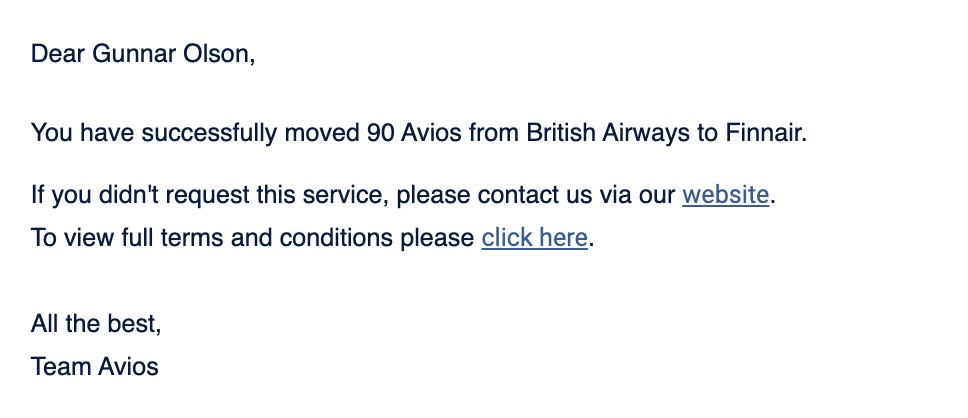
In this case, I sent my only Avios (90 British Airways miles) over to Finnair. Once I hit “Transfer Avios” I was given this big orange notice that the transfer was underway.
Within 10 seconds, I had this confirmation email showing I successfully moved the 90 Avios to Finnair.
Now, I need to figure out what to do with my 90 Finnair Avios. Any suggestions?
Bottom Line
Transferring Avios between British Airways, Aer Lingus, Finnair, Qatar, and Iberia is an invaluable feature. And it recently got much simpler to do thanks to a slick new website (even though Qatar threw in a new wrinkle this year.)
There are some new headaches, though, including the requirement that every account have two-factor authentication and Qatar’s new “lists” for travel companions. All of this can be set up ahead of time, or as you’re trying to transfer, but the new system is a massive improvement over the old one, either way.