


Capital One Shopping is an easy-to-use shopping portal that automatically applies discounts and doles out extra rewards when shopping at thousands of retailers, and there's never been a better time to give it a try: You can currently earn an $80 bonus when signing up through a friend's referral link … without even making a purchase!
This is one of the biggest and best referral bonuses we've seen for Capital One Shopping in years. And best of all, you don't even need a Capital One card like the Capital One Venture X Rewards Credit Card to be eligible – anyone can join Capital One Shopping and earn an $80 bonus just by adding its browser extension!

In order to earn the bonus, you'll need to complete the following steps:
- Create an account and verify your email
- Add the Capital One Shopping extension to your browser within seven days of creating an account and use it for 90 days
Unlike prior promotions, there's no purchase amount required with this one … but you do need to keep the extension active for a lot longer (90 days) before getting paid. The terms also state that it needs to be installed on a device on which the extension has never been previously installed. Once you've met the terms, both the referee and referrer will receive their bonus within 30 days. All that means it could take 90 to 120 days for you to actually get the rewards in your account.
There's an extra wrinkle to this promotion that could make it incredibly lucrative to spread the word. Normally, Capital One caps how much you can earn by referring friends and family at $500 … but this promo was quietly expanded, allowing you to earn up to $1,900 in referrals!
That said, this appears to be heavily targeted: Several members of the Thrifty Traveler team still can't refer users to Capital One Shopping, period.
Read more: Use Capital One Shopping to Find Lower Prices on Your Next Online Purchase
How Does Capital One Shopping Work?
Capital One Shopping is an online shopping portal with a free browser extension that automatically compares prices as you shop online and also applies discount codes to even save you more money. You can also earn rewards at many retailers based on a percentage of your purchase price – not as cash back, but in the form of gift cards you can put toward future purchases.
Let's say you're in the market for a Nest Thermostat, pictured below for sale on Amazon. After adding the Capital One Shopping browser extension, you'll see a green box under the item if Capital One Shopping has identified a cheaper place to purchase the item.
In this instance, the exact same item was for sale on eBay for $214.47 (after shipping), saving you almost $37 on the purchase.
Capital One Shopping sweetens the deal by giving users a percentage of their purchase price back in rewards at select stores and shops – sometimes with incredible bonuses available. For example, you can currently get 11% back in rewards on purchases from Allbirds and 12% from Ancestry. Unlike Rakuten which doles out cash back on a quarterly basis, Capital One Shopping simply gives you “rewards” which you can use to redeem for gift cards
There's no way to earn Capital One miles instead. But you can put those rewards toward travel, including gift cards to sites like Hotels.com, Marriott, and many more.

After you put an item in your cart at thousands of online retailers, Capital One Shopping will automatically scour the internet to find coupon codes that might apply to your purchase. It's a quick and easy way to save money on shopping you're already doing.
One last great feature of Capital One Shopping is the ability to get alerts for price drops on specific items. If you're on the hunt but aren't ready to pull the trigger just yet, you can simply add the item to your watchlist. You'll be alerted if and when the price goes down.
Capital One Shopping is available for Google Chrome, Mozilla Firefox, Microsoft Edge, & Safari. The extension can even be added on some mobile browsers.
Signing Up for Capital One Shopping
The first step you need to take is to download the Capital One Shopping the Capital One Shopping browser extension from a referral link from a friend, family member, or us. Just make sure you get the $80 bonus, if you can.
This is our personal referral link – thanks for the support!
If you're using Google Chrome, just click “Add to Chrome.” Keep clicking through to download the extension.

Finish the set-up process by registering for an account and clicking through the onboarding information.
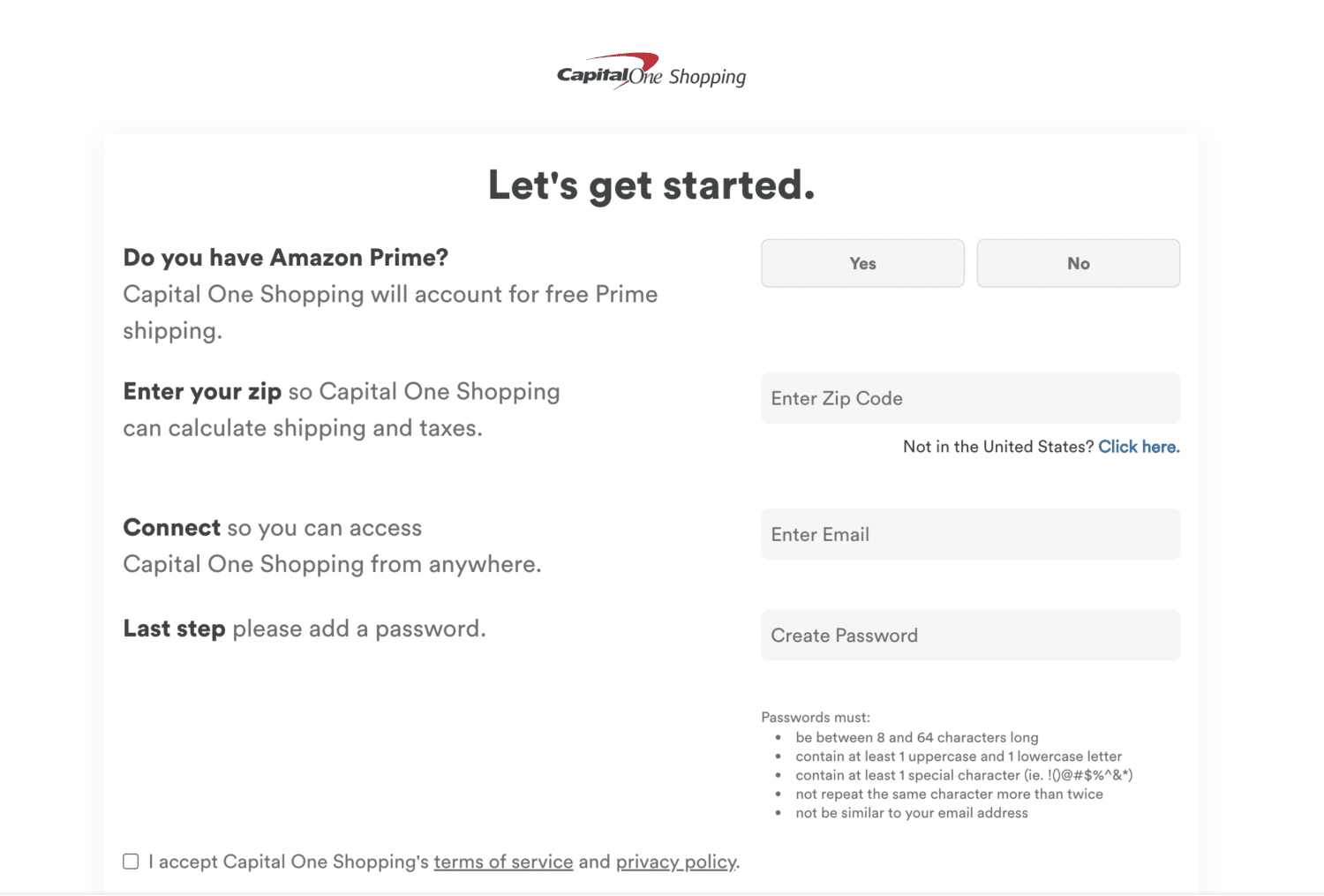
Once you reach capitaloneshopping.com, you should be all set to start saving on your online purchases. Just make sure to keep the Capital One Shopping browser extension installed for 90 days, and you'll get an $80 bonus in Capital One Shopping Rewards. Whoever referred you will get that same $80 bonus, too!
Want to refer a friend? Simply log into your account at capitaloneshopping.com and go to the tab that says “[NEW!] Refer & Earn” and see if you have been targeted for an $80 referral bonus. Just know, not every Capital One Shopping account will have the option to refer a friend – this feature seems to come and go.
Bottom Line
Before you do any more online shopping, stop.
Take advantage of this $80 referral bonus and download the Capital One Shopping browser extension to start saving big. Once, you've created a Capital One Shopping account and kept the browser extension active for 90 days, you and your friend will both receive an $80 bonus.