
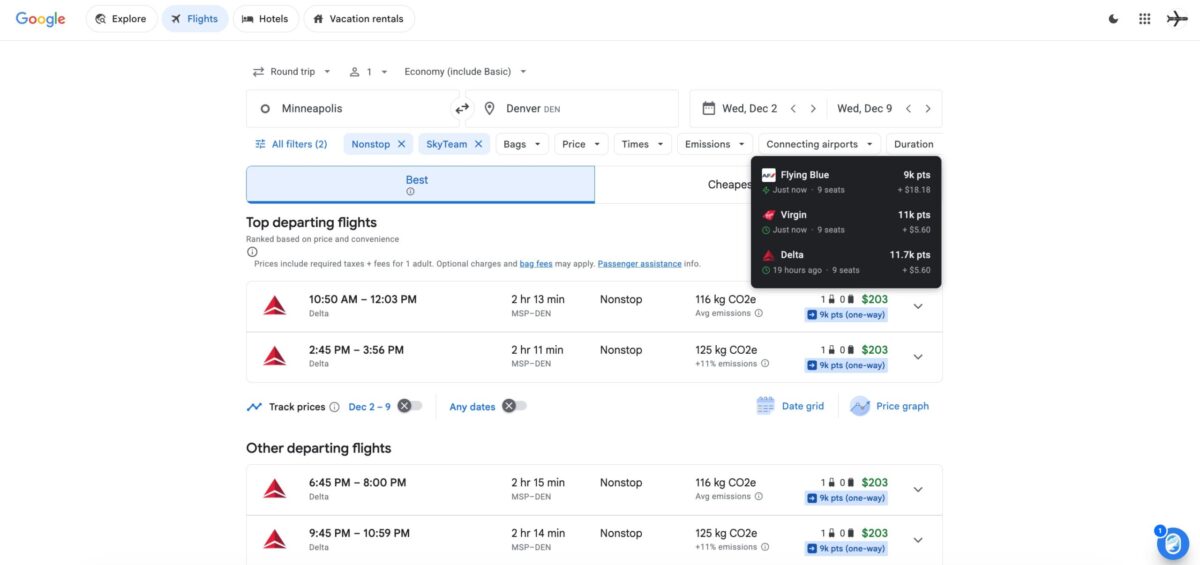



I’ve lost track of how many new award search tools have hit the market in just the last few years – there are a dozen or more to choose from. One of our absolute favorite tools just leveled up with a new web browser extension that automatically pulls in award rates from when searching on Google Flights and even via the Chase Travel℠ portal, too.
The award search tool seats.aero just rolled out a new Google Chrome web browser extension. It’s free to add and get started – though only paying seats.aero Pro subscribers (at $10 a month or $99 a year) will see live results up to 11-plus months in advance. Free users are restricted to the next 60 days and will only see cached results, meaning flights may no longer be bookable at those rates.
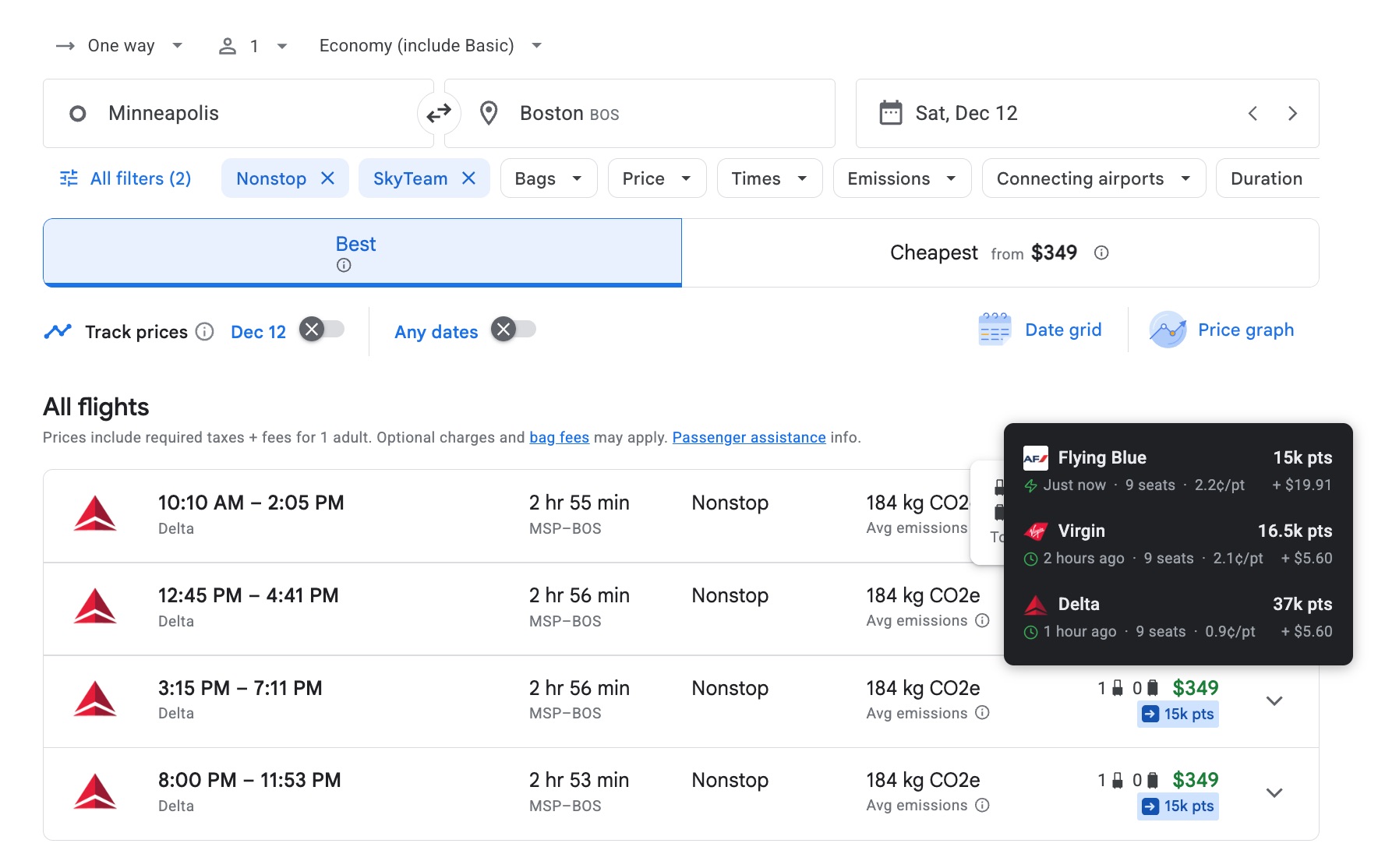
It’s a clean, easy-to-use interface that lets you filter which airlines or credit card programs appear next to the cash price of each flight. For example, I can book a handful of Delta-operated flights from Minneapolis-St. Paul (MSP) to Boston (BOS) for 15,000 Air France/KLM Flying Blue miles or 16,500 Virgin Atlantic … or 37,000 Delta SkyMiles.
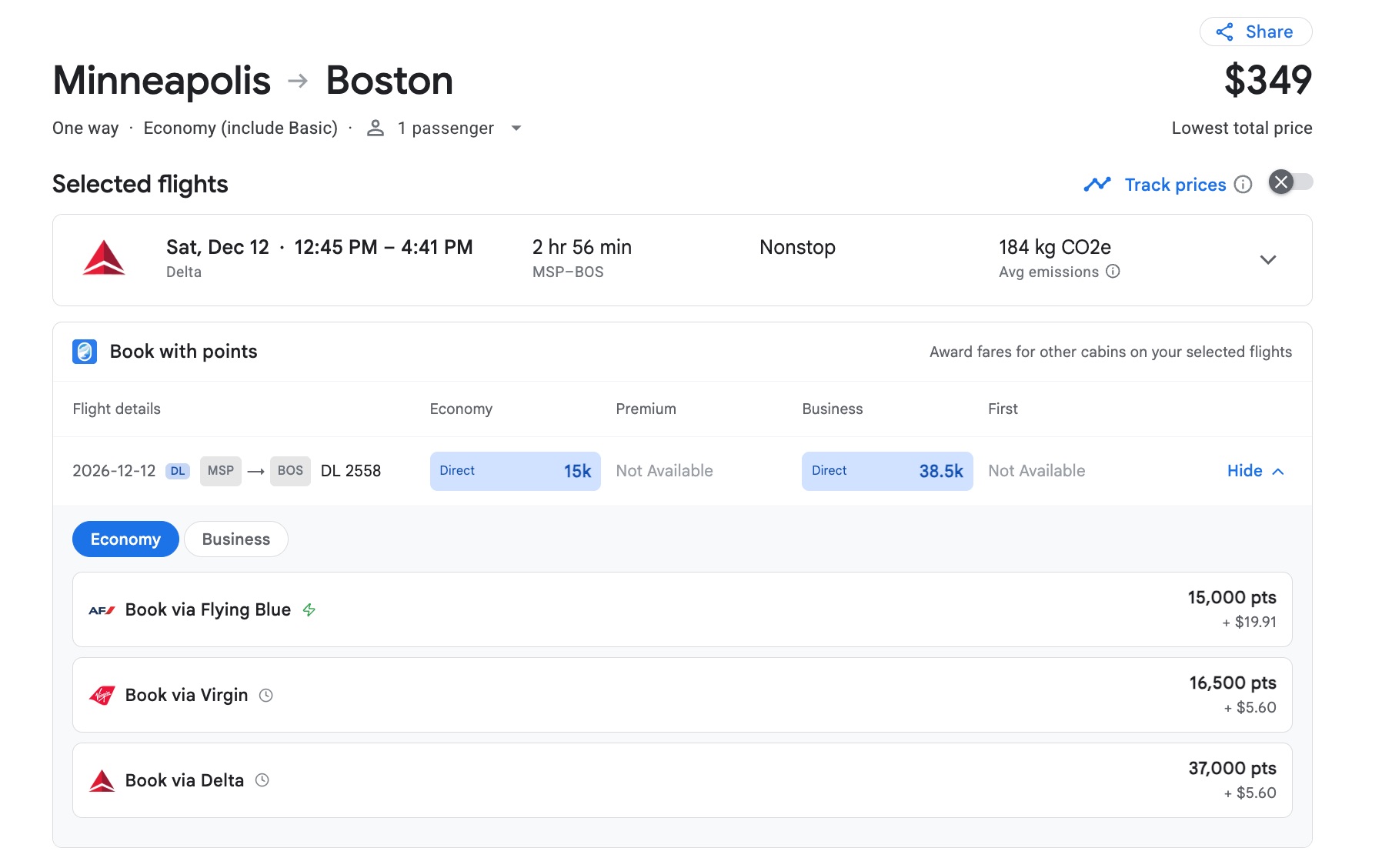
Click on a flight and, in addition to the normal options to book direct with the airline, seats.aero will also give you handy links to click to book those awards with miles. And it works surprisingly smoothly: Just log in when prompted, and it’ll pull your search criteria through.
To be absolutely clear, seats.aero isn’t reinventing the wheel here. This is borderline identical to what Points Path has been doing (extremely well) for years.
But for as much as I love seats.aero for unearthing hard-to-find award space, there’s no denying it’s built largely for advanced users. Unless you already know exactly what you’re looking for – whether that’s a one-way business class flight to Europe bookable for less than 100,000 United MileagePlus miles or a Delta One award bookable via Virgin Atlantic or Air France/KLM for a fraction of the SkyMiles – its interface can be difficult to navigate.
This browser plugin solves that problem. It’s a far more approachable entry point for many travelers just dipping their toes into redeeming miles or wondering whether they should book with cash instead.
“People are sitting on thousands of dollars’ worth of points, but using them is still far more complicated than paying cash,” said Chris Lopinto, CEO of seats.aero. “Most people compare flights based on price, while comparing award options has always been a separate process. This brings those two together, making it easier to decide whether to book with cash or points.”
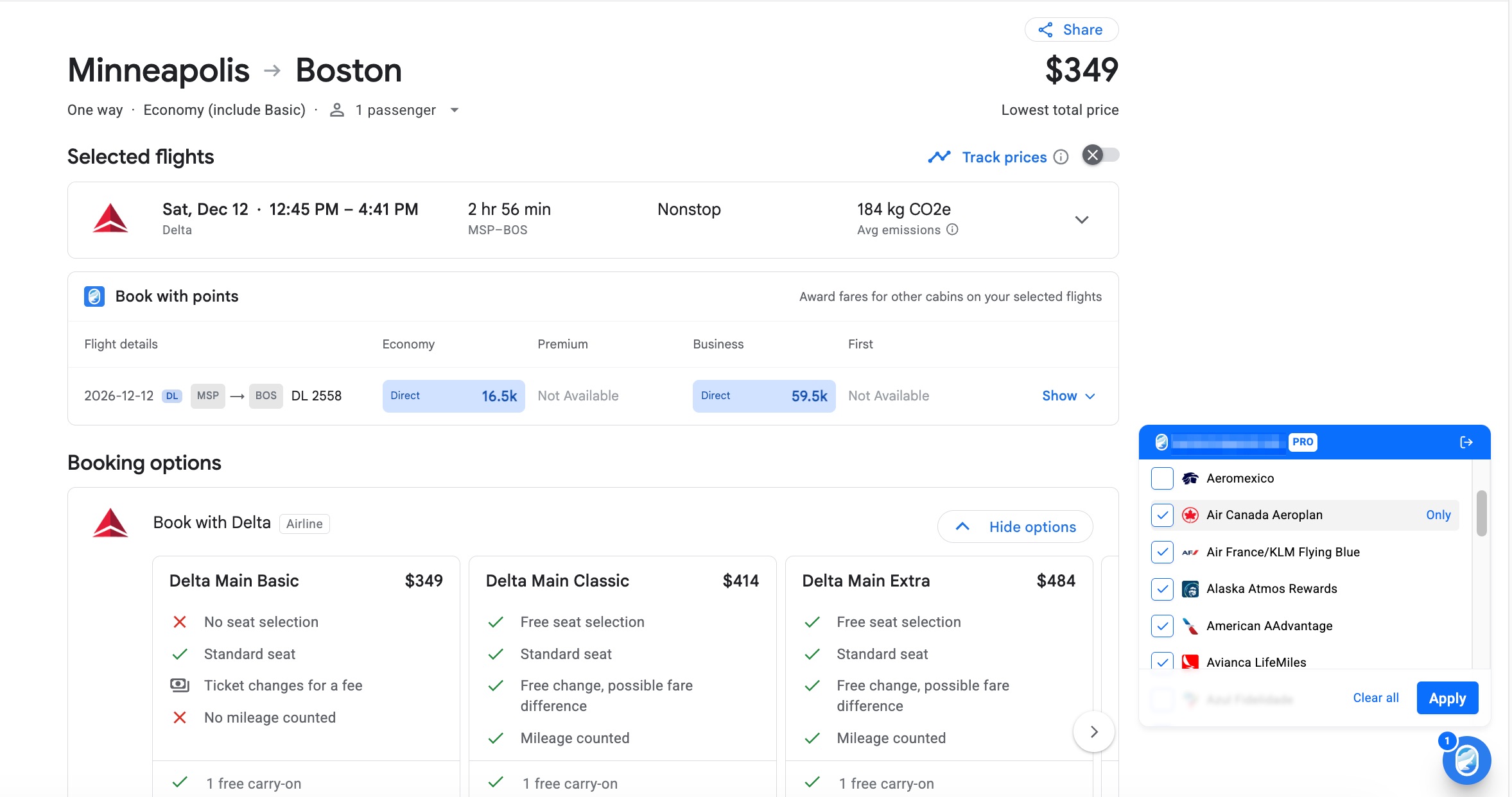
But seats.aero also goes much further. Savvy flyers who know they can use workarounds like booking American Airlines with Finnair Avios can see award rates from as many as 30 different airline programs in their Google Flights results. Free Points Path users are limited to just five of the largest U.S. airline programs: Alaska, American, Delta, JetBlue, and United, with the option of adding another dozen or so foreign airlines with a paid subscription.
With seats.aero’s browser extension, you can quickly toggle through which of those 30 or so airline programs you want to see in your results. You can also filter by which transferable credit card points you have, like American Express, Bilt, Capital One, Chase, and others.
Plus, it works the same through Chase’s travel portal. That could be critical for helping travelers just starting with points see the value of transferring Chase points to a transfer partner like British Airways, Virgin Atlantic, or others.
The way I see it, there are three main downsides to seats.aero’s newest tool:
- Free users can only see points rates for the next 60 days’ worth of flights – and all the results are cached, so they could be out of date
- Rather than clearly pointing users toward whether it’s better to pay or use points (as Points Path does), seats.aero simply calculates the value of each redemption (commonly referred to as “cents per mile” or “cents per point”) – again, catering to advanced travelers but perhaps leaving beginners even more confused
- Here’s the big one: It only displays one-way award rates, not roundtrip. That’s a big downside for some domestic airline programs, especially Delta SkyMiles
As a longtime seats.aero Pro subscriber and a self-described “sicko” when it comes to all things points and miles, I’m a fan. Automatically pulling in award rates from more than two dozen airline programs – with a shockingly smooth process to click through and book that same award – is seriously slick. It should be especially helpful for fanning out the best way to book domestic awards.
Bottom Line
Seats.aero’s new browser plugin adds to the growing list of online tools to maximize your points and miles. And it makes seats.aero itself – already one of the biggest names in that space – even better.




If you already have Points Pro (Founder’s Club), will adding this to Chrome conflict?