
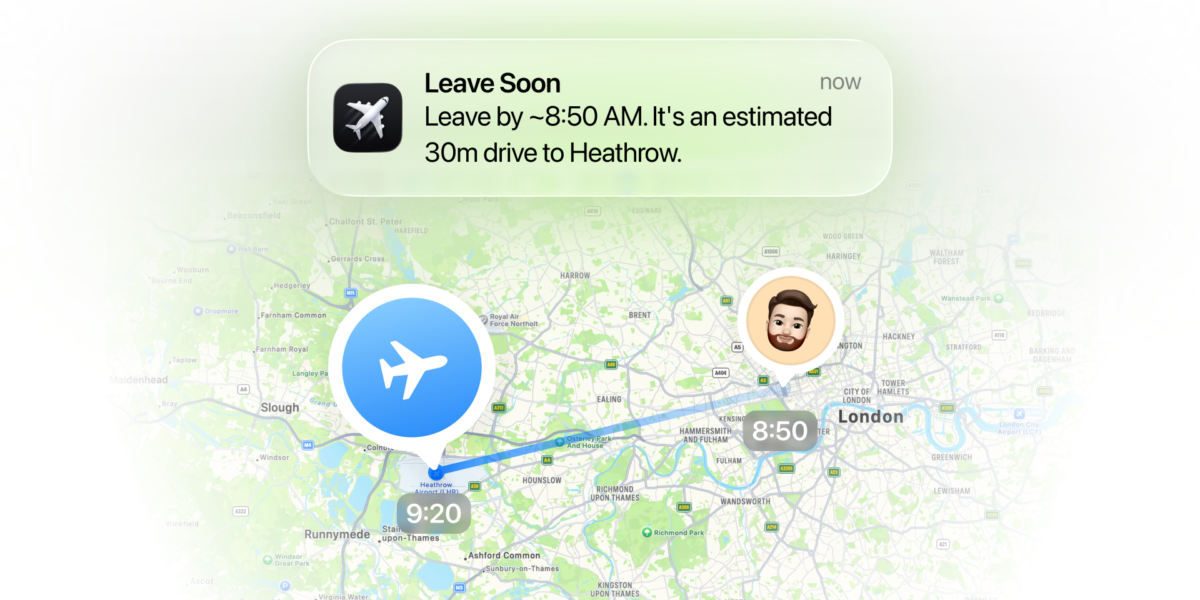



The engineers at Flighty – my favorite travel app – are hoping to answer the age-old question plaguing travelers everywhere: What time should I leave for the airport?
As part of a new update on Wednesday, Flighty has implemented a feature called “When to Leave,” which accounts for live travel times and your usual airport routine to recommend when you need to leave.
Flighty is replacing the reverse-engineered mental math of getting to the airport on time by combining Apple Maps’ drive times, predicted traffic, and allowing travelers to custom tailor what they want to do at the airport, including parking, returning a rental car, getting on a shuttle, and even going to the lounge – or a catch-all “other” category for a shopping stop, a run through the kids’ play area, a pre-flight walk, and more!
The “When to Leave” feature also sends a “Leave Soon” push alert 20 minutes before you should leave and a “Time to Leave” notification when you need to hit the road.
The best part: All of it is totally customizable, letting you specify exactly how much time you want for each aspect of the airport experience and build in a small buffer to help you get there on time, too.
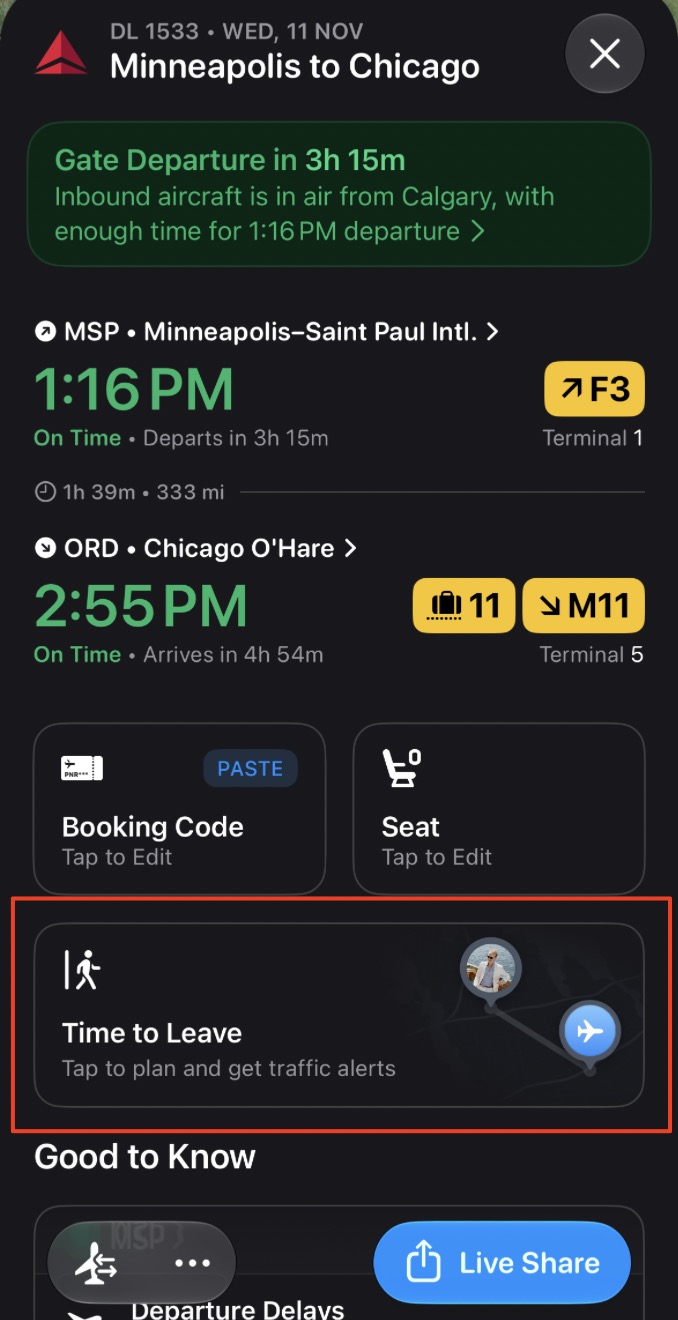
The new box, just below your booking code and seat, is called “Time to Leave,” and once you tap it, it lets you go in and create a plan.
To do that, you can choose to allow Flighty to have your location, as I did in the screenshot below. Once you do, it immediately reads traffic patterns and creates a departure time with a 10-minute buffer.
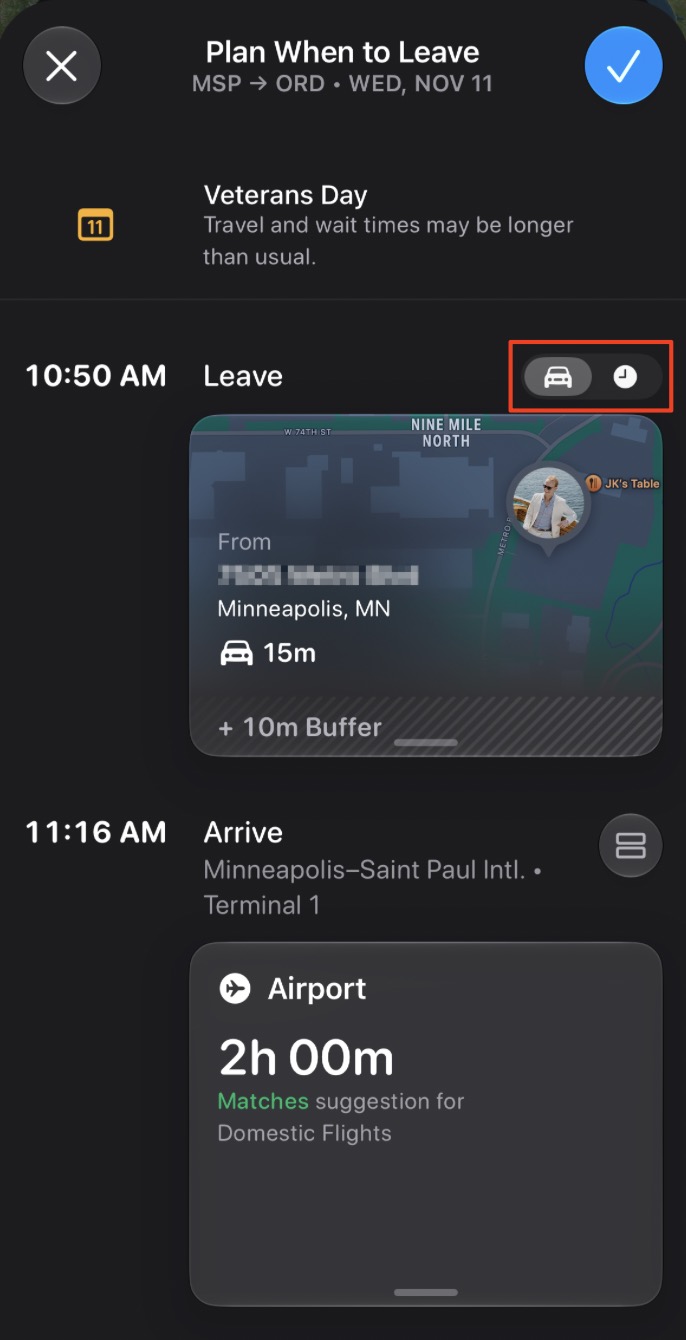
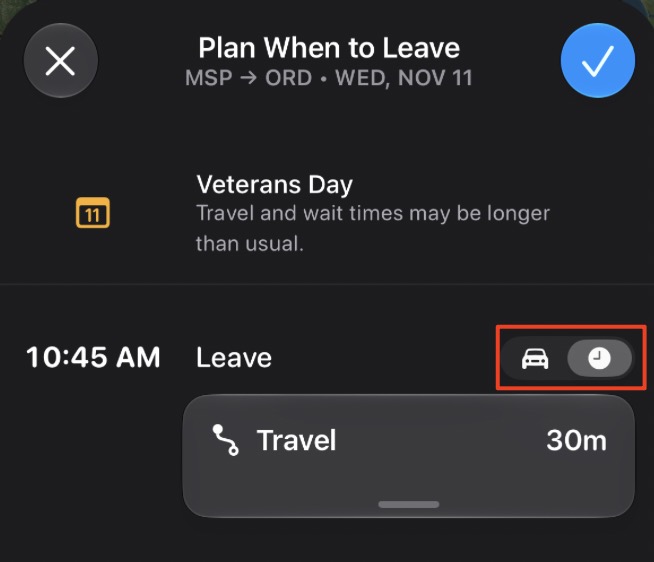
You can also toggle it to use a set drive time to the airport if you’d rather not share your location.
But here’s where these updates get really good, because all of this is totally customizable to what you need or want to do at the airport. So for your “When to Leave,” you can factor in important things like shuttle rides, security, passport control, and boarding time, and you can also add time for luggage check-in, visiting a lounge, and more!
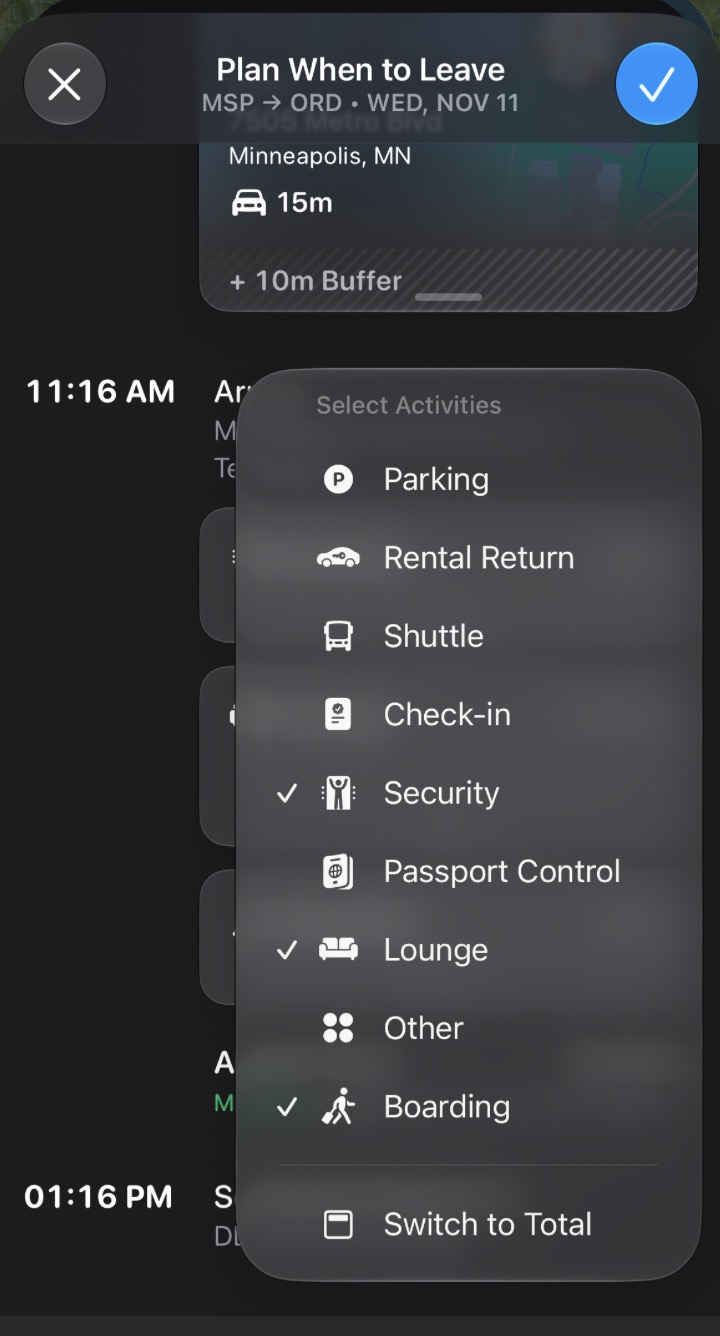
And once you choose those airport activities, you can then customize the length of each of them! If you know you want to put in a full hour at the lounge, you can do that. If you only want to grab a coffee and go, you can shorten that lounge visit down so you can leave later.
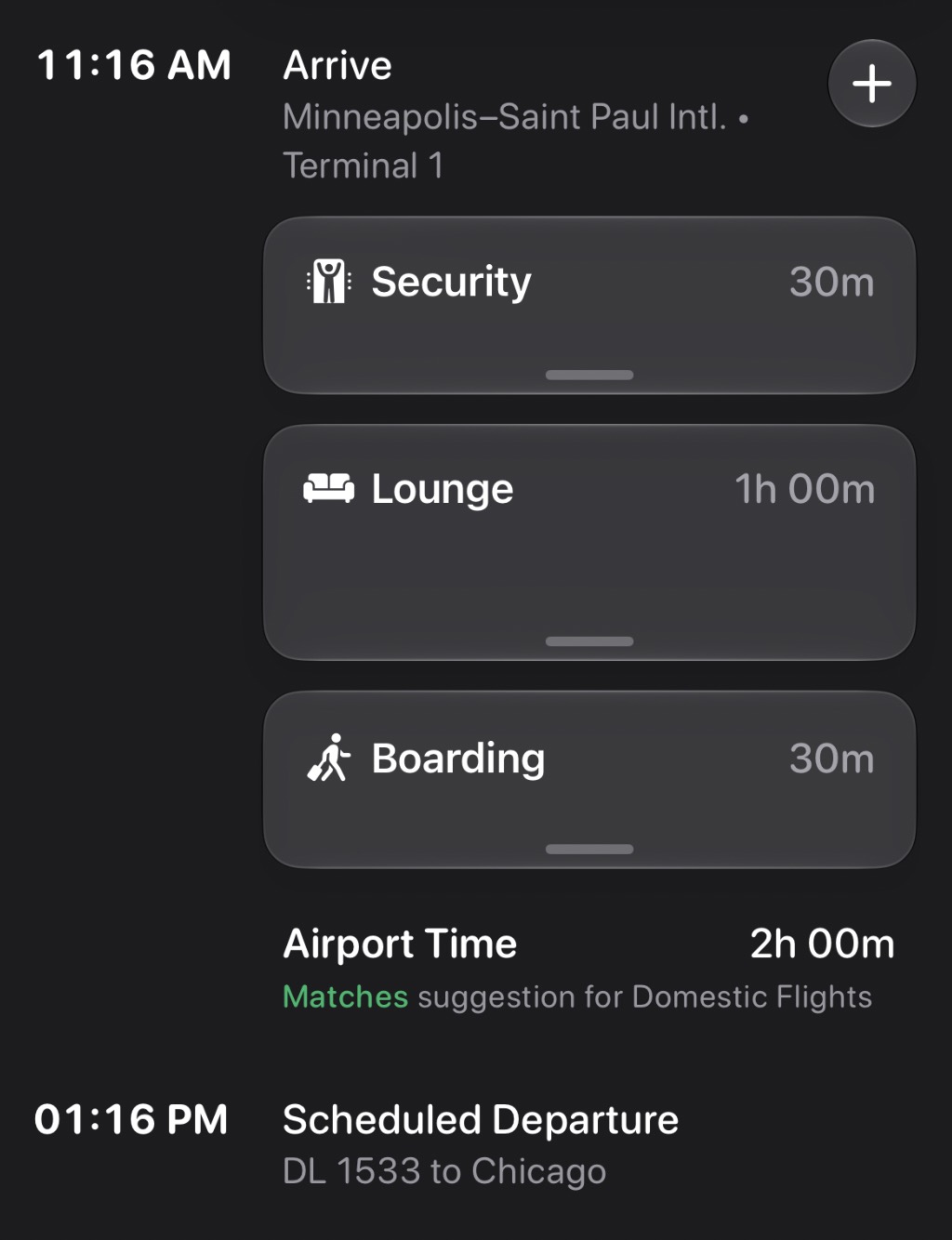
Basically, Flighty has taken the mental math we all do the night before a flight and automated it without taking away the personal choices we all make at the airport.
Other New Features
Flighty also dropped a few other new features as part of its fall release, including the ability to search for previous flights. You can now search, in your own words, for flights you previously took without having to scroll through your entire passport to do so.
Along with the flight search, Flighty updated its Flighty Friends feature, too. Flighty Friends allows you to share your live and scheduled flights with others, but now you can also share your Flighty Passport with your Flighty Friends, too.
Finally, Flighty now lets you arrange your friends and family in any order on the Friends page.
Bottom Line
Flighty’s newest feature takes the guesswork and the backward math out of deciding when to leave for the airport with its “Time to Leave” feature.
The update helps travelers tailor their departure time based on their airport preferences and the time they need to get there. Plus, Flighty updated its Flighty Friends page to include Friends’ Passports and now lets travelers search for past flights.