


If you haven’t upgraded to a Real ID yet, flying without one is about to get more expensive.
Beginning Sunday, Feb. 1, 2026, travelers without a Real ID-compliant driver’s license or another approved form of identification will be charged a $45 fee just to get through TSA checkpoints. If that's the boat you find yourself in, you'll have to head to the TSA's website to pay up in advance, too.
The fee applies to any traveler 18 or older who can’t present a Real ID or one of several acceptable alternatives like a passport, passport card, Global Entry card, or military ID. It also applies to travelers who forget their ID at home, lose it before a trip, or discover too late that their license isn’t compliant.
TSA says the new fee will help fund its updated identity-verification system, called Confirm.ID, which uses biometric and biographic checks to confirm a traveler’s identity when they don’t have proper documentation. As Adam Stahl, Senior Official Performing the Duties of Deputy Administrator for TSA said, “This fee ensures the cost to cover verification of an insufficient ID will come from the traveler, not the taxpayer.”
And while TSA estimates 94% of travelers already show up with Real ID or another acceptable ID, that still leaves millions of passengers who could get stuck paying the price.
If you're a traveler without a Read ID, here's how the system works and how you're being expected to pay.
How to Pay the $45 Fee for Confirm.ID
Travelers without Real ID must now prepay the fee online through a TSA-supported payment platform. The TSA's website is full of links and information on how to do this.
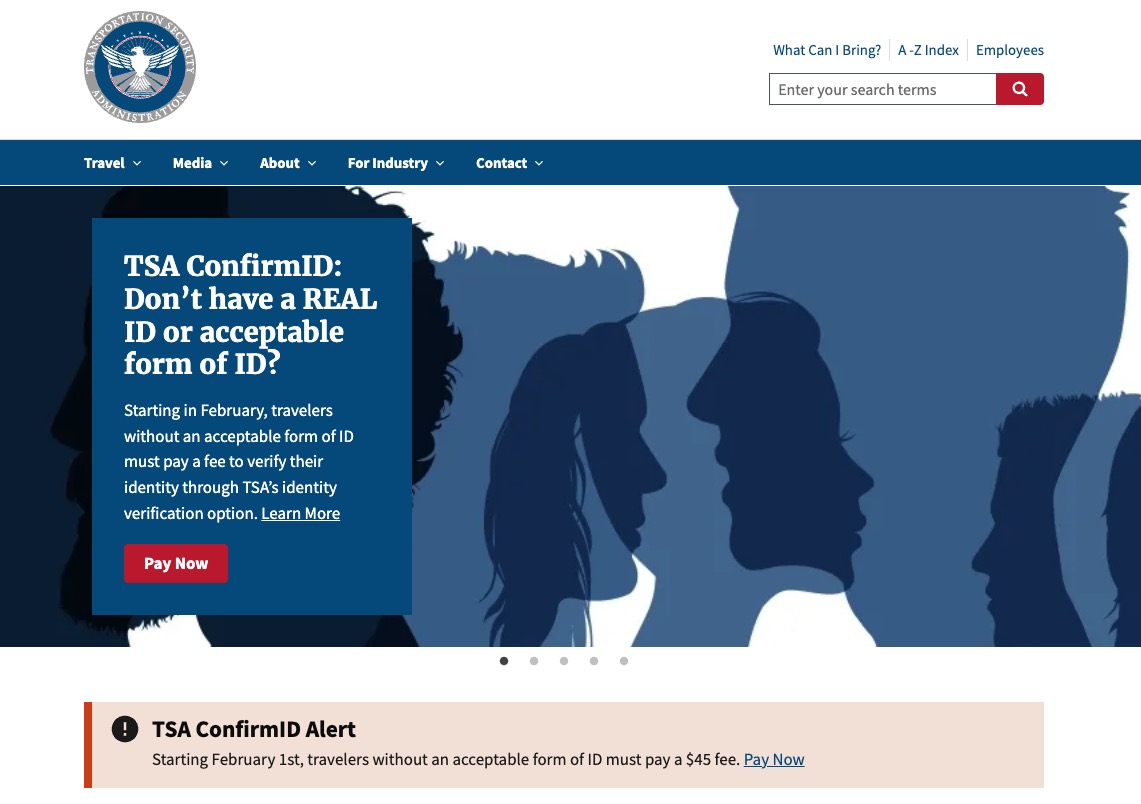
At TSA.gov, you'll click one of the “Pay Now” links to enter the payment portal. There, you'll enter your name, the date you're starting your travels, and enter a bank account, debit card, credit card, Venmo, or PayPal to fork over the $45.
Once your payment is processed, you'll get a confirmation email from Pay.gov, which you'll show – either printed out or on your phone – to the agent at the TSA checkpoint. Then, that agent will complete the identity verification process.
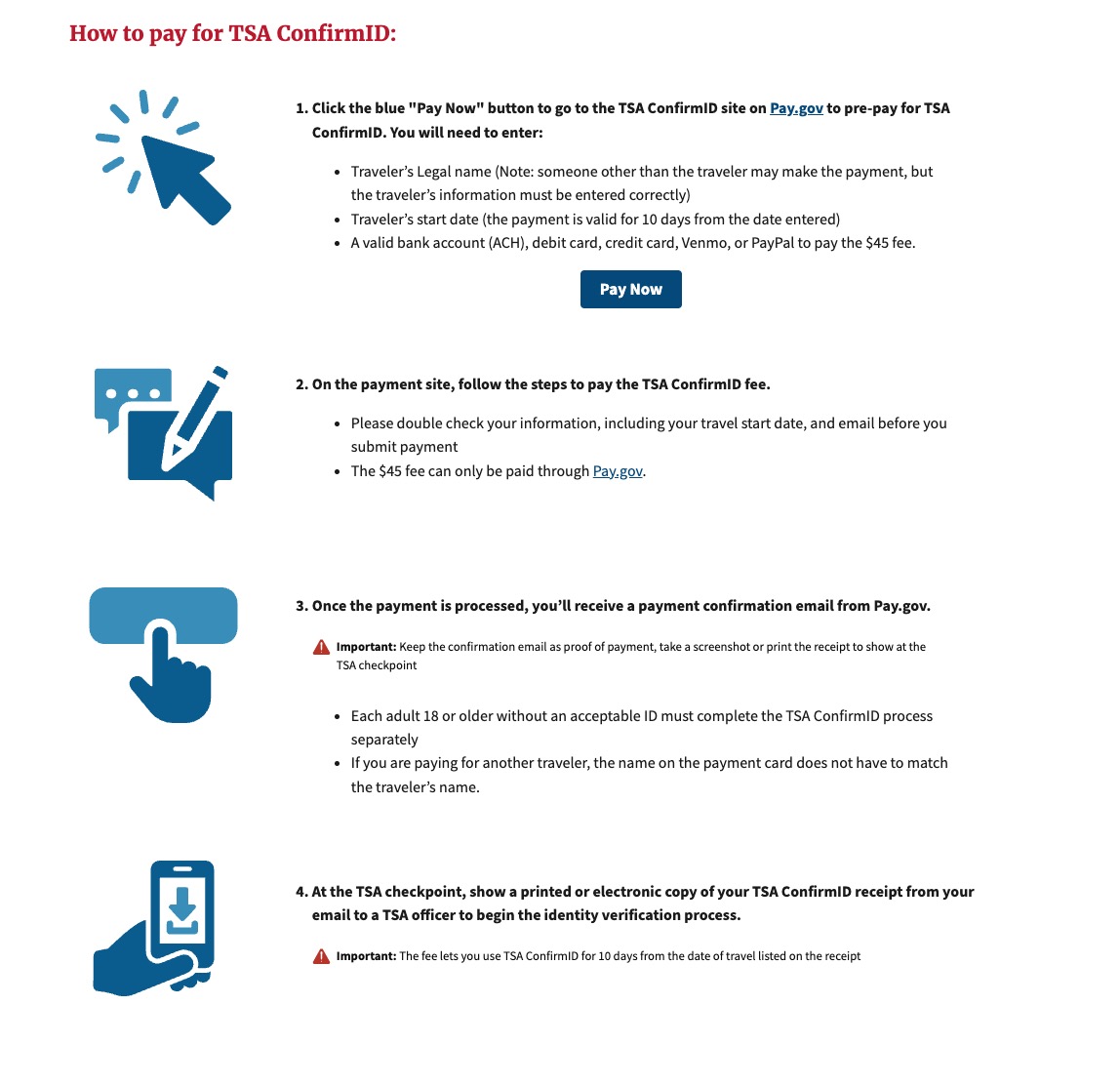
The entire online form took me less than two minutes to complete, though I didn't complete the payment processing.
Arrive without prepaying? You’ll be sent out of line to complete the Confirm.ID process at the airport instead. The TSA says this typically takes 10 to 15 minutes, although it can stretch to 30 minutes or longer, depending on the traveler’s case. The agency is also warning that wait times will increase for anyone who does not present an acceptable form of identification.
On the TSA website, they issued the following stern warning about Confirm.ID, too:
Using TSA ConfirmID is optional. If you choose not to use it and don't have an acceptable ID, you may not be allowed through security and may miss your flight. Fraud or other criminal activity regarding this process will be processed under federal penalties.
A few more key details:
- The $45 fee is nonrefundable.
- Payment doesn’t guarantee TSA can successfully verify your identity. If verification fails, you will still be denied entry.
- Once paid, the fee covers up to 10 days of travel, meaning (most) roundtrip flyers won’t need to pay it twice.
- Travelers under 18 remain exempt from ID requirements.
Who Will Actually Be Affected?
For most travelers, nothing changes: Your Real ID, passport, or other accepted ID gets you through security just like before.
But the new fee will impact you for the following reasons:
- You haven’t upgraded to a Real ID yet
- Forget your compliant ID before heading to the airport
- Lose your ID mid-trip
- Travel with an expired or non-compliant license
As you can see, the fee kicks in during some of the most common travel mishaps, which is precisely why TSA says the new process is needed.
A Bright Spot: Apple’s New Digital ID Might Save You from Paying
There is a silver lining for those with an iPhone and a passport, and it’s one many travelers are unaware of yet.
Apple’s new Digital ID feature, launched Nov. 12 as part of iOS 26.1, now allows travelers to store their passport inside their Apple Wallet and use it as identification at more than 250 TSA checkpoints nationwide. Once you set it up, you can tap your iPhone or Apple Watch, verify with Face ID, and the TSA will accept it just as you would present your physical passport for domestic security screening.
While it is fully compliant for domestic flights, it will not replace your passport for international travel. You still need to carry a physical passport when leaving or entering the U.S.
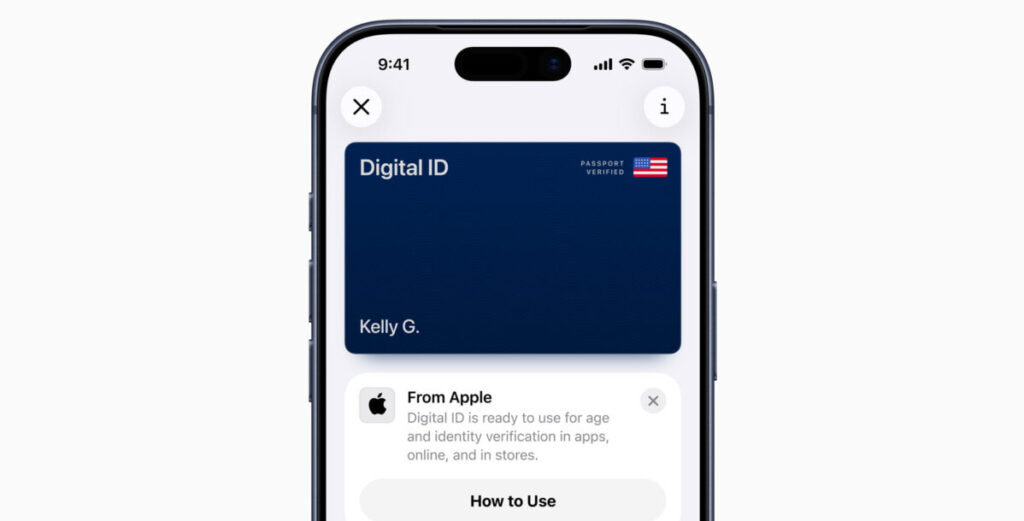
Thrifty Traveler Co-Founder Nick Serati used it on a trip to and from New York City this month and said it worked great!
What Forms of ID Will Avoid the New $45 Fee?
Starting Feb. 1, you’ll avoid the fee if you have any of the following compliant IDs:
- Real ID–compliant driver’s license or state ID
- Enhanced driver’s license
- A valid U.S. passport or passport card
- Global Entry, NEXUS, or SENTRI card
- Military ID
- Permanent resident card
- Border crossing card
- Tribal photo ID
- TWIC card
- U.S. Merchant Mariner Credential
- Employment Authorization (I-766)
- HSPD-12 PIV card
- Foreign passport
- Canadian provincial driver’s license
Bottom Line
Starting Feb. 1, the TSA will charge travelers $45 if they arrive at the airport without a Real ID or another approved form of identification. The new fee must be paid for in advance through TSA's website. The Confirm.ID system, which uses biometric checks to verify travelers who don’t have proper documentation, also doesn’t guarantee you’ll be cleared to fly. The charge is nonrefundable and covers up to 10 days of travel.
While millions of Americans still lack Real ID-compliant licenses, this change will also affect anyone who forgets their wallet or travels with outdated identification.